Chapter 2 Flight Safety 31
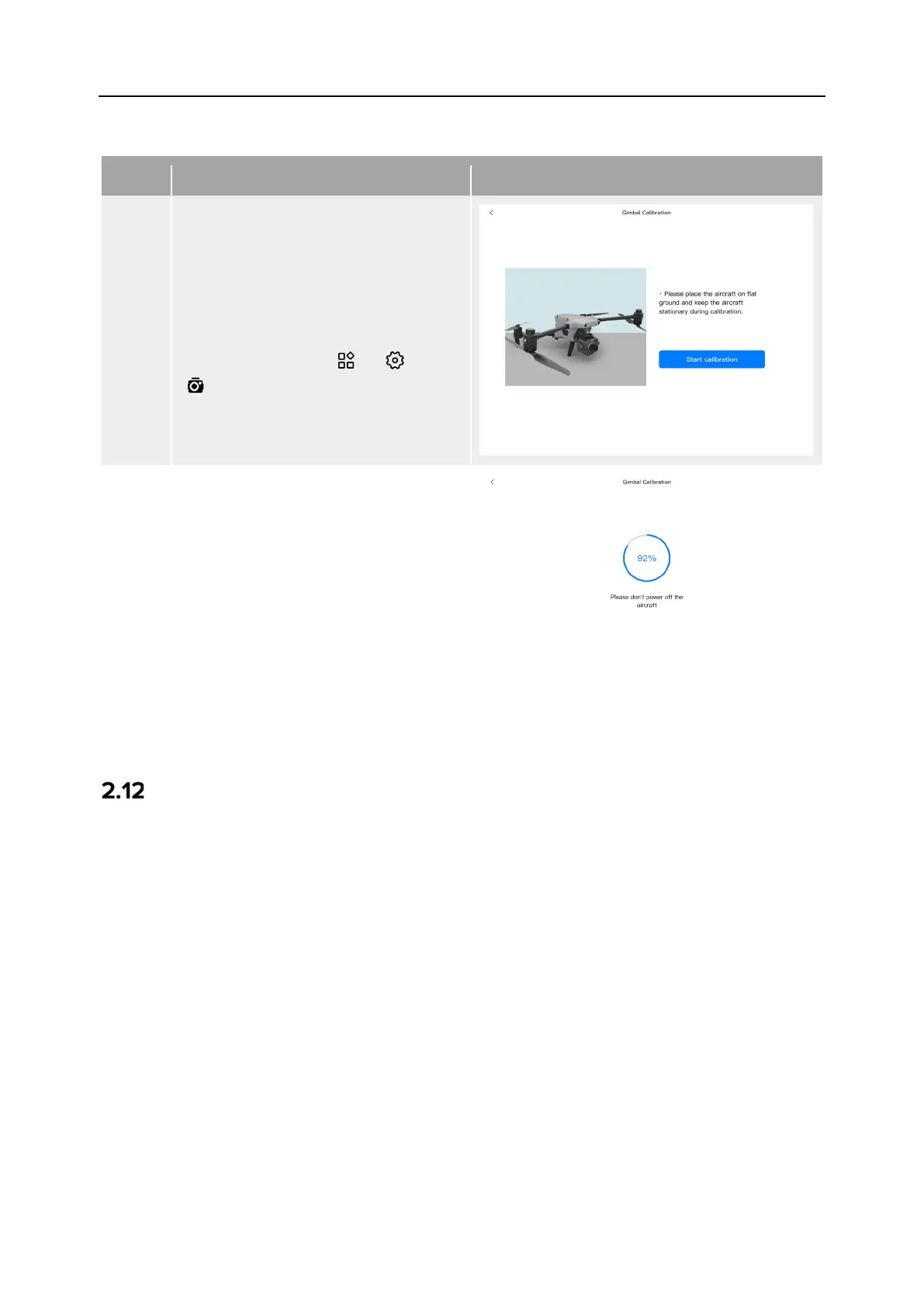
If the rotation angle of the gimbal is abnormal, please follow the steps below to calibrate it.
Table 2-6 Gimbal Calibration
1
Place the aircraft on a flat ground.
After turning on the aircraft and the
remote controller, keep the aircraft
in a static state.
In the main interface of the Autel
Enterprise App, tap “ ” > “ ” >
“ ” > “Gimbal Calibration” > “Start
Calibration”.
2
Wait for the calibration progress bar
to reach 100%. When “Calibration
Successful” is displayed on the
screen, the gimbal is successfully
calibrated.
Emergency Stop Propellers During Flight
During flight, if the motors of the aircraft experience power damage or failure (e.g., damaged
or missing propellers and motor failure) that makes the aircraft out of control, you can enable
the "Emergency Stop Propellers During Flight" function. At the same time, you need to
manipulate the dual command sticks on the remote controller inward or outward to forcibly
stop propeller rotation and allow the aircraft to descend freely for an emergency landing. This
can reduce the potential damage to property and harm to ground personnel caused by aircraft
malfunctions.
In the event of an aircraft malfunction, you should first attempt to manipulate the command
sticks to move the aircraft away from crowds or buildings and lower the altitude and horizontal
speed of the aircraft before enabling the emergency propeller stop function. For how to enable
this function, see “6.5.8 More” in Chapter 6.












 To Next Page