80 Chapter 4 Remote Controller
1. Press and hold the power button and the take-off/return-to-home button of the remote
controller at the same time until the battery level indicators of the remote controller blink
quickly, which indicates that the remote controller has entered the forced frequency pairing
state.
2. Make sure that the aircraft is turned on. Double-click on the power button of the aircraft, and
the front and rear arm lights of the aircraft will turn green and blink quickly.
3. When the front and rear arm lights of the aircraft and the battery level indicator of the remote
controller stop blinking, it indicates that the frequency pairing is successfully done.
Selecting Stick Mode
Stick Modes
When using the remote controller to operate the aircraft, you need to know the current stick
mode of the remote controller and fly with caution.
Three stick modes are available, that is, Mode 1, Mode 2 (default), and Mode 3.
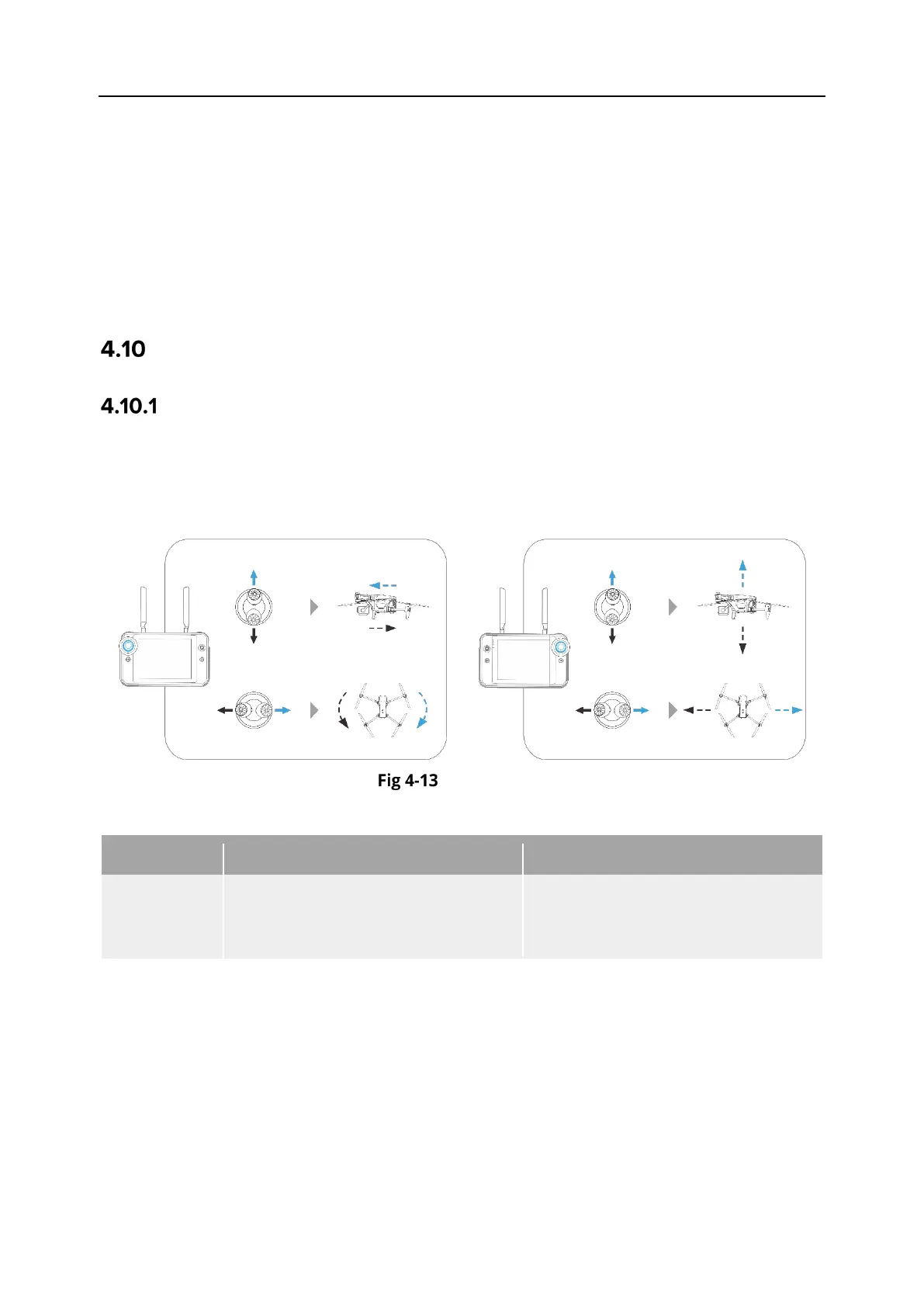
Mode 1
Mode 1
Table 4-11 Mode 1 Details
Command
Controls the forward and backward
movement of the aircraft
Controls the heading of the aircraft
Right Stick
Controls the ascent and descent of
the aircraft
Controls the left or right movement
of the aircraft












 To Next Page