Chapter 6 Autel Enterprise App 109
If "Hovering" is selected, when the aircraft disconnects, the aircraft will hover at the current
position.
If "Land" is selected, when the aircraft disconnects, the aircraft will land at the current position.
When the aircraft is disconnected from the remote controller, the aircraft will decelerate. If
the connection is not restored after 4 seconds, the aircraft will execute the “Lost Action”.
When the aircraft initiates a return to home due to a disconnection, even if the aircraft re-
connects to the remote controller, it will continue the return process. In this case, you can
short press the "Pause" button on the remote controller to pause the return process or
long press the "Pause" button for 2 seconds to exit the return process to regain control of
the aircraft.
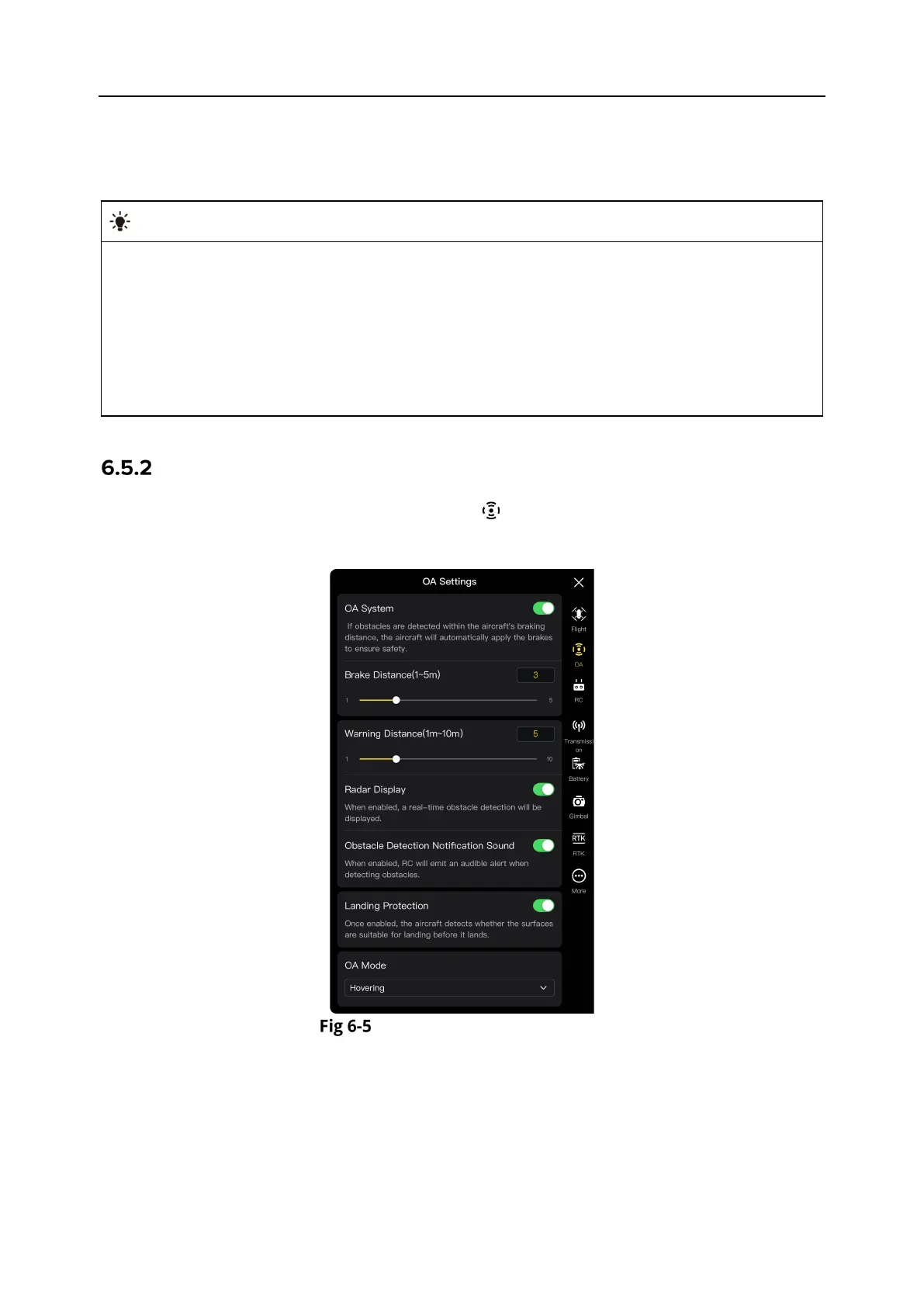
OA Settings
In the sidebar of the “Settings” interface, tap the " " icon to enter the "OA Settings" interface,
where you can set the OA system, brake distance, warning distance, radar display, obstacle
detection notification sound, landing protection, and OA mode of the aircraft, as shown below.
"OA Settings" Interface
Turn On/Off OA System
Tap the button to the right of "OA system" to turn on/off the OA system function.
If this function is turned on, you can set the brake distance. Enter a value in the edit box to
the right of “Brake Distance (1-5m)” that pops up below, or adjust the value by moving the
slider below left and right. When the aircraft detects an obstacle, it will stop at the brake
distance as set.












 To Next Page