120 Chapter 6 Autel Enterprise App
If "Off" is selected, the "Emergency Stop Propellers During Flight" function will be disabled.
If "On" is selected, you can stop the propellers of the aircraft from spinning at any time during
flight by simultaneously pushing the two command sticks inward or outward.
If "Only in case of failure" is selected, you can stop the propellers of the aircraft from spinning
by simultaneously pushing the two command sticks inward or outward only in the case of
aircraft malfunctions.
Please use the "Emergency Stop Propellers During Flight" function with caution. Once the
propellers stop, the aircraft will fall freely without control.
This function is only used to reduce additional harm or damage caused by aircraft
malfunctions. Please stay away from crowds or buildings when using this function.
After the "Emergency Stop Propellers During Flight" function is enabled, please stop using
the aircraft and contact Autel Robotics to inspect the power system of the aircraft.
View Version Information
Tap "About", and you can view the firmware version and the serial number of the aircraft, remote
controller, gimbal, and battery, as well as the version of the Autel Enterprise App, and check for
versions and perform updates for the App and firmware.
Language Settings
Tap the drop-down list of “Language Settings” and choose one from Simplified Chinese, English,
Traditional Chinese, Japanese, and Spanish. After you confirm the selection, the Autel Enterprise
App will automatically restart and display in the chosen language.
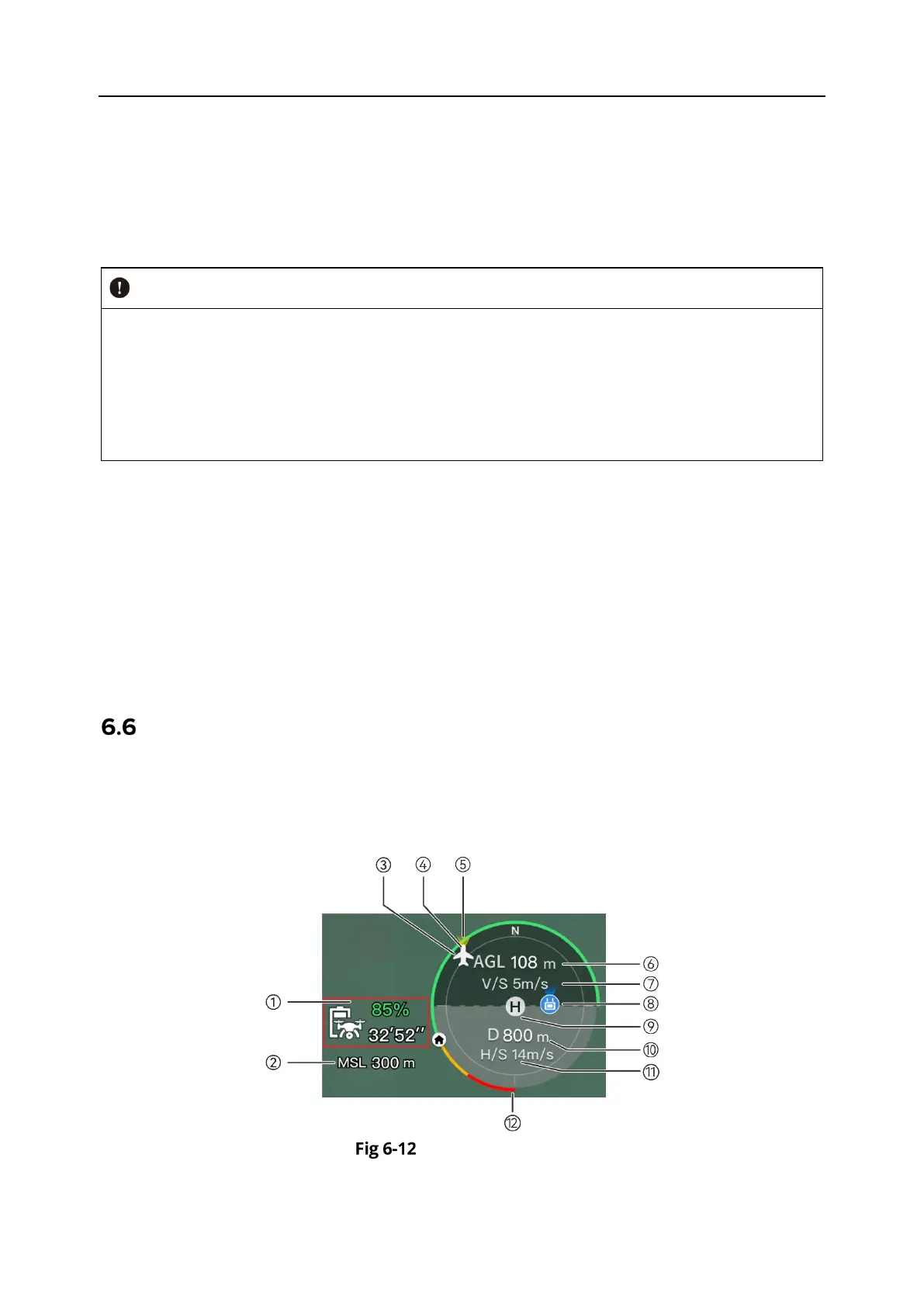
Attitude Ball
The attitude ball is mainly used to dynamically display the relative positions of the aircraft,
remote controller, and home point, and display the relevant attitude, flight speed, battery level,
operating time, and other flight safety data of the aircraft. Any changes in the aircraft's status
will be reflected in the attitude ball.
Attitude Ball












 To Next Page