Chapter 4 Remote Controller 69
Installing the Remote Controller Lanyard
Tip
The remote controller lanyard is an optional accessory. You can choose whether to install
it as required.
When holding the remote controller for a long time
during flight operations, we
recommend that you install the remote controller lanyard to effectively reduce the
pressure on your hands.
Steps
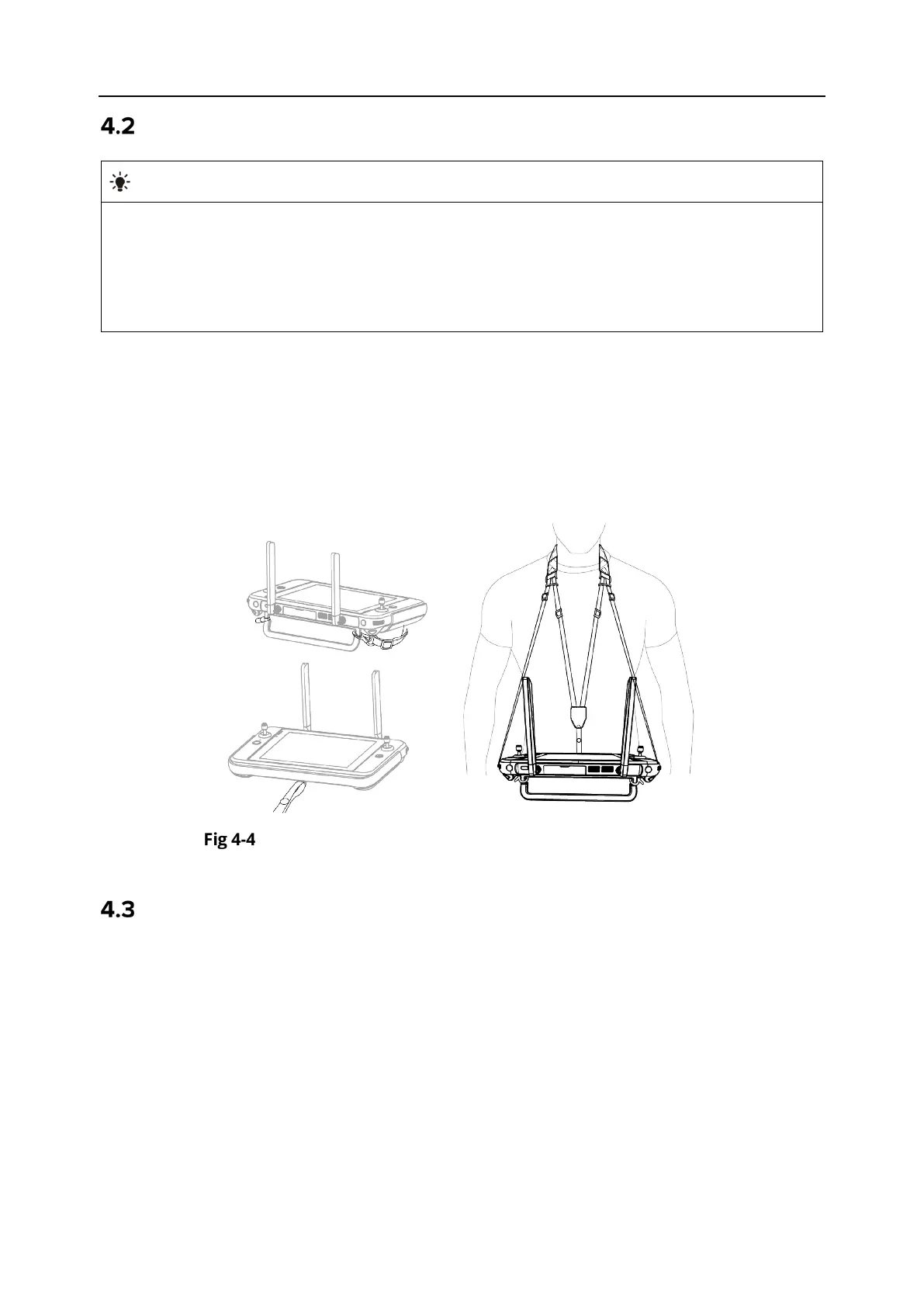
1. Clip the two metal clips on the lanyard to the narrow positions on both sides of the metal
handle at the back of the controller.
2. Open the metal button of the lanyard, bypass the lower hook at the bottom of the back of the
controller, and then fasten the metal button.
3. Wear the lanyard around your neck, as shown in the figure below, and adjust it to a suitable
length.
Install the Remote Controller Lanyard (As Required)
Installing/Storing Command Sticks
The Autel Smart Controller V3 features removable command sticks, which effectively reduce
storage space and enable easy carrying and transportation.
Installing command sticks
There is a command stick storage slot above the mental handle at the back of the controller.
Rotate counterclockwise to remove the two command sticks and then rotate them clockwise to
install them separately on the remote controller.












 To Next Page