30 Chapter 2 Flight Safety
4
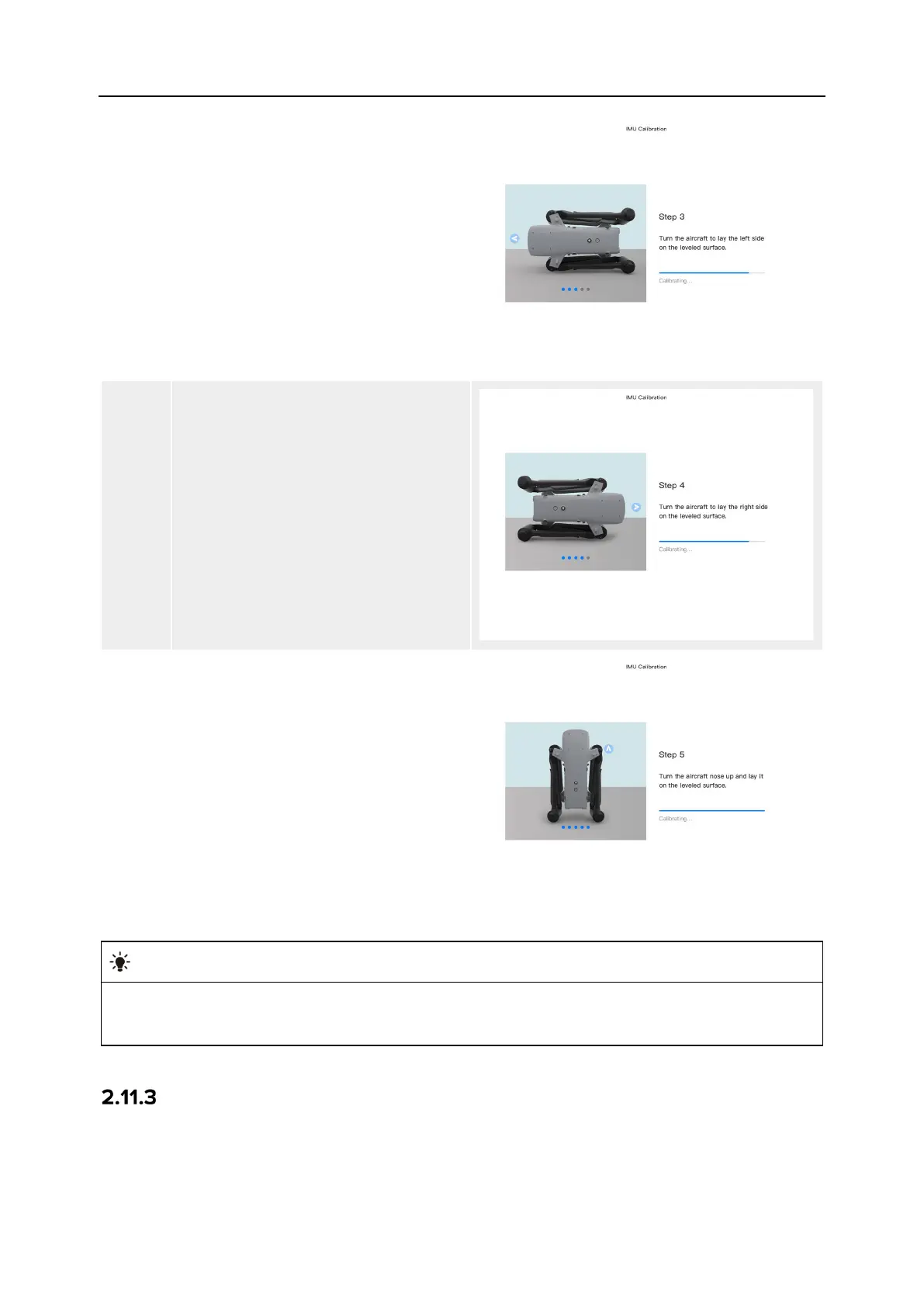
Put the left side of the aircraft flat on
the ground until the rear arm light of
the aircraft turns green and blinks.
5
Put the right side of the aircraft flat on
the ground until the rear arm light of
the aircraft turns green and blinks.
6
Fold the arms, turn the aircraft nose
up, and lay it on the leveled surface
until the rear arm light of the aircraft
turns green and is always on. Be
careful not to bump the rear camera
lens.
If the calibration fails, the rear arm light of the aircraft will turn red and is always on, and
the above steps should be repeated at this time.
Gimbal Calibration
The gimbal of the aircraft has been calibrated at the factory, and no user calibration is required
under normal conditions.












 To Next Page