Chapter 2 Flight Safety 29
Please place the aircraft on flat ground, and do not move, shut down, or restart the aircraft
during the calibration process.
During IMU calibration, the gimbal will not work.
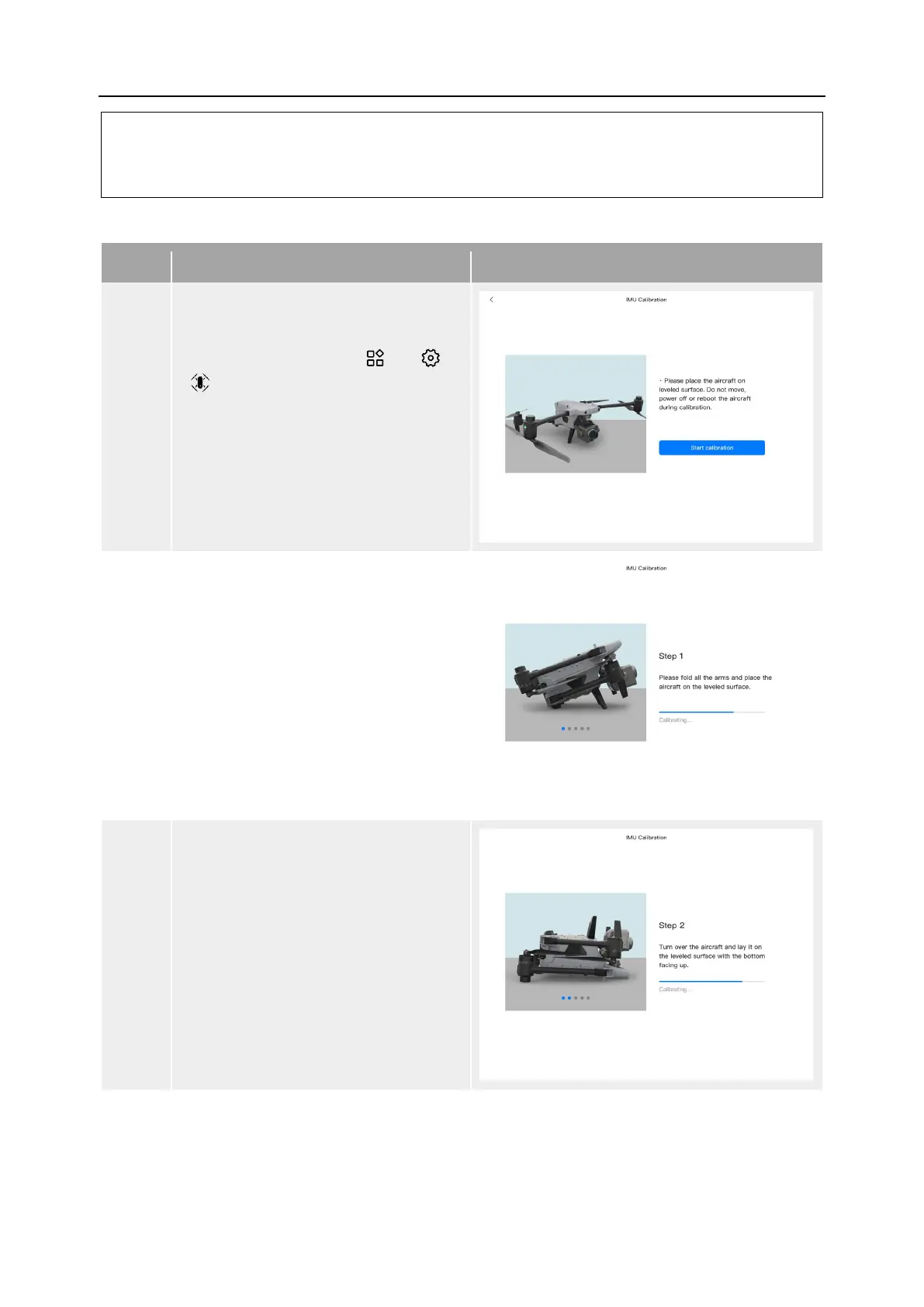
Table 2-5 IMU Calibration
1
After turning on the aircraft and the
remote controller, tap " " > “
“
” > "IMU Calibration" > "Start
Calibration" in the main interface of
the Autel Enterprise App.
When the calibration process begins,
the rear arm light of the aircraft turns
yellow and blinks.
2
Fold up the arms and place the
aircraft flat on the ground until the
rear arm light of the aircraft turns
green and blinks.
3
Turn the aircraft over 180° and lay the
aircraft facing up until the rear arm
light of the aircraft turns green and
blinks.
Please pay attention to protecting the
upward-looking camera lens.












 To Next Page