74 Chapter 4 Remote Controller
Do not use other communication devices of the same frequency band at the same time to
prevent interference with the signals of the remote controller.
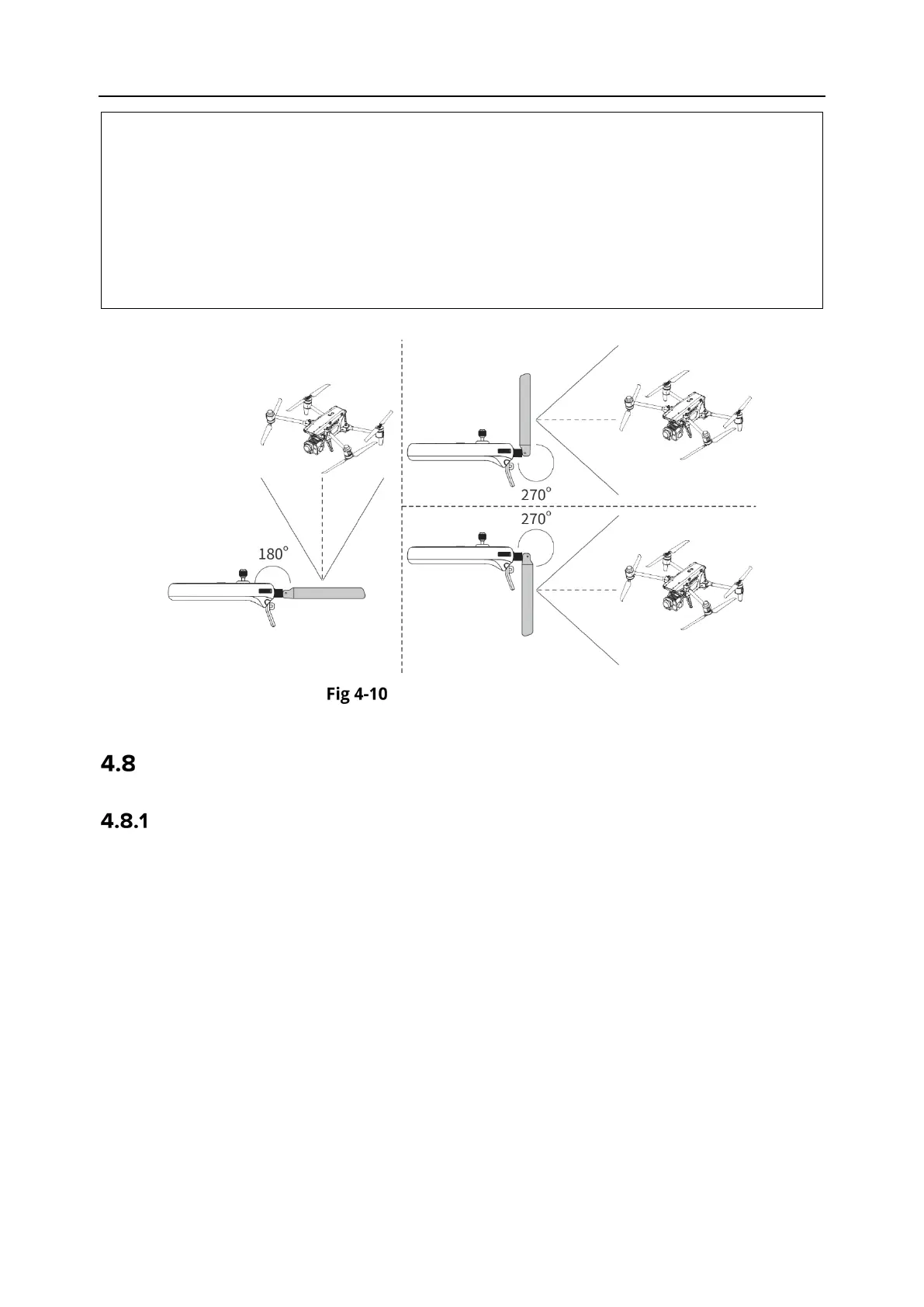
During flight, if there is a poor image transmission signal between the aircraft and the
remote controller, the remote controller will provide a prompt. Please adjust the antenna
orientation according to the prompt to ensure that the aircraft is in the optimal data
transmission range.
Please make sure that the antenna of the remote controller is securely fastened. If the
antenna becomes loose, please rotate the antenna clockwise until it is firmly fastened.
Extend the antenna
Remote Controller System Interfaces
Remote Controller Main Interface
After the remote controller is turned on, it enters the main interface of the Autel Enterprise App
by default.
In the main interface of the Autel Enterprise App, slide down from the top of the touch screen
or slide up from the bottom of the touch screen to display the system status notification bar and
navigation keys, and tap the "Home" button or the "Back" button to enter the "Remote Controller
Main Interface". Swipe left and right on the "Remote Controller Main Interface" to switch
between different screens, and enter other applications as needed.












 To Next Page