Chapter 4 Remote Controller 75
Remote Controller Main Interface
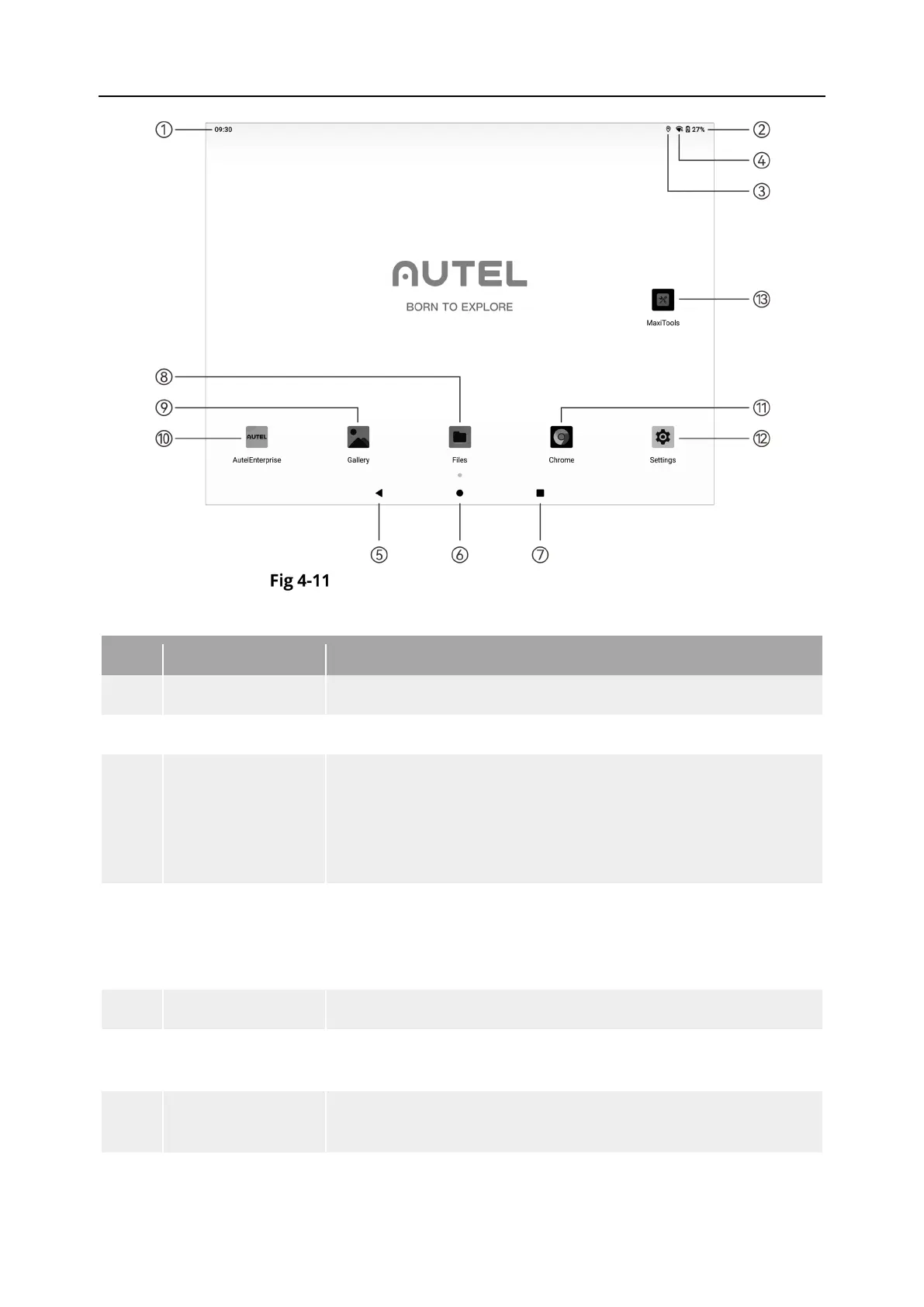
Table 4-7 Remote Controller Main Interface Details
No. Name Description
Indicates the current system time.
Indicates the current battery status of the remote controller.
3 Wi-Fi Status
Indicates that Wi-Fi is currently connected. If not connected,
the icon is not displayed.
You can quickly turn on or off the connection to Wi-Fi by sliding
down from anywhere on the "Remote Controller Interface" to
enter the "Shortcut Menu".
4 Location Info
Indicates that location information is currently enabled. If not
enabled, the icon is not displayed.
You can tap "Settings" to enter the "Location Information"
interface to quickly turn on or off location information.
Tap the button to return to the previous page.
6 Home Button
Tap the button to jump to the "Remote Controller Main
Interface".
7
Button
Tap the button to view all background programs currently
running and take screenshots.












 To Next Page