86 Chapter 4 Remote Controller
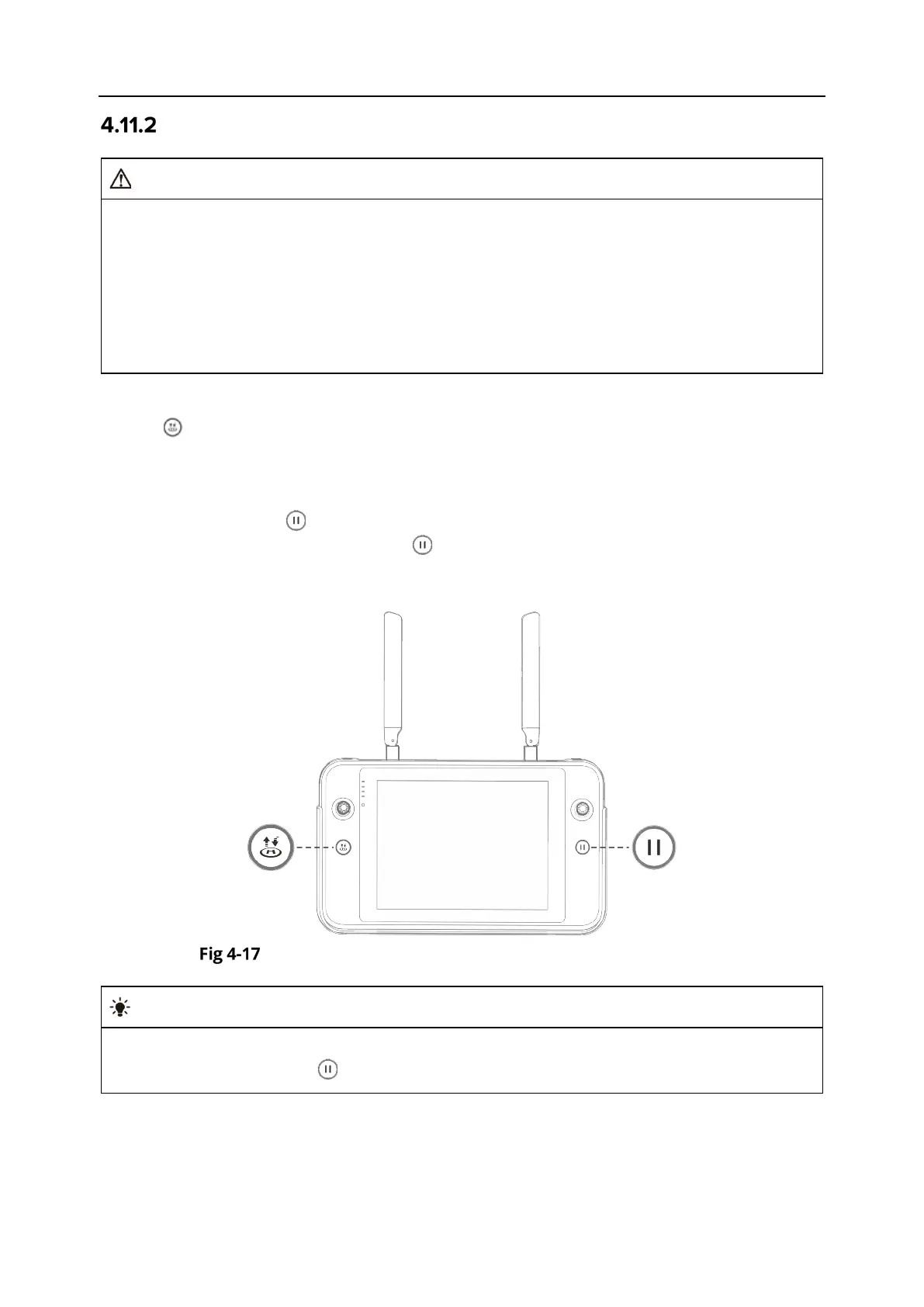
Take-off/Return-to-Home Button and Pause Button
The auto-return function will only be enabled when the GNSS signal is good.
If the obstacle avoidance system is disabled during a return flight, the aircraft will not be
able to automatically avoid obstacles.
Before using the auto-return function, you need to set the home point in advance in the
Autel Enterprise App. For more information, see “6.5.1 Flight Control Parameter Setting
” in
Chapter 6. If the home point is not set, the aircraft will take the take-off point as the home
To manually activate the auto-return function, press and hold the take-off/return-to-home
button “ ” on the remote controller for 2 seconds until the remote controller emits a "beep"
sound. Upon receiving the command, the aircraft will automatically return and land at the preset
home point.
When the aircraft is in the auto-return state, the remote controller will be disabled. You can short
press the pause button “ ” until the remote controller emits a "beep" sound to pause the auto-
return, or long press the pause button “ ” for 2 seconds until the remote controller emits a
"beep" sound to exit the auto-return. After pausing or exiting the auto-return, you can reactivate
the remote controller for controlling the aircraft.
Take-off/Return-to-Home Button and Pause Button
When the aircraft pauses an auto-return, it will hover in place. To resume the auto-return,
press the pause button “ ” again until the remote controller emits a "beep" sound.












 To Next Page