Chapter 6 Autel Enterprise App 129
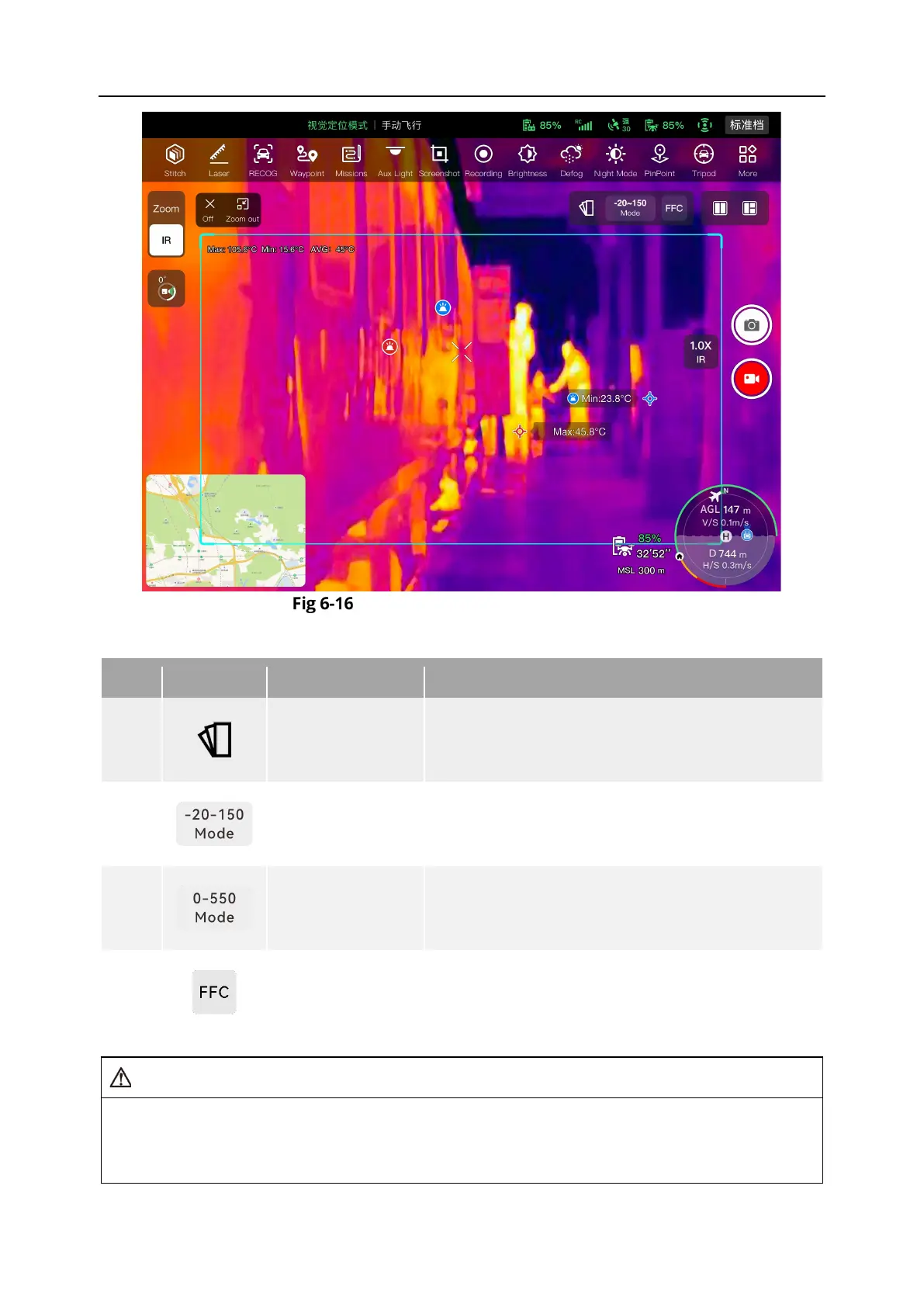
“Thermal Camera” Interface
Table 6-9 “Thermal Camera” Interface Details
1
Thermal Color
Tap this icon, and the drop-down list of “Thermal
Color” pops up. You can scroll up and down in the
list to select a color palette.
2
Measurement
High gain mode (-20℃ to 150℃), which enables
more accurate radiometric measurement.
3
Measurement
Low gain mode (0℃ to 550℃), which has a larger
radiometric measurement range.
4
FFC Calibration
Flat-Field Calibration. After calibration, the image
quality of thermal imaging will be optimized, and
temperature changes will be easier to observe.
While shooting, do not aim the infrared thermal imaging camera at strong energy sources
such as the sun, lava, laser beams, and molten metal, to avoid damaging the infrared
detector.












 To Next Page