72 Chapter 4 Remote Controller
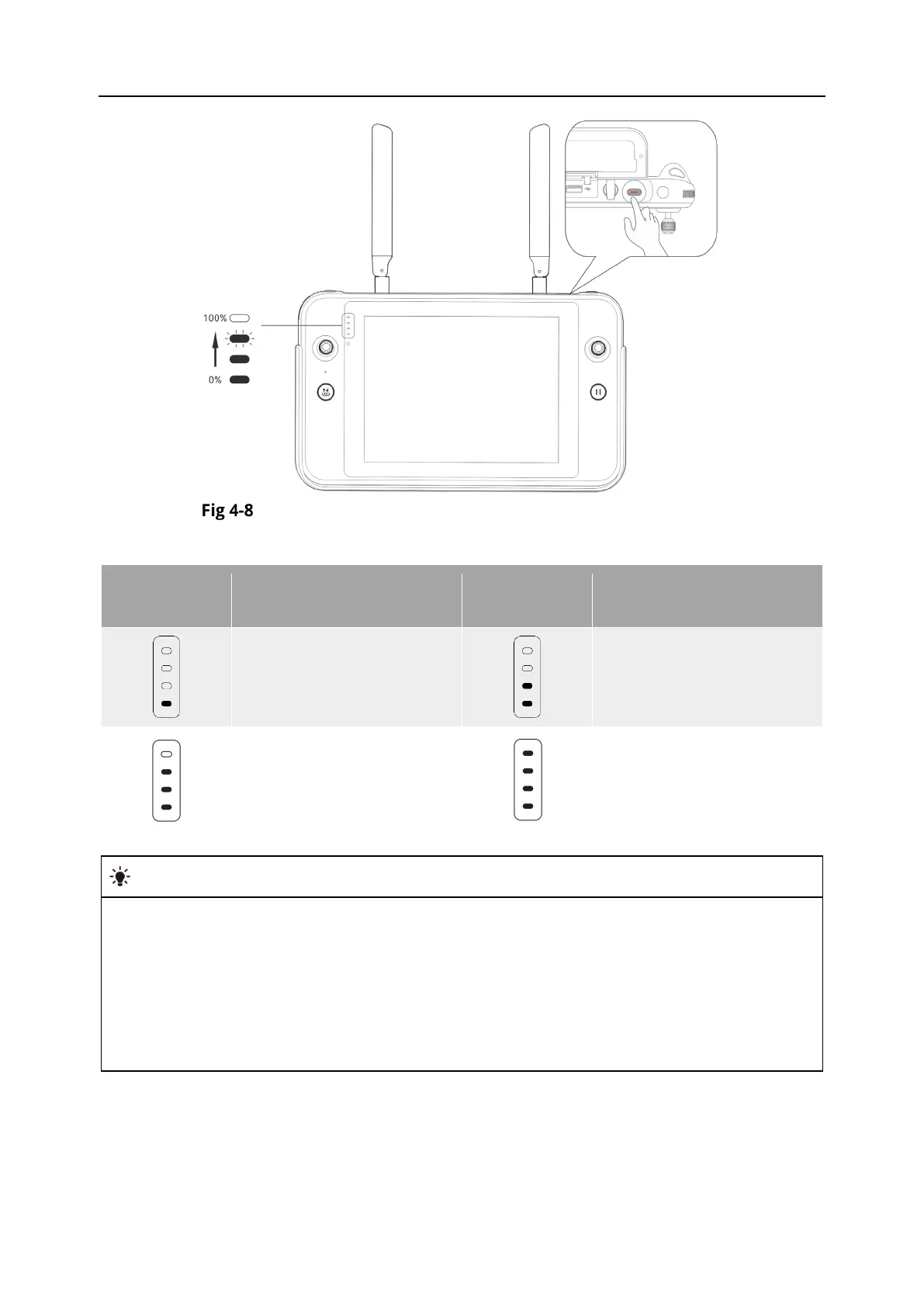
Checking the Battery Level of the Remote Controller
Table 4-6 Battery Remaining
Display
Definition
Display
Definition
1 light always on:
0%-25% power
2 lights always on:
25%-50% power
3 lights always on:
50%-75% power
4 lights always on: 75%-
100% power
When the remote controller is on, you can check the current battery level of the remote
controller in the following ways:
Check it on the top status bar of the Autel Enterprise App.
Check it on the system status notification bar of the remote controller. In this case, you
need to enable “Battery Percentage” in the “Battery” of the system settings in advance.
Go to the system settings of the remote controller and check the current battery level of
the controller in “Battery”.












 To Next Page