www.ayyeka.com | +1 (310) 876-8040 | info@ayyeka.com 66
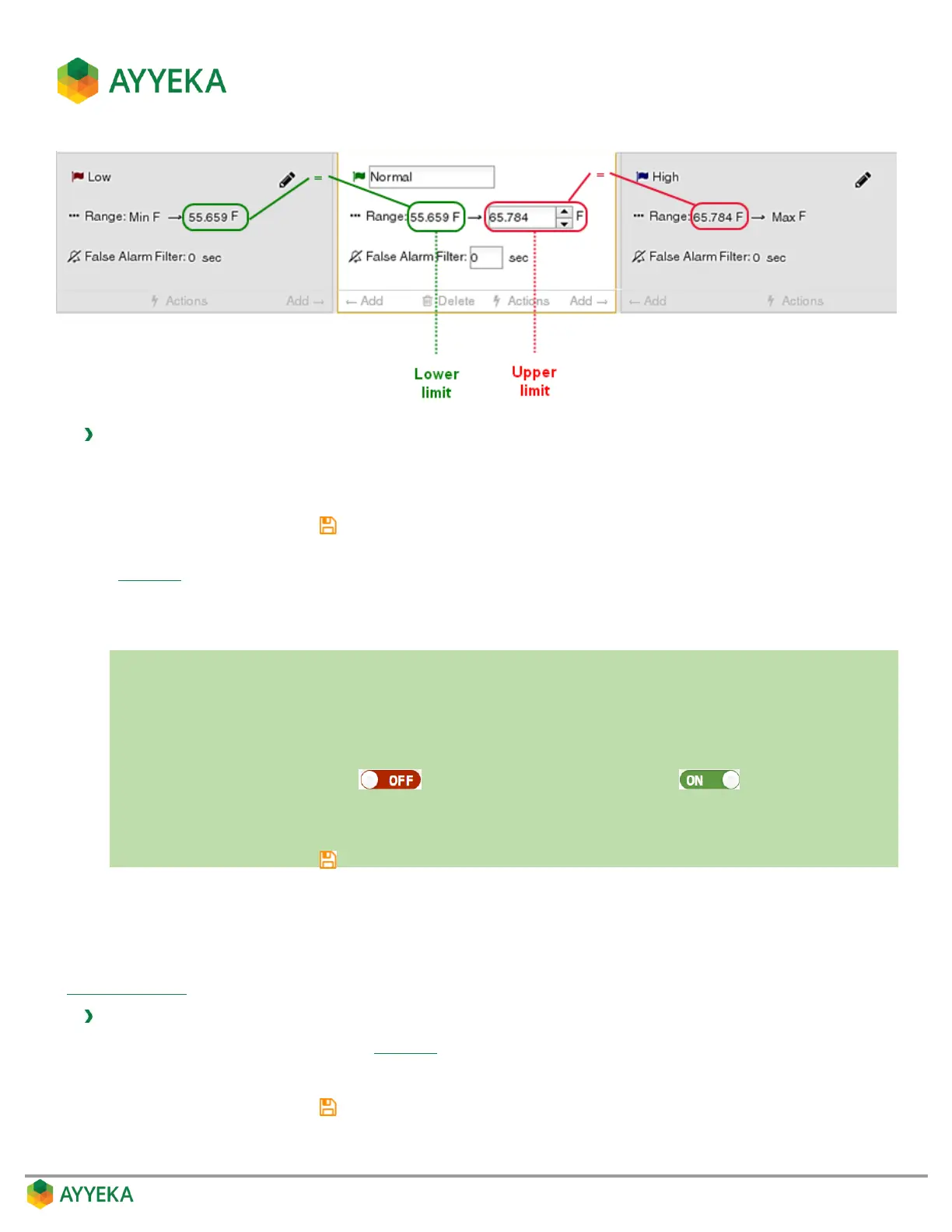
Therefore, to set a threshold’s range of values:
1. Set the threshold’s upper limit by editing it directly.
2. Set the threshold’s lower limit by editing the upper limit of the threshold to its left.
3. Save changes by clicking .
Alternatively, you can drag the dotted lines, representing the thresholds’ upper and lower limits, in the threshold
graph (Figure 53). The ranges of the relevant thresholds are updated accordingly.
Setting a threshold’s False Alarm Filter
In a nutshell:
1. Click Devices in the sidebar.
2. In the Sites Tree pane select the stream.
3. In the right pane select the Thresholds tab.
4. If the Thresholds slider is OFF , click it to switch Thresholds to ON .
5. In the threshold definition area, click the value of the False Alarm Filter, and overwrite it with the new
value.
6. Save changes by clicking .
The false alarm filter is intended to help ensure that threshold alerts are not sent for very short data spikes. For
example, if you set this value to 120 seconds, that means no threshold alerts will be sent if stream samples are
within the threshold for less than 2 minutes.
Note that in order for the false alarm filter to be meaningful, its value should be set no higher than the threshold’s
Sampling Interval.
To set a threshold’s false alarm filter:
1. In the threshold definition area (Figure 55), click the value adjacent to False Alarm Filter.
2. Overwrite the current value with the new value.
3. Save changes by clicking .



 To Next Page