www.ayyeka.com | +1 (310) 876-8040 | info@ayyeka.com 63
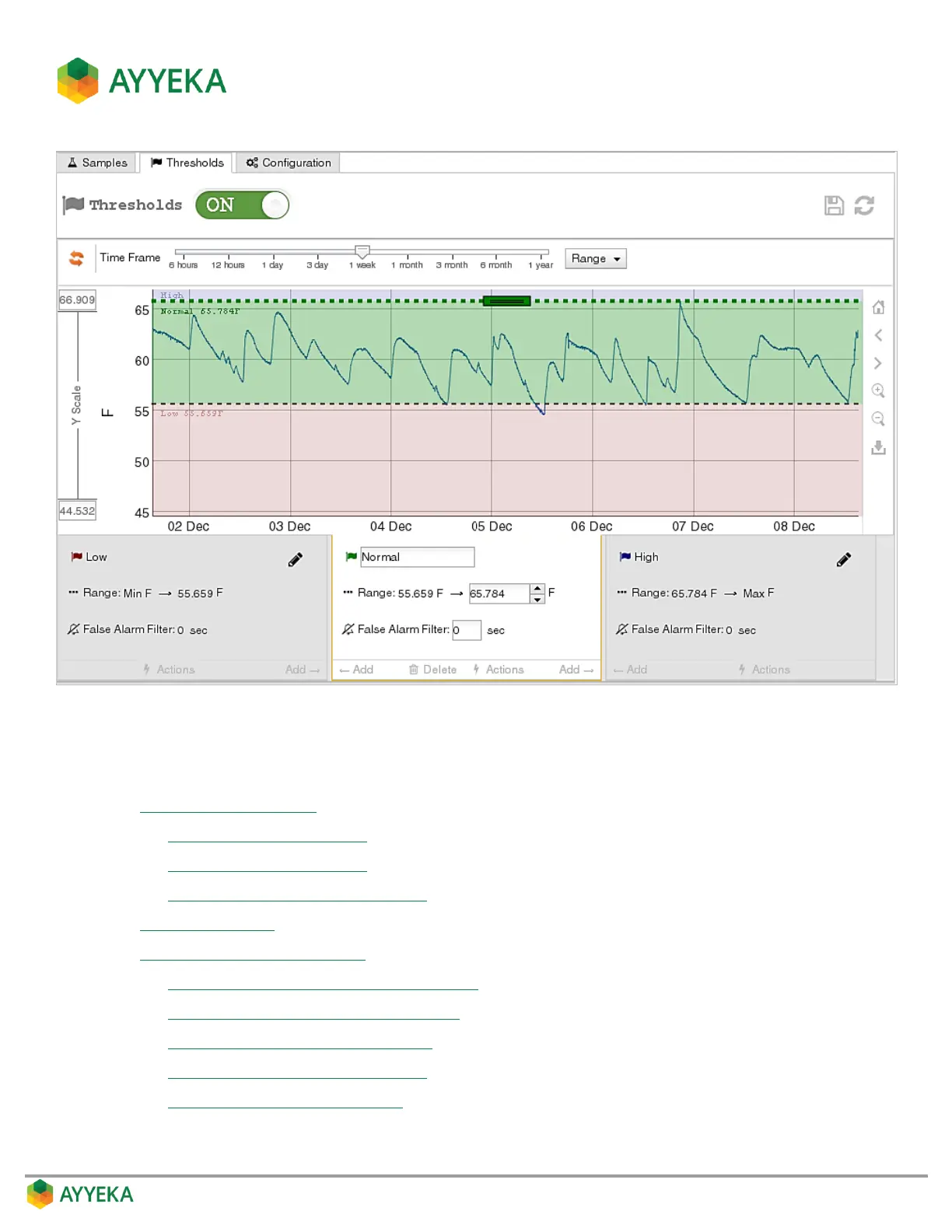
Figure 53: Thresholds view
You can:
Change threshold settings by:
Changing a threshold’s name
Changing a threshold’s range
Setting a threshold’s False Alarm Filter
Add new thresholds
View or change threshold actions, such as:
Setting whether to transmit data immediately
Setting a Threshold’s Transmission Interval
Setting a Threshold’s Sampling Interval
Defining a Threshold’s Alert Recipients
Setting Resultant Sampling Actions



 To Next Page