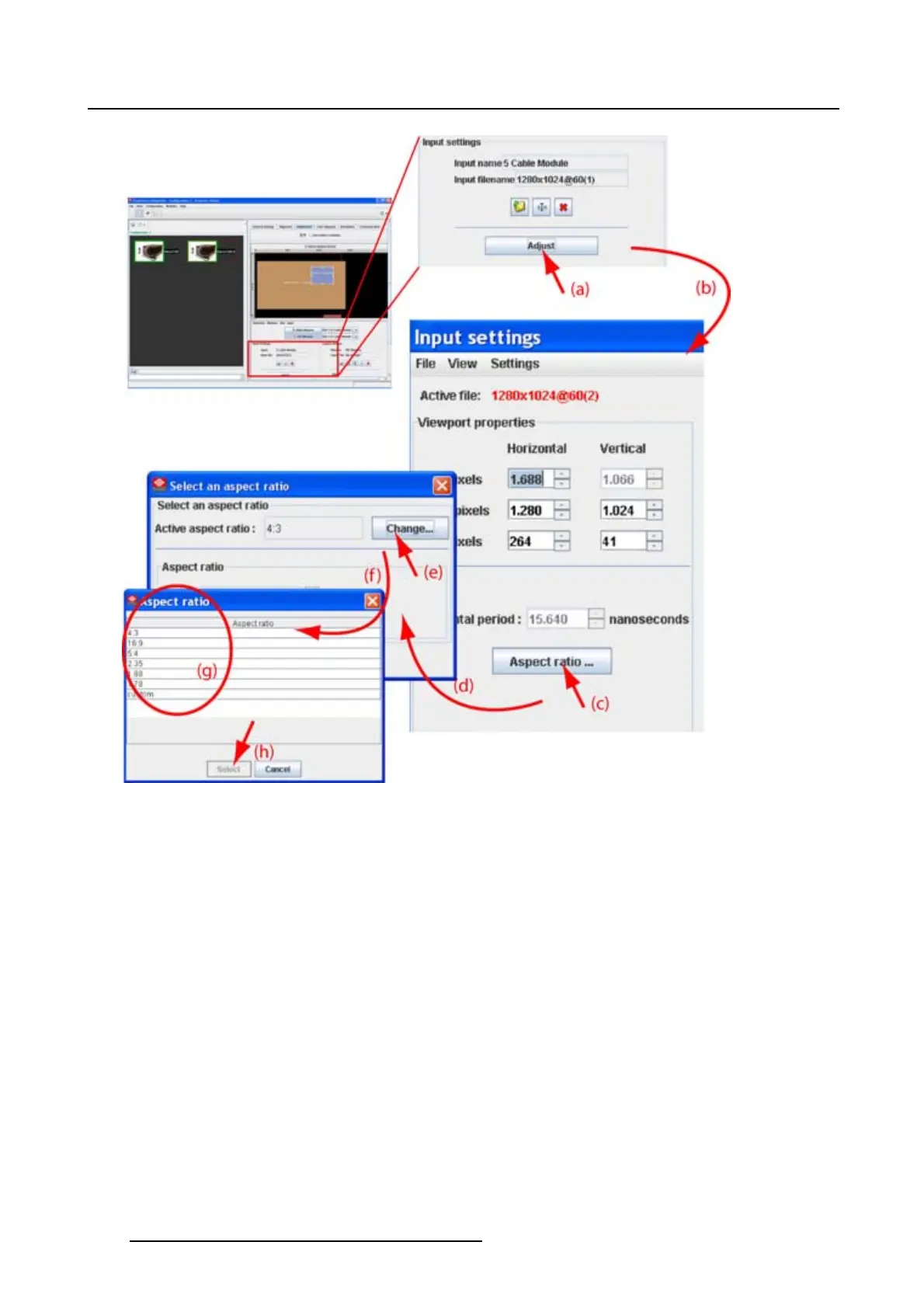
8. Configurator, Projector adjustment settings
Image 8-20
Select aspect ratio
If custom is selected
1. If custom is selected as aspect ratio (a), the Aspect ratio X and Y coordinates become available (d).
(image 8-21)
2. Click on the up down control of the corresponding spin box until the desired value is reached (d).
Or,
click in the input box of the spin box and enter the desired value.
3. Repeat for the second coordinate.
4. Close the Select an aspect ratio dialog box (e).
128
R5976924 PROJECTOR TOOLSET 16/04/2009



 To Next Page