8. Configurator, Projector adjustment settings
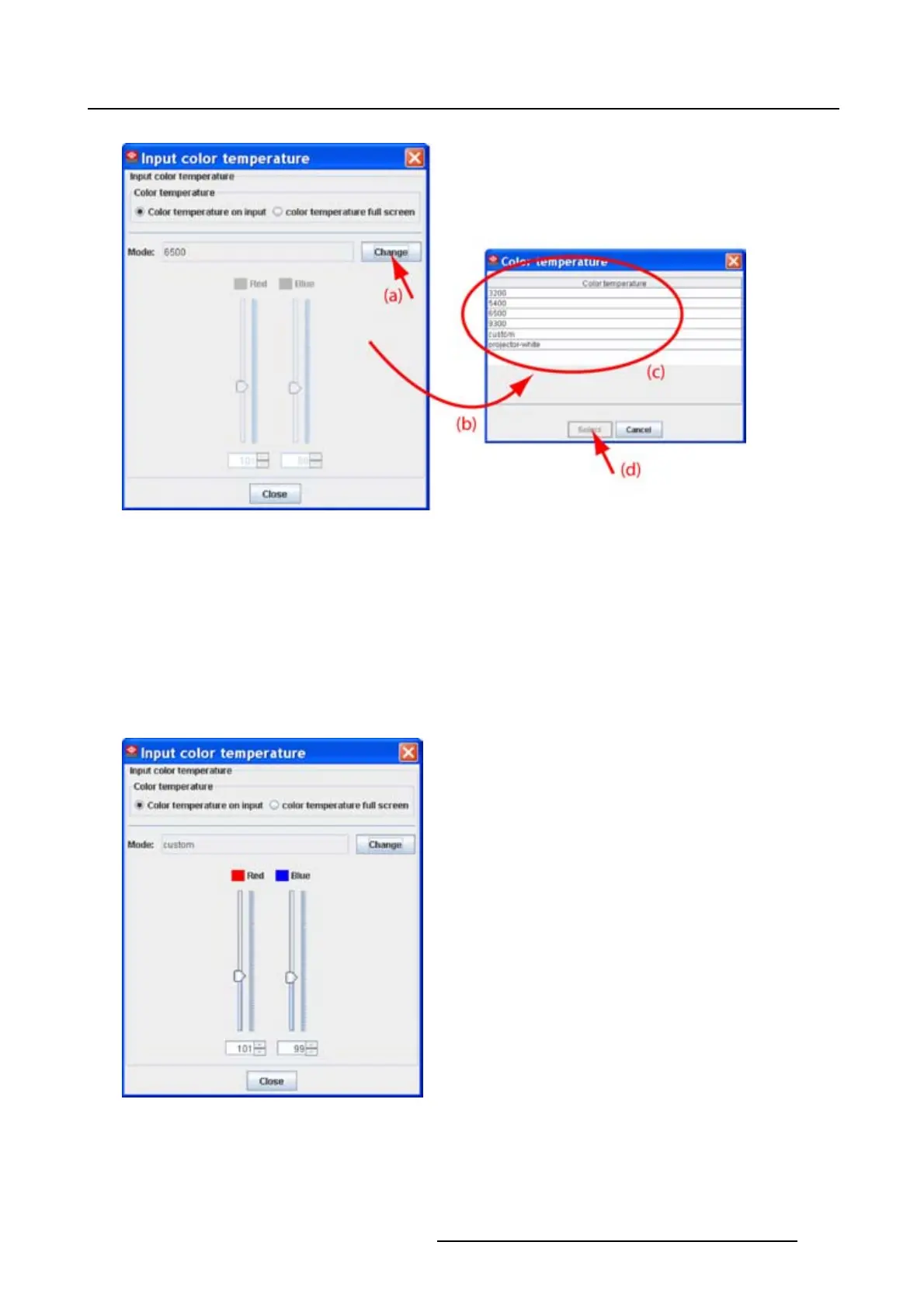
Image 8-29
Select a specific color temperature
A Custom color temperature
When Custom is selected,
1. Click on the slider of Red and/or Blue until the desired color temperature is reached (image 8-30)
Or,
click on the up down control of the spin box of Red and/or Blue until the desired color temperature is
reached
Or,
click in the input field of the spin box of Red and/or Blue and enter the desired value.
Image 8-30
Custom input color temperature
R5976924 PROJECTOR TOOLSET 16/04/2009 135



 To Next Page