Chapter 1: Introduction 21
Keypad
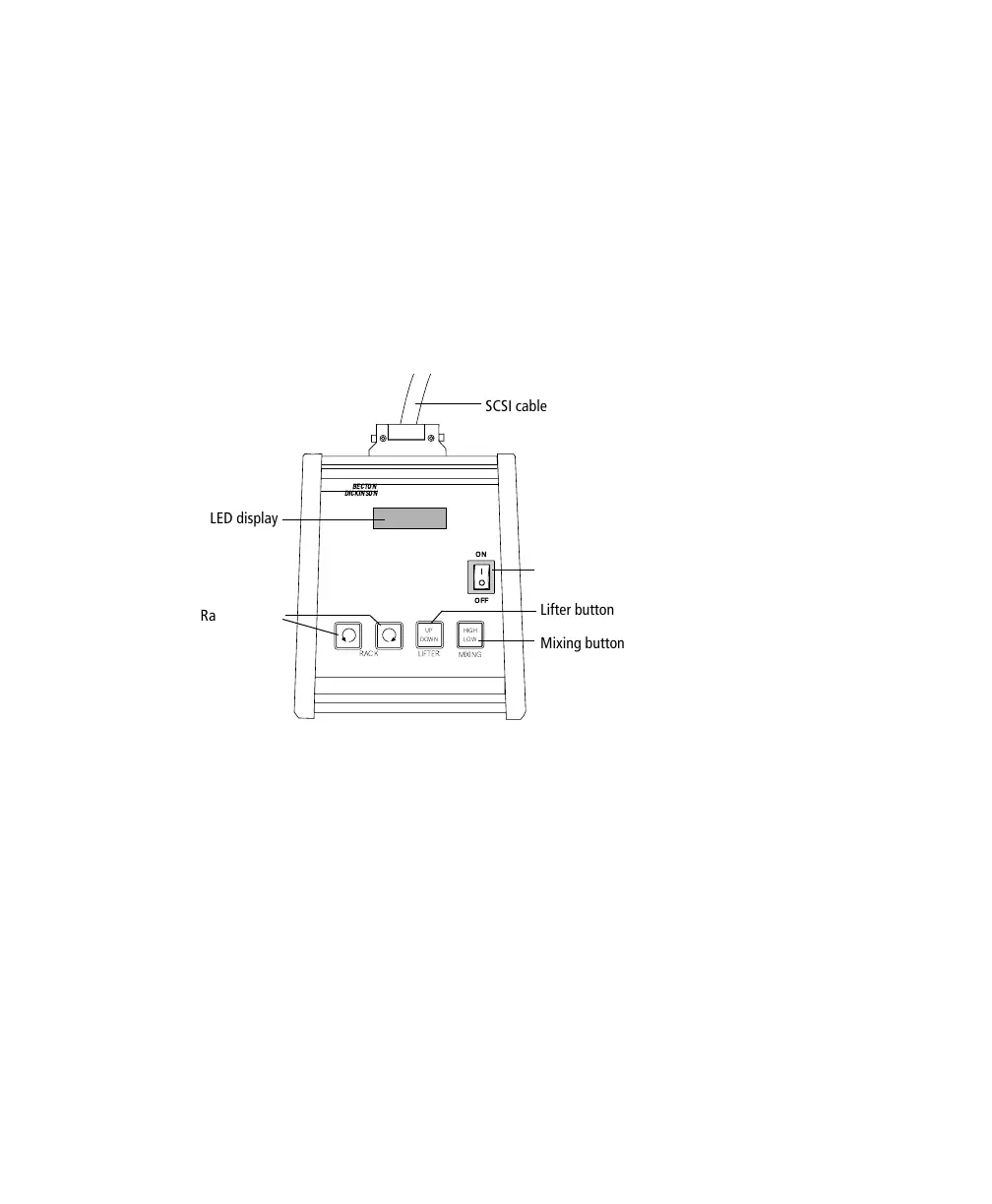
The keypad communicates with the Loader via a SCSI cable. Use the keypad to
turn the Loader on and off, and to operate it manually. (Keypad keys are disabled
during a Worklist run.)
Each time the Loader is turned on and the cover is in place, the Loader performs
an initialization scan. The LED display shows Loader status. After a successful
scan, the status reads Tube 01.
Figure 1-9 Loader keypad
During manual operation, use keypad buttons for the following:
• RACK—moves carousel in the direction indicated
• LIFTER—raises or lowers a tube
• MIXING—vibrates the rack to mix sample tubes
- Press and release the button for a short (LOW) mix. When finished, the
carousel returns to its original position.
- Press and hold the button for 2 seconds for a longer (HIGH) mix.
When finished, the carousel always returns to position 1.
BECTON
DICKINSON
ON
OFF
MIXING
RACK LIFTER
UP
DOWN
HIGH
LOW
SCSI cable
LED display
Lifter button
Mixing button
Rack buttons
power button



 To Next Page