34 BD FACSCalibur Instructions for Use
BD FACSComp Files
For LW and LNW assays, BD FACSComp software creates a calibration (calib)
file, Target file, and Target Value Log file. You can also choose to save a
Summary Report file (at the Set Up view), a Levey-Jennings Database file (in
preferences), and an Optimization file (at the Optimization view).
A calib file is created each time BD FACSComp runs to completion. Calib files
are BD instrument settings files with a keyword for overall Sensitivity Test results
(TRUE if all parameters pass; FALSE if any parameter fails). Only one version of
each calib file can exist at a time. Each time a new assay is run, the new file
overwrites the previous.
; Tip To set up for non-IVD applications, refer to the information provided by the
manufacturer (reference manual or reagent package insert).
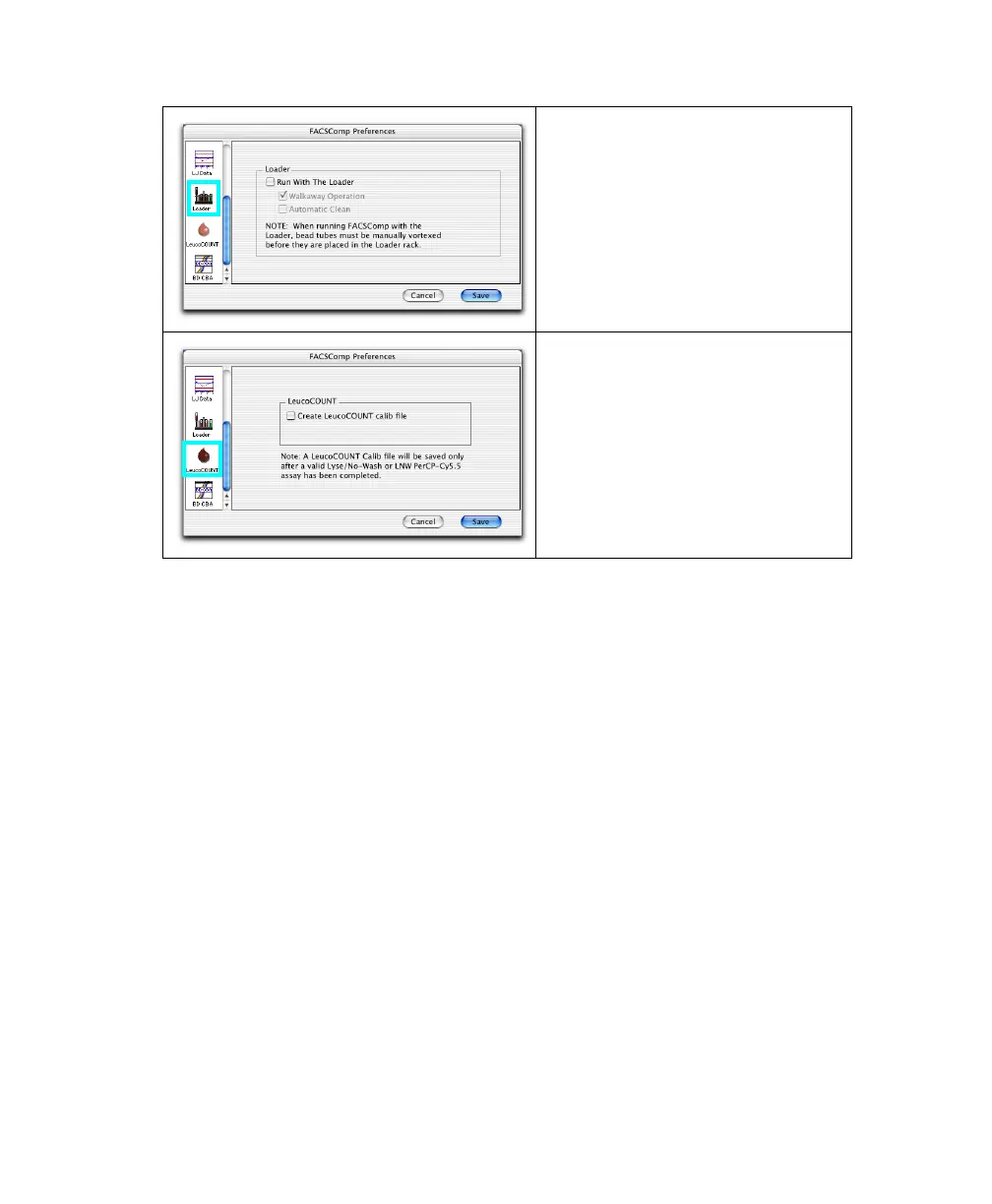
Use Loader preferences to specify
when you will be acquiring data with
the Loader. When enabled, you can
also select Walkaway Operation to
run assays automatically, or
Automatic Clean to run cleaning tubes
when you quit the software.
Enable LeucoCOUNT to save a
LeucoCOUNT calibration file at the
successful completion of any LNW
assay. The file is created from
modified LNW or LNW PerCP-Cy5.5
settings and is used to set up the
cytometer when running
BD Leucocount™–stained samples.



 To Next Page