Chapter 2: BD FACStation Software 33
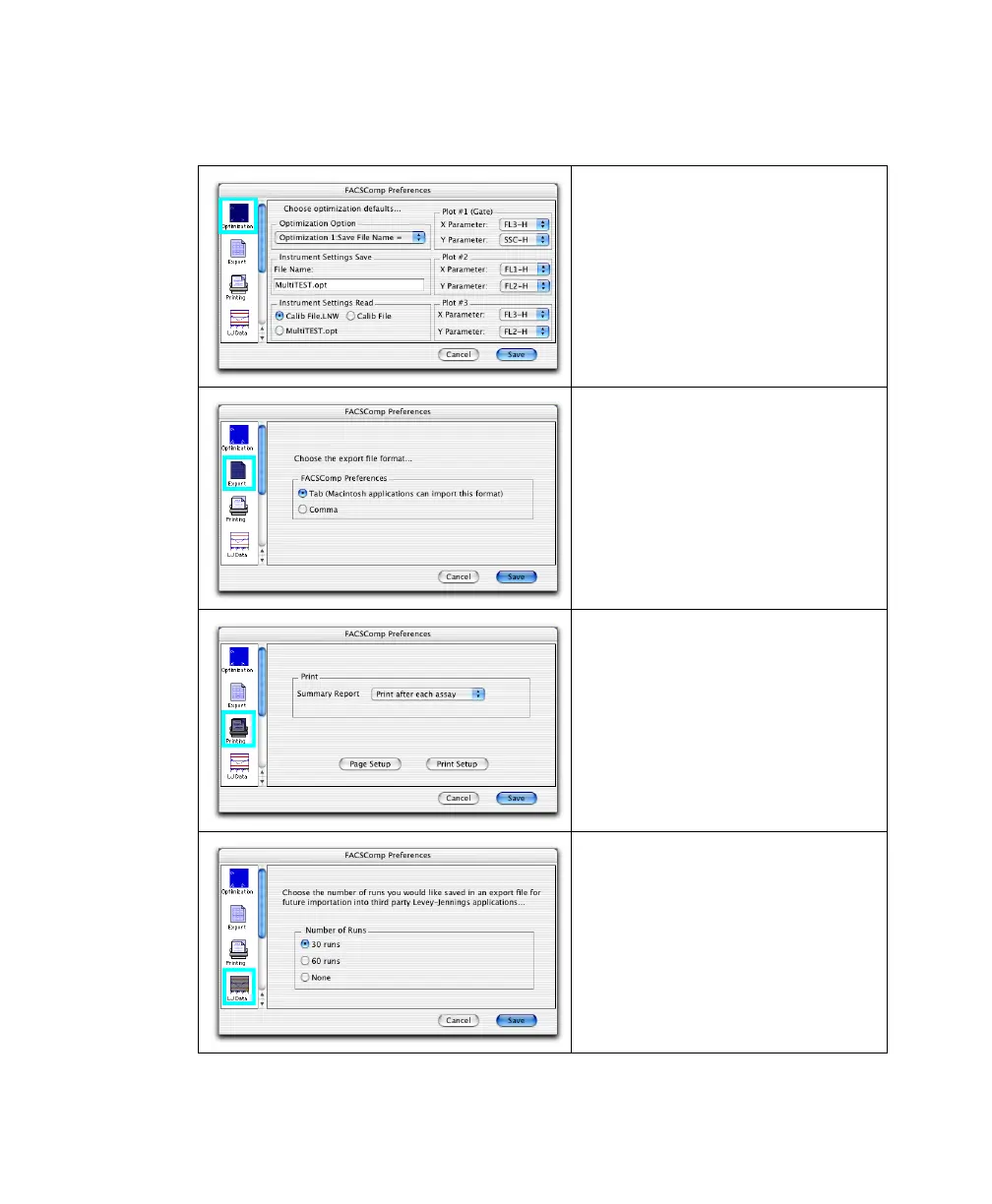
BD FACSComp Preferences
Use Optimization to change preset
choices for an optimization option.
The following can be changed:
• File Name: name of optimized file
• Instrument Settings Read: settings
to download
• Plot X, Y Parameters: choose from
drop-down menus
Use Export to specify delimiter types
(Tab or Comma) for exported
document files.
Use Printing to specify when to print
Summary Reports: after each assay
(automatic printing) or never (you
print manually). You can also select to
save electronic reports at the Set Up
view and print them later.
Use Page Setup to set page size and
orientation and Print Setup to set
printer-specific options.
Use LJ Data to set the number of
BD FACSComp runs to save in each
Levey-Jennings file. The file is tab- or
comma-delimited depending on your
Export preference choice.
When the specified number of runs
have been saved, new data will replace
the oldest entries.



 To Next Page