82 BD FACSCalibur Instructions for Use
Downloading Instrument Settings
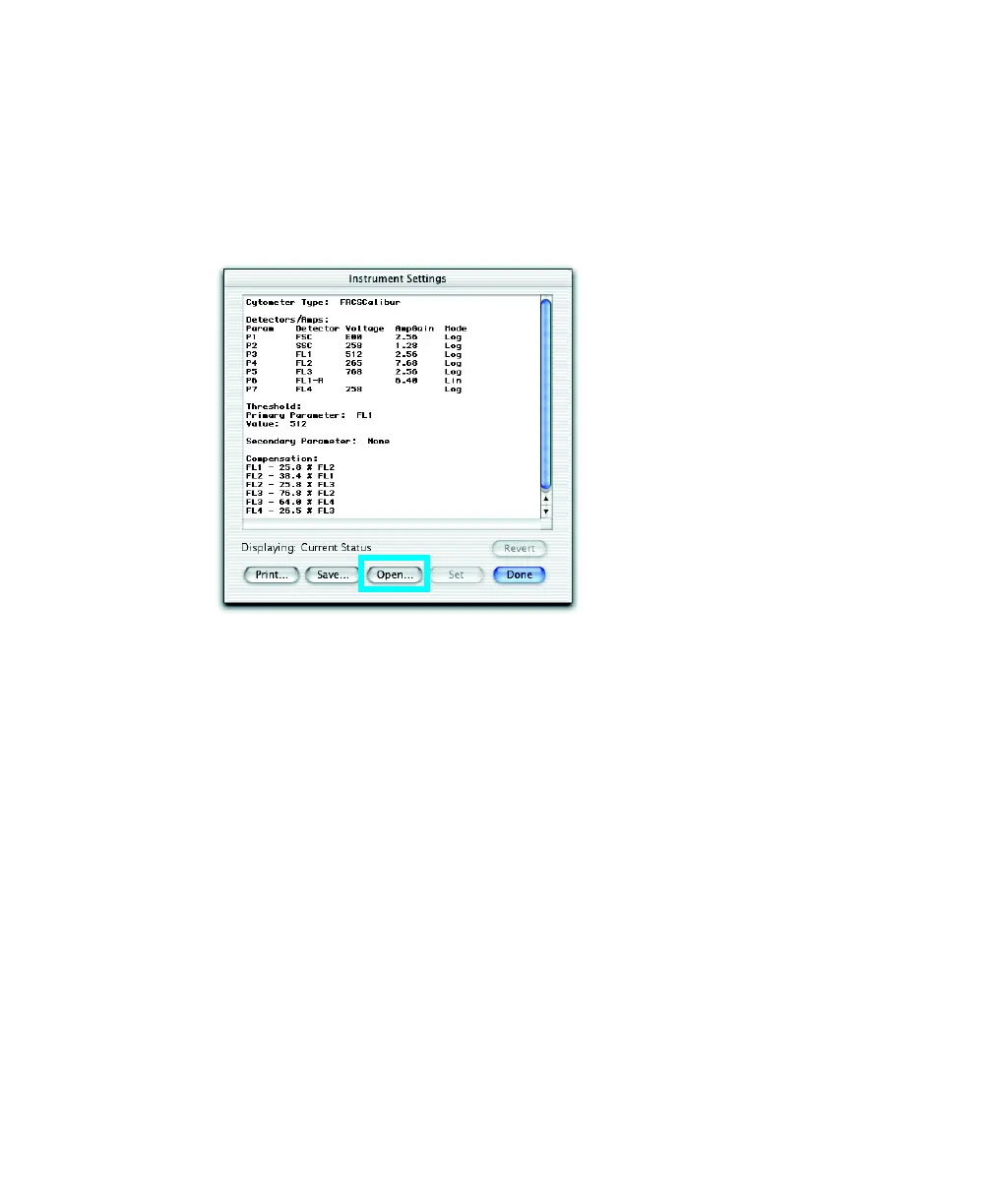
Do the following to download different instrument settings for optimization.
1 Choose Cytometer > Instrument Settings. Click Open.
2 Navigate to the required instrument settings file (BD Files > Instrument
Settings Files), and double-click the file icon.
; Tip Any FCS file can be used as an instrument settings file.
The settings change in the Instrument Settings window.
3 Click Set.
NOTICE You must click Set to download new settings; otherwise, previous
settings apply.
To cancel, click Revert.
4 Click Done.



 To Next Page