Chapter 2: BD FACStation Software 41
BD Multiset Preferences
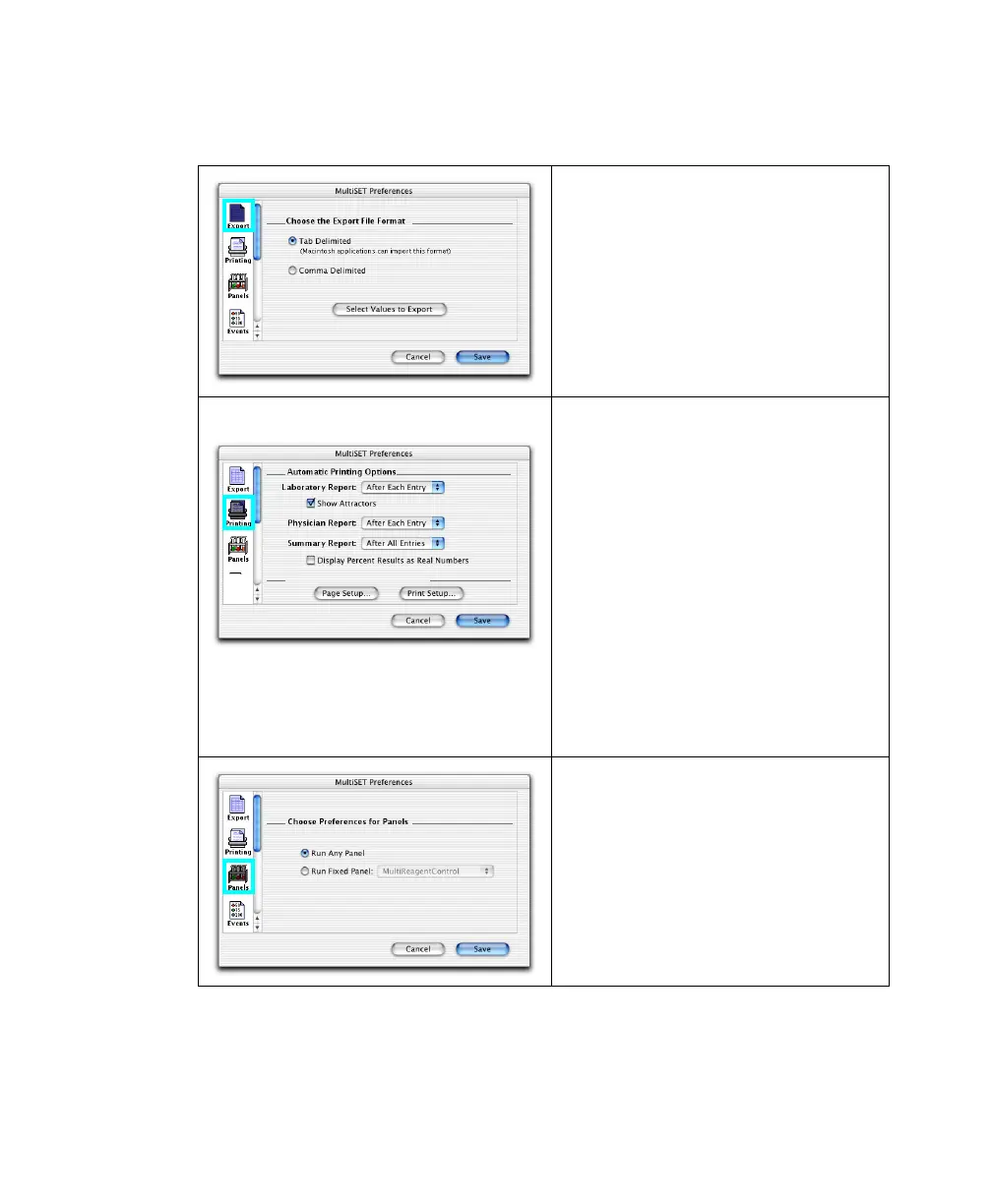
Use Export to specify delimiter types
(Tab or Comma) for exported document
files.
Click Select Values to Export to choose
the values you want included in the
export document.
Use Printing to specify when to print
reports: After Each Entry or After All
Entries (automatic printing) or Never
(you print manually). You can also select
to save electronic reports at the Set Up
view and print them later.
Deselect the Show Attractors checkbox
to hide Attractors on Lab Reports; select
the Display Percent Results As Real
Numbers checkbox if you want
percentages shown as real numbers on
Summary Reports.
Click Page Setup to set page size and
orientation and Print Setup to set printer-
specific options.
When the Data Source is From
Cytometer, use Panels to choose a default
panel (Run Fixed Panel) that will appear
at the Samples view for all samples in the
run.



 To Next Page