BD FocalPoint™ GS Imaging System Instrument User’s Manual
24
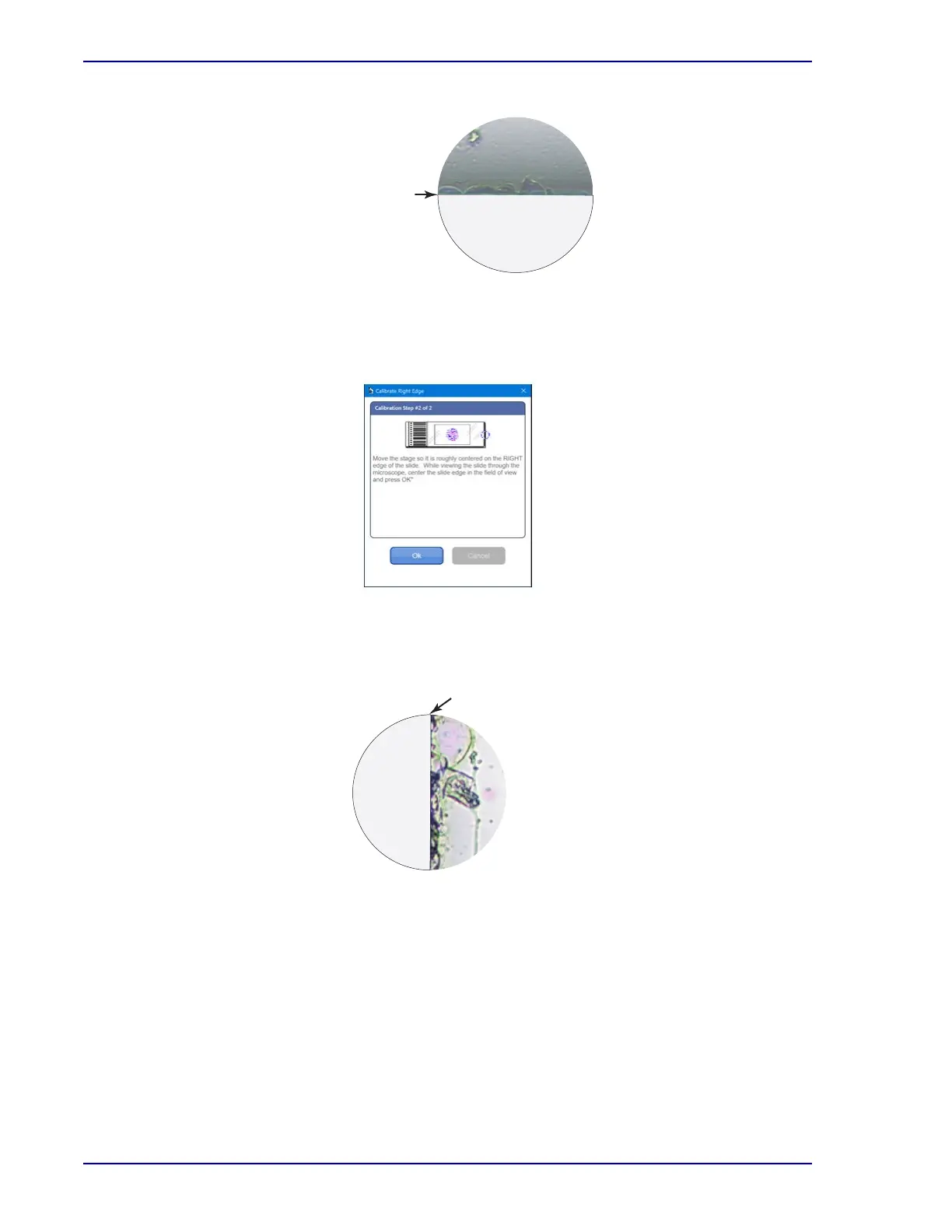
Figure 3-3 – Top edge
3 Focus the image again, and then recheck the alignment. When the stage location is correct,
select OK to continue. The following dialog box opens.
Figure 3-4 – Calibrate right edge
4 Move the stage to position the right edge of the slide as demonstrated in Figure 3-5 and
center the slide edge in the center of the field of view.
Figure 3-5 – Right side edge
5 Focus the image again, and then recheck alignment. When the stage location is correct,
select OK to continue.
Top edge
Right side edge



 To Next Page