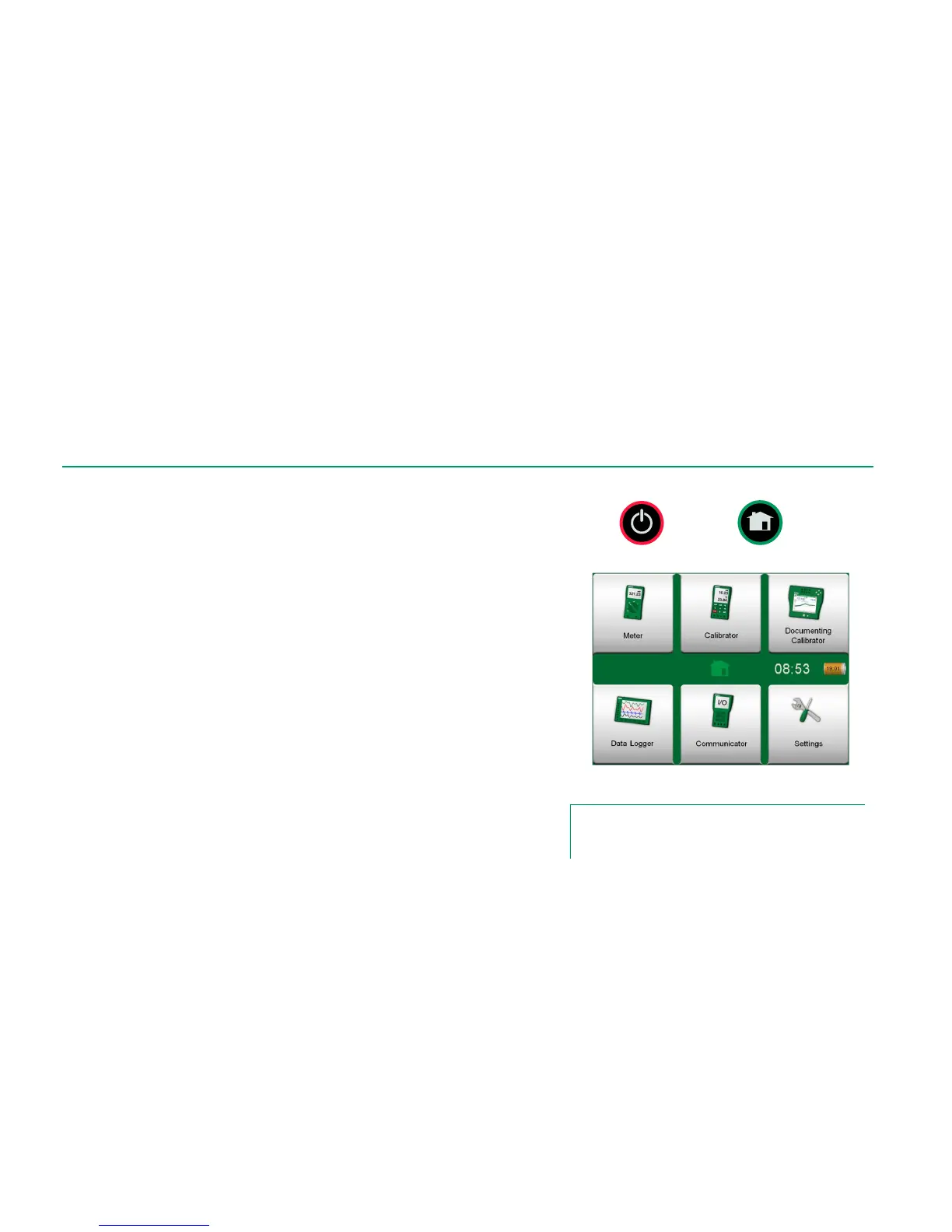
Start MC6 by pressing the Power button for a few seconds. The startup proce-
dure ends in Home View (see picture on the right). From MC6's Home View
you may advance to any of the available main functions. This manual contains
detailed information of main functions as follows:
Meter in Part 3,
Calibrator in Part 4,
Documenting Calibrator in Part 5,
Data Logger in Part 6,
Communicator in Part 7 and
Settings in Part 8.
With the Home button (see picture on the right) you can always return to Home
View from wherever you are.
When MC6 is already running, pressing the Power button briefly opens a dialog
with the following options:
Power Off to shut down MC6 in Backup Mode, i.e. minimum power
consumption and full startup procedure.
Standby to set MC6 in Standby Mode allowing faster startup when the
Power button is pressed again.
Power Management to define Backlight Brightness and other power
management related settings. More in Part 8, Settings.
Backlight Off to temporarily set the backlight off.
Power button (left) and Home button (right).
Home View
Note.
Certain main functions are options. They may not be available
in your MC6. More of this in chapter Options on page 13.



 To Next Page