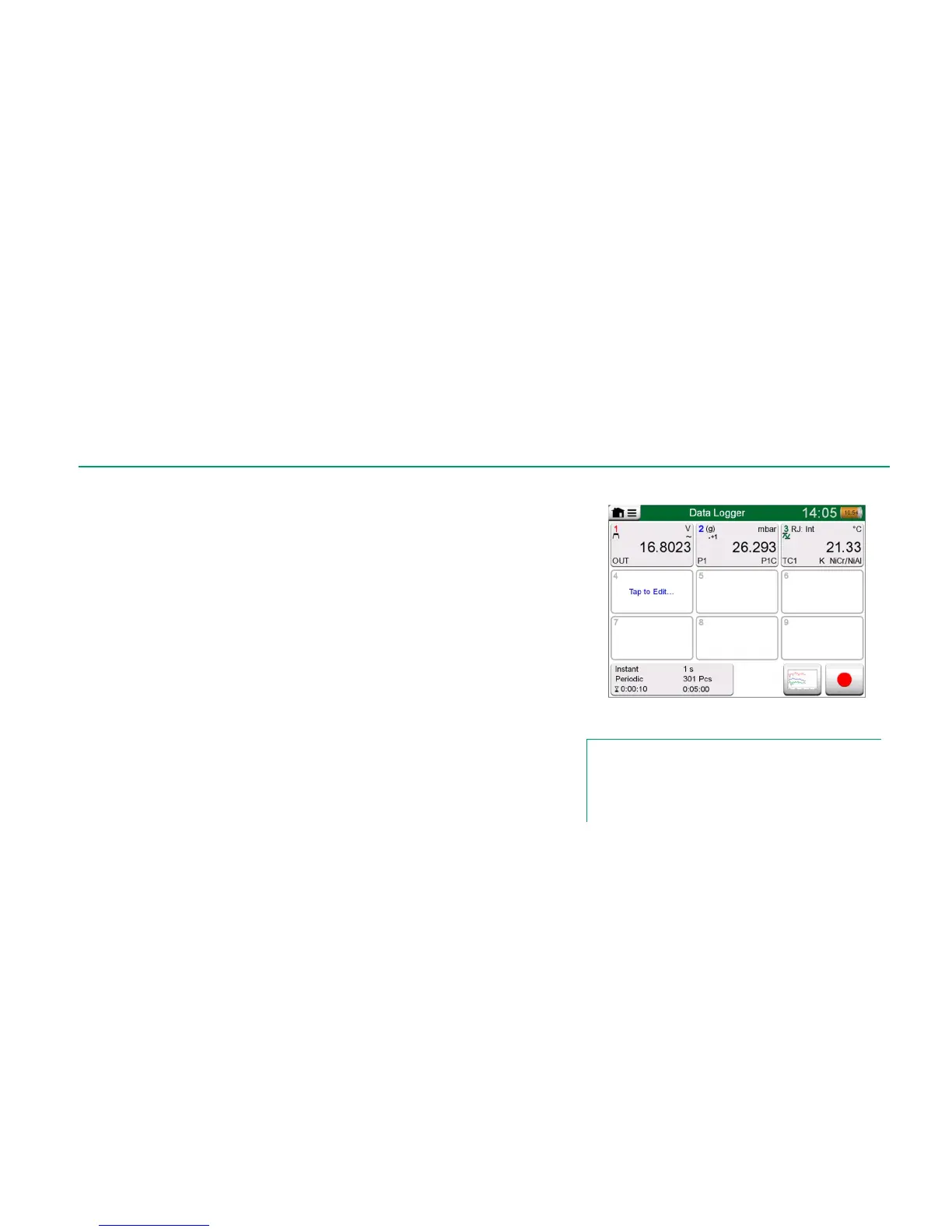
In the main configuration window: Tap on one of the numbered areas to config-
ure a channel.
Each channel has three configuration pages. The first one is for defining the
measured/generated/simulated quantity and its additional settings. The second
is for defining the range of the graph, giving the measurement/gener-
ation/simulation a descriptive name (optional) and selecting plot color. On the
third page you may define a trigger that invokes the Data Log. When triggering
is configured, a symbol indicates it. See channel three in the adjacent picture.
Remember to check/edit the general settings of your Data Log. Tap on the area
in the lower left corner of Data Logger's main configuration window. There you
may, among other things, define how the logging is performed, what value is
saved and the duration of the logging.
SAVING AND OPENING CONFIGURATIONS
In addition to MC6 remembering the latest Data Log configurations, you may
save useful configurations for future use. Saving and opening previously saved
configurations is available in the menu of Data Logger's main configuration win-
dow.
Three configured channels in
main configuration window.
Note.
For pressure measurements:
The main configuration window's menu includes a possibility to
zero gauge pressure modules. Zeroing is also possible in
channel setup windows (when applicable).



 To Next Page