Group Calibration - Collecting Instruments/Functions for Group Calibration 45
GROUP CALIBRATION
MC6's Group Calibration allows you to simultaneously calibrate several In-
struments/Functions. This is practical, e.g. when calibrating Instruments/Func-
tions that are part of a loop.
Note.
Switches are not supported in group calibration. All other type
of instruments/functions can be included in a group.
COLLECTING INSTRUMENTS/FUNCTIONS FOR GROUP CALIBRATION
To start collecting Instruments/Functions to a group, open the Documenting
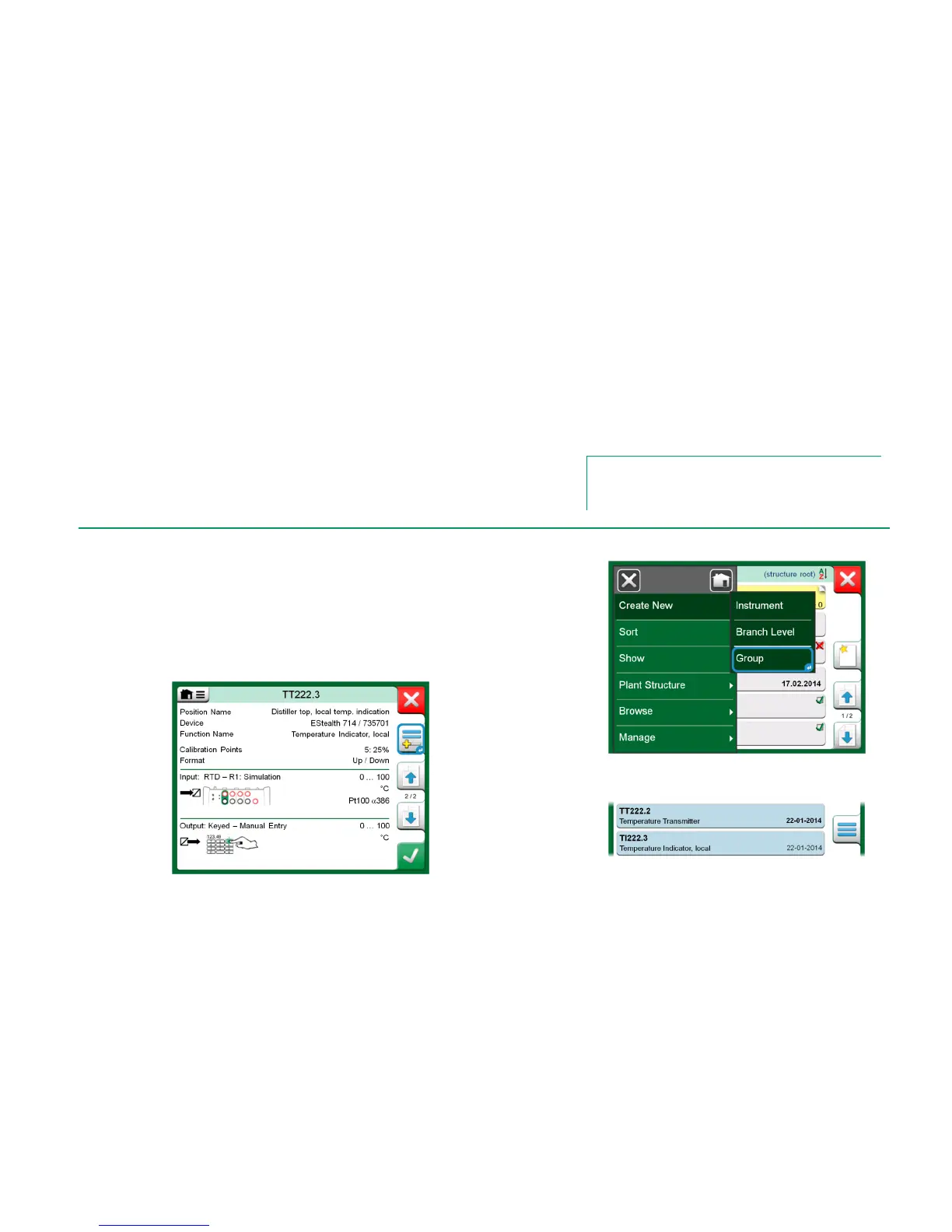
Calibrator's Instrument List window: Open the menu and tap on Create New
to see the sub-menu where Grouping can be activated. See adjacent picture.
Collect Instruments/Functions by tapping on each Instrument/Function you want
to add to the group. In the Instrument Overview window, tap on the Add to
Group button to add another instrument to the group. See picture below. The
Hardware Focus Indicator is on the Add to Group button.
Hardware Focus Indicator on "Add to Group" button.
Activating a Group.
Instruments/Functions selected in a group have
blue background in the Instrument List.



 To Next Page