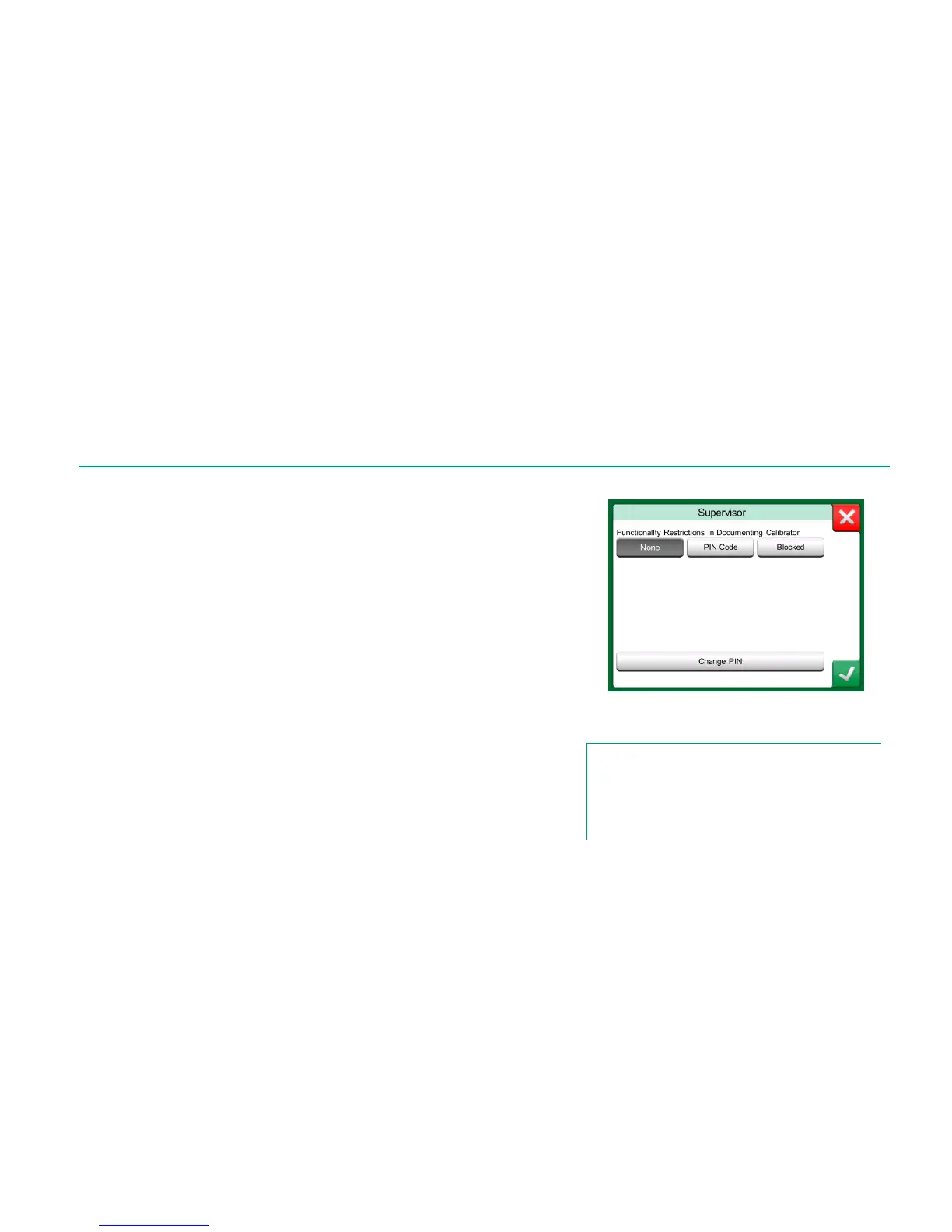
Security Plus settings are an optional feature in MC6, found under Settings'
button Supervisor. It allows a supervisor the possibility to restrict users doing
certain changes in Documenting Calibrator and to certain settings.
To access the Supervisor window, you need an admin PIN code. If the neces-
sary option was purchased, the PIN code was shipped together with MC6. If
needed, you can change the admin PIN code once you have entered Supervi-
sor window.
Depending on your needs, select one of the Functionality Restrictions in
Documenting Calibrator:
None. No restrictions.
PIN Code. The admin PIN code needs to be entered before restricted
functionalities in Documenting Calibrator are allowed.
Blocked. Restricted functionalities are blocked, i.e. not allowed at all, in
Documenting Calibrator.
The list of restricted functionalities in Documenting Calibrator is presented on
next page.
Additionally, when Security Plus option is active: Changing the Date and Time
and Regional Settings in requires the admin PIN code.
Supervisor Window.
Notes.
When changing the admin PIN code, save the new code in a
safe place. There is no way to retrieve the PIN code.
After three wrong attempts, the admin PIN code is locked. Re-
activating the Security Plus option and resetting the PIN Code
requires contacting Beamex support.



 To Next Page