SPINNING
Spinning is a tool that is available in Calibrator and Documenting Calibrator.
It is useful when making small changes to an existing numeric value, one digit
at a time.
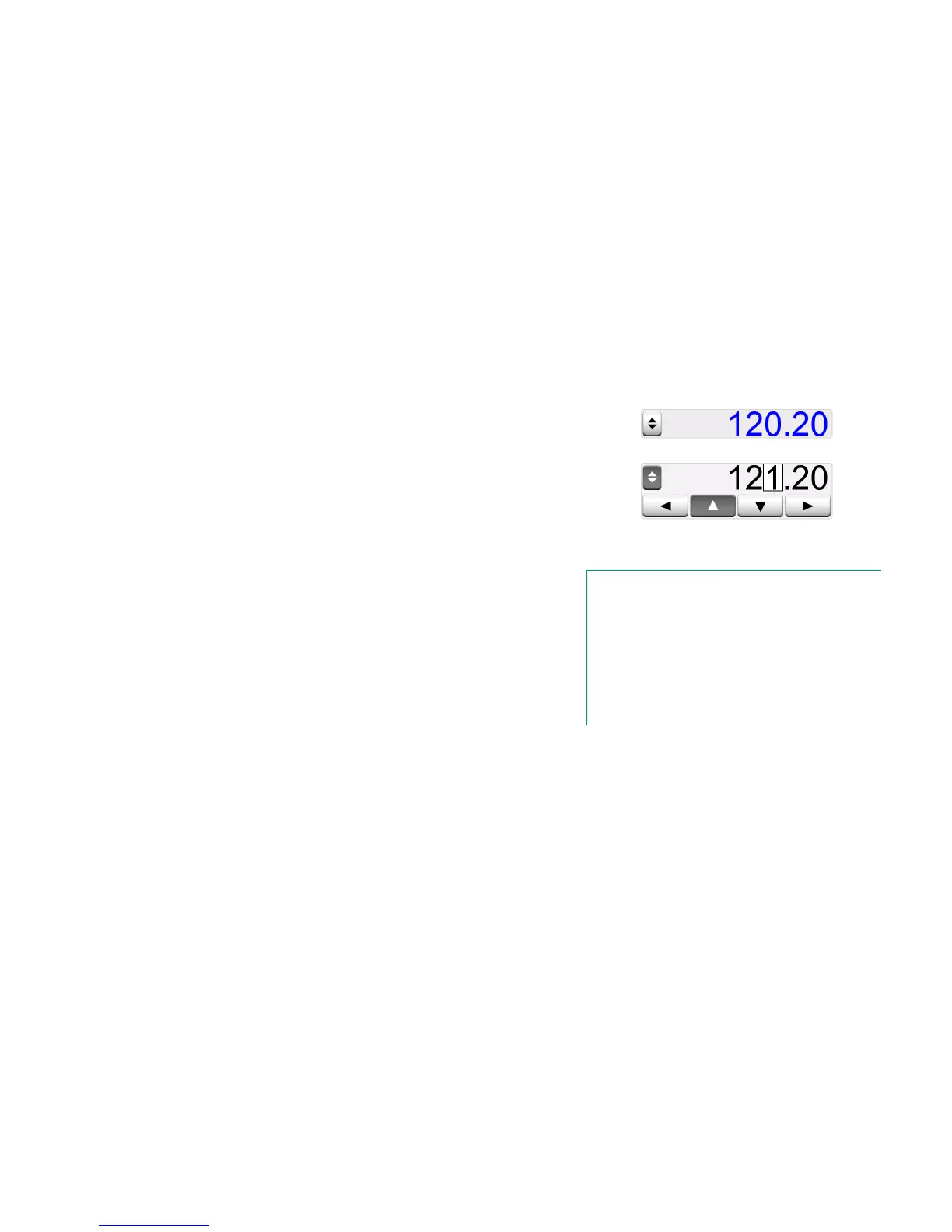
Non-empty numeric fields in Calibrator's generation/simulation windows have a
button with both "Up" and "Down" arrows to the left of the actual numeric value.
That is the Spinner button. Tap the Spinner button to activate spinning.
When spinning is active, one of the digits is highlighted. Change its value by
tapping the "Up" and "Down" arrows in the active spinner. To move the high-
light to another digit, use the "Left" and "Right" arrows.
To stop spinning, tap the Spinner button again.
Inactive spinner
Active spinner
Notes.
Any changes in the numeric field are immediately reflected in
the generated/simulated signal.
You cannot exceed the minimum/maximum limits of a Function
when spinning.
The spinned value follows the resolution properties of the gen-
erated/simulated Function.
If a numeric field is empty (displaying dashes), first use the soft
numeric keypad to enter a value. Then you are able to utilize
the spinning tool.



 To Next Page