50 MC6 User Manual – Part 5, Documenting Calibrator
GETTING DEFAULT MAPPINGS
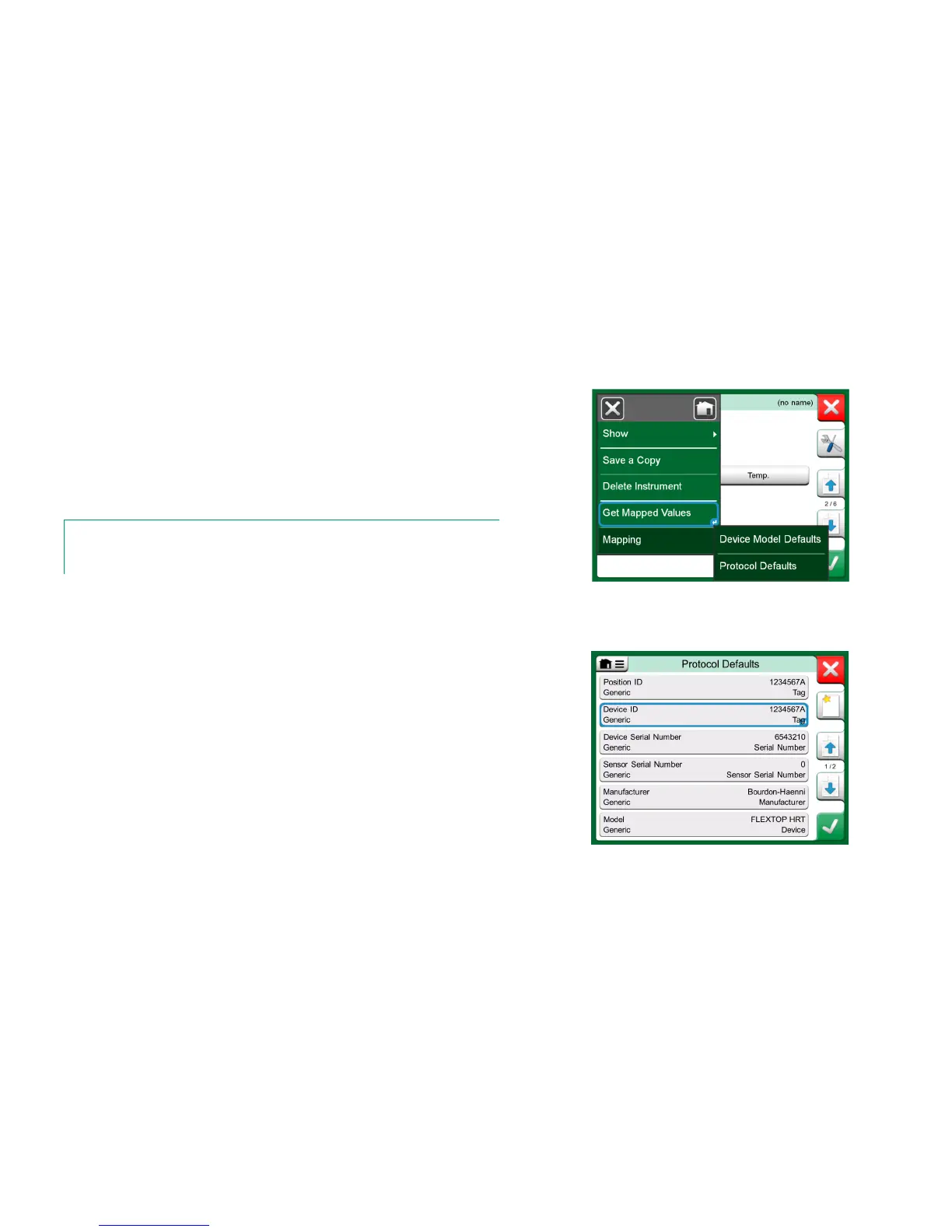
On any of the instrument data pages, open the menu and tap Get Mapped
Values. Then MC6 starts reading data from the connected instrument to MC6's
Identification and Device fields, according to Mapping settings.
That's all you need to do, provided the mappings suit your needs. If not, see
chapter Customizing the Mappings below.
However, you should anyhow always check all the instrument settings after the
data is read, before continuing with your work.
Note.
For HART
®
Instrument's, the input setting is also read from the transmitter. For other instru-
ments, you need to manually add the Instrument's input data.
Mapping menus on instrument pages.
The menu option, Mapping, has in its submenus options on how to define gen-
eral mappings on protocol level (HART, FOUNDATION Fieldbus H1 or Profi-
bus PA) and also default mappings on device model level.
MC6 uses the Protocol Defaults if no default mappings are defined for the
connected device model. If Device Model Defaults exist for the connected de-
vice model, they are used instead of Protocol Defaults.
In the adjacent picture you can see a sample of the mappings. The left side lists
the fields in MC6 (target fields) and the Mapping Mode of the field (Generic in
all cases of the sample picture). The right side lists the value and name of the
field in the device.
Tap on one of the buttons to edit the mapping. You may also add new map-
pings using the New button, the button with blank sheet and a star on its upper
right corner. New mappings are defined similarly as existing mappings are edit-
ed.
Sample of default mappings for HART protocol.



 To Next Page