46 MC6 User Manual – Part 5, Documenting Calibrator
EDITING A GROUP
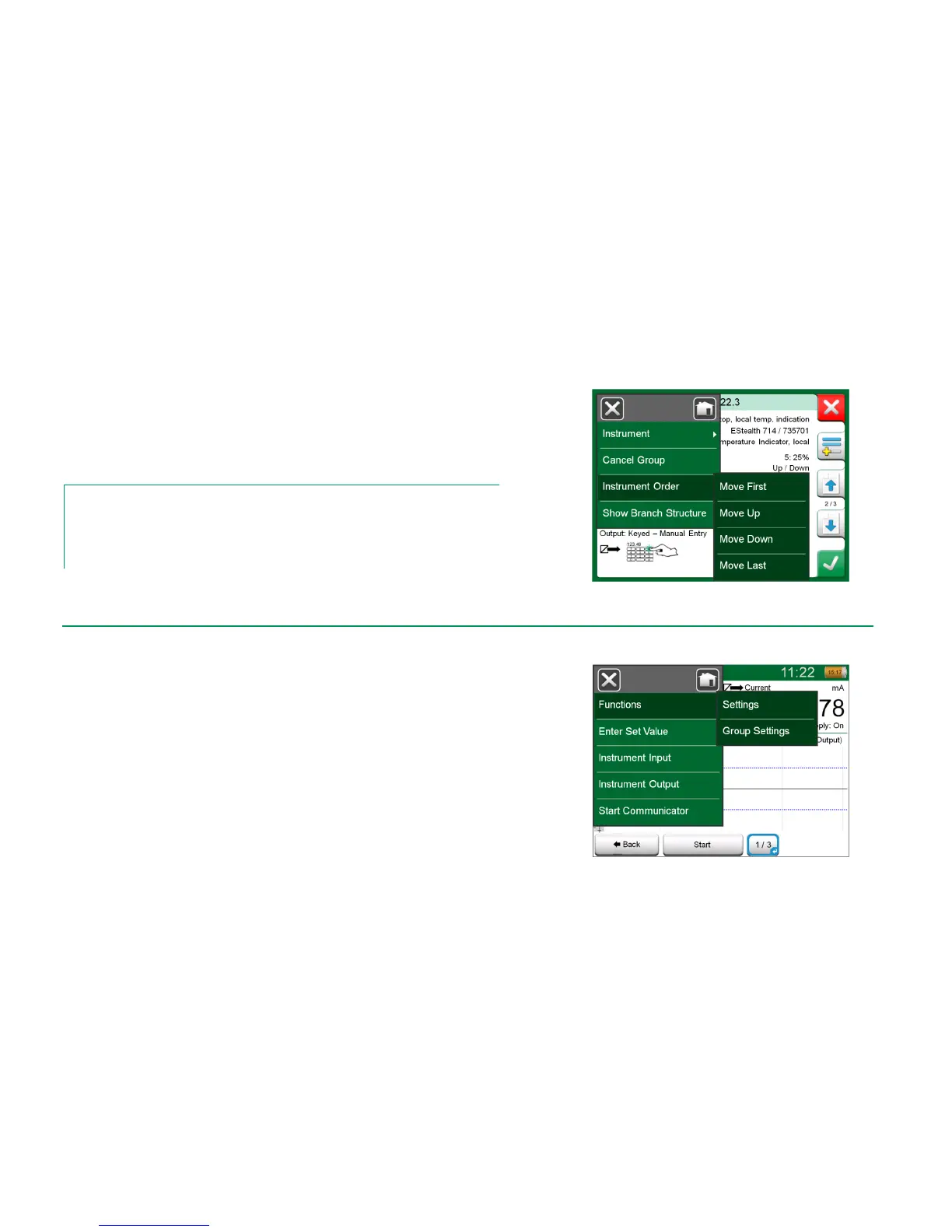
By default, the Instruments/Functions are calibrated in the order they were in-
cluded in the group. However, the Instrument Overview window's menu in-
cludes a possibility to sort the group according to your own needs. The same
menu also includes a possibility to cancel the Group or to remove the current
Instrument/Function from the Group (in the Instrument menu option's sub-
menu).
Notes.
The Instrument Overview window's buttons change when Group Calibration is active. In ad-
dition to Add to Group button you have browse buttons for browsing through the Instru-
ments/Functions selected to the Group. Instrument Settings and Calibration Results are
moved to the Instrument Overview window's menu.
Sorting the Instruments/Functions in a group.
Calibration is started the same way as the calibration of a single Instrument/
Function; by tapping the Instrument Overview window's Accept button. The
Calibration window opens displaying the Group's first Instrument/Function.
The text in the Calibration window's Info button has changed to indicate which
Instrument/Function is currently shown in the window (1/3 in the adjacent pic-
ture). The functionality of the button is the same:
Before starting, check the settings in the Calibration window's menu:
Settings include the possibility to show the Function Name in the Title Bar. It
may be a more descriptive text when calibrating a group of Instru-
ments/Functions belonging to a loop.
Settings and Group Settings



 To Next Page