Wherever in MC6, when you use pressure as the Quantity, you may choose a
pressure unit from a wealth of already available pressure units, divided into
several pages. User defined pressure units may be added to the subsequent
page(s).
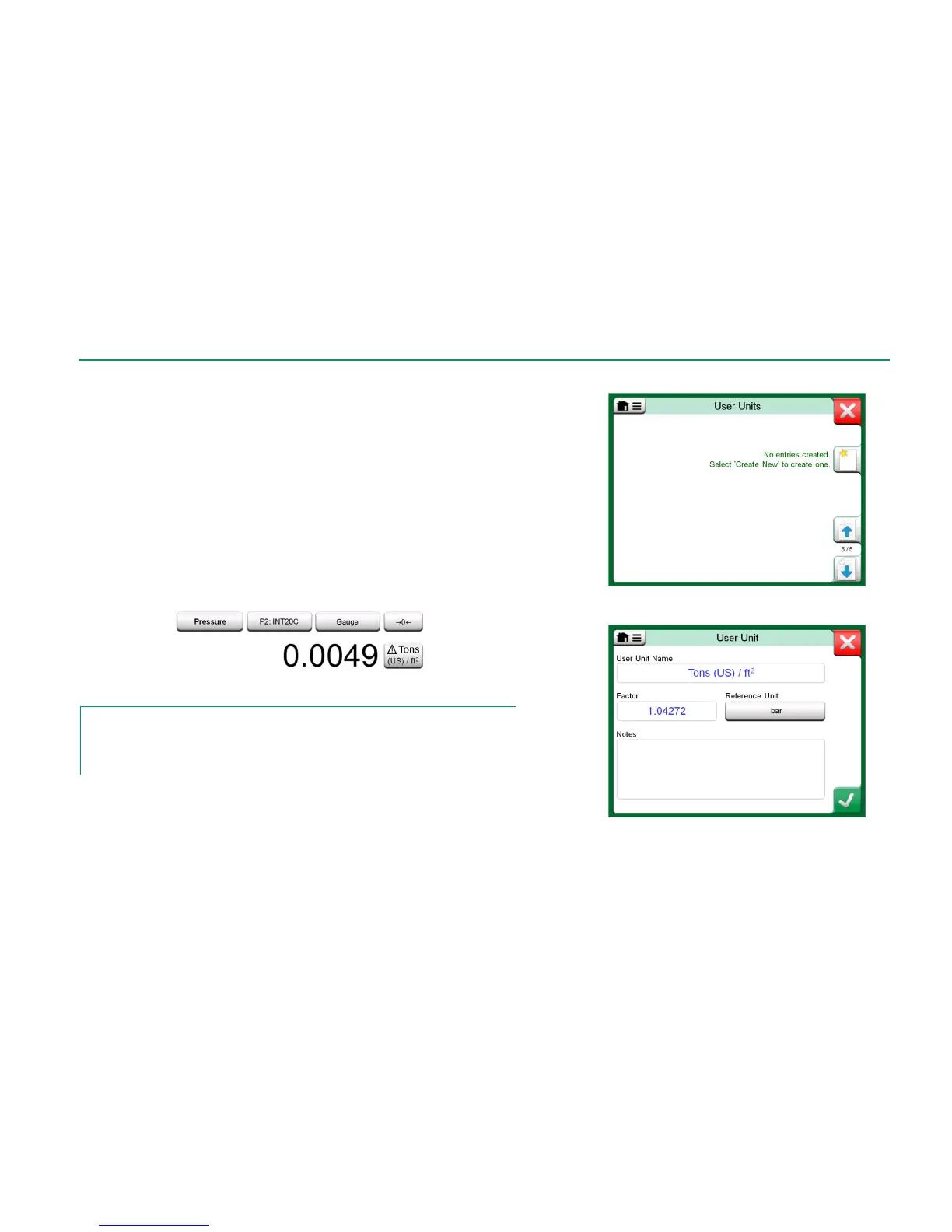
In the configuration page, see picture below right, give the unit a descriptive
name, select a Reference Unit and enter the Factor. The Factor is the rela-
tionship between the Reference Unit and the custom pressure unit. The Refer-
ence Unit may be any of the pre-entered pressure units available in MC6.
When a user defined pressure unit is in use, the unit button displays a warning
symbol (triangle with an exclamation point inside) together with the name of the
user defined pressure unit. See an example below on how a user defined pres-
sure unit is shown in Calibrator. Other MC6's main functions display the user
defined pressure unit similarly.
User defined pressure unit in Calibrator.
Note.
If you need to enter very small or big number into Factor field, open the menu available in
Soft Numeric Keypad. When applicable, the menu contains a possibility to insert an expo-
nent. This allows entering numbers in scientific notation, e.g. 5.775E-07.



 To Next Page