84 MC6 User Manual – Part 9, Additional Information
USER DEFINED TRANSFER FUNCTIONS
Transfer Functions are available in Calibrator's Scaling Tool and in instru-
ment definitions found in Documenting Calibrator.
When creating/selecting a user defined transfer function, tap on the Transfer
Function button and browse to the User Transfer Function page.
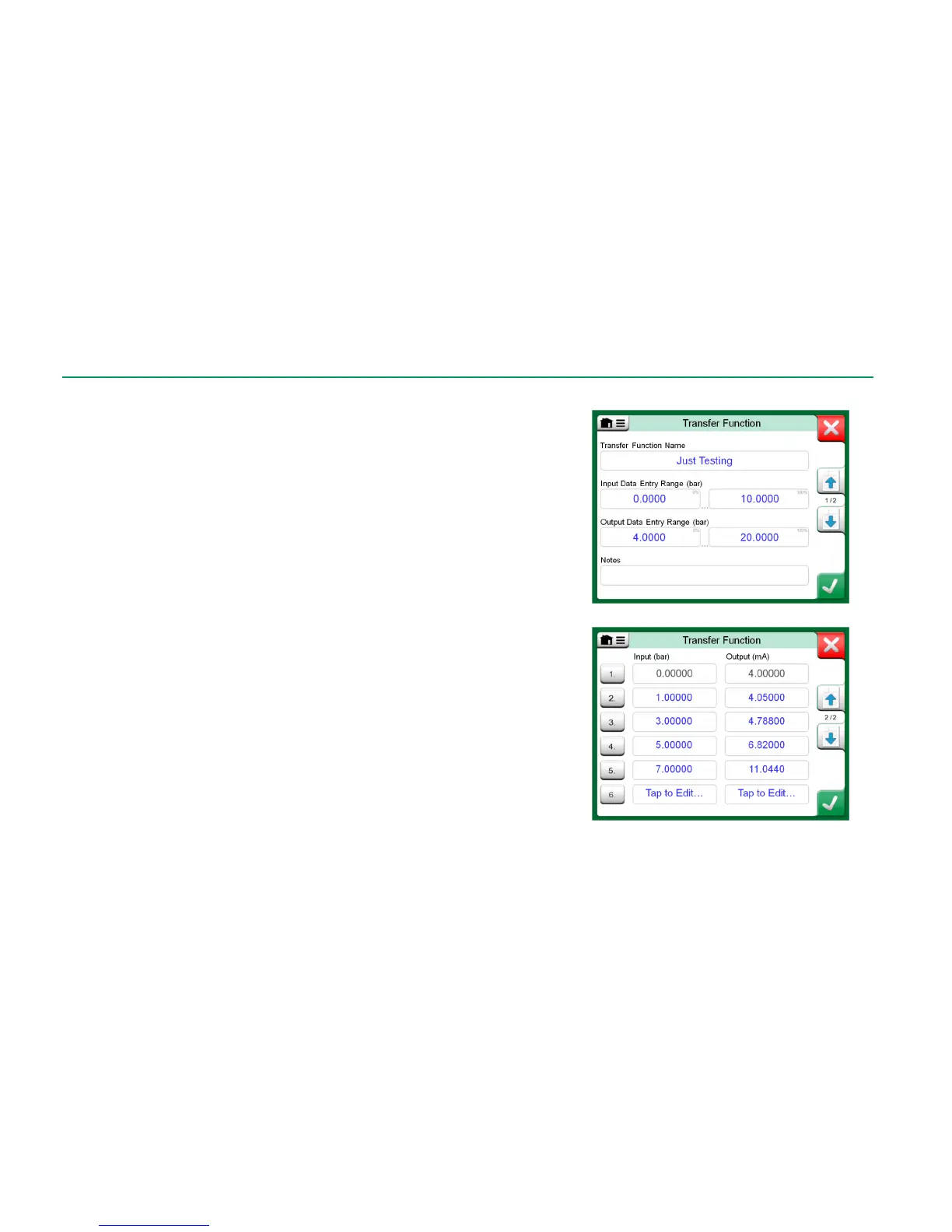
The configuration consists of two (or more) pages as shown in the pictures to
the right of this text. The first page is for general definitions and the second for
entering known transfer function points. If you enter more points than can be
shown on one page, a further page is automatically added.
There are some "rules" on how to enter the transfer function points:
The first point is always pre-entered and the values are not editable.
They are the ranges' 0 % values.
Manually entered points must be in increasing order.
Last point must be exactly or greater than the range's 100 % value.
Also:
The row number is a button. It opens a window where you may delete
the current point or optionally add a row either before or after the current
point.
An added point gets default values: average values of preceding and fol-
lowing point.



 To Next Page