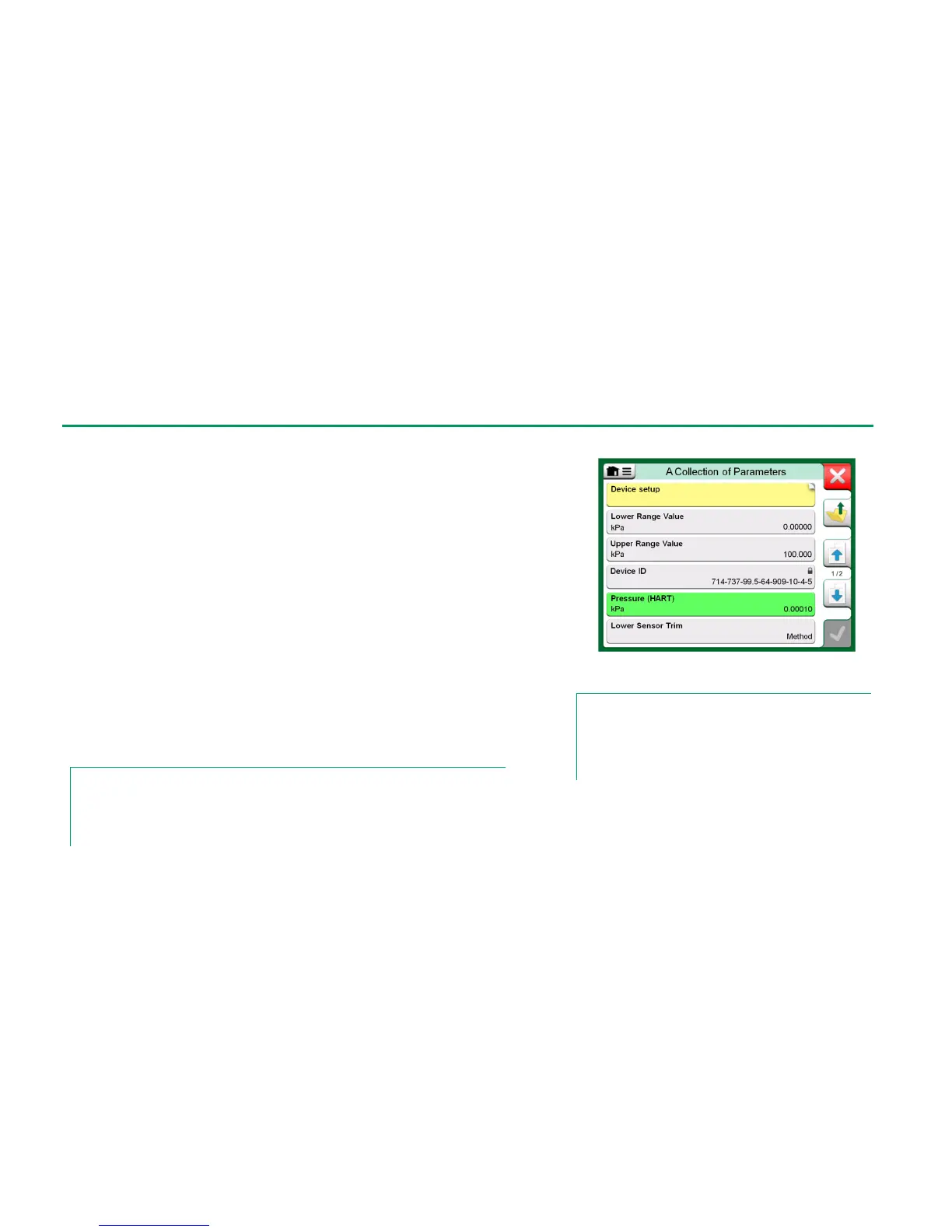
This chapter briefly presents how Blocks, Records and Parameters of Digital
Communication Instruments are viewed in MC6 and how you may browse
through them. Elements seen while viewing/configuring an instrument:
Blocks and Records have yellow background where the upper right corner
is folded. They may contain sub-blocks, sub-records, editable parameters
and read-only parameters. Tap on the block/record to see its contents.
Different types of Parameters:
o Editable Parameters have gray background. They may be numeric,
text, single select, multi select or date fields. Tap to edit the field data.
o Read-Only Parameters are data that you may view/read but they
cannot be edited. They have gray background with a "lock" in the up-
per right corner.
o Value Parameter is actually a special case of the Read-Only Param-
eter. The value is a result of a measurement and cannot be edited,
but it can be opened for viewing and selected for use in the Calibra-
tor, Documenting Calibrator or Data Logger. Value Parameters
have green background. See also note to the right and hint below.
o Methods look like parameters, but are actually automated proce-
dures for e.g. calibration in HART instruments. For details, see instru-
ment's user manual.
Hint.
Since value parameters are often of high interest, the menu contains a possibility to view value
parameters (measurable variables) only.
See also HART Device Description Specifics on page 69.
Blocks and Parameters, an example view.
Notes.
If you select a Value Parameter and you started communication
from the Communicator, the value is taken into use in Calibra-
tor. If communication is started from any other supported main
function, e.g. Data Logger, the chosen Value Parameter is
taken into use in that particular main function.



 To Next Page