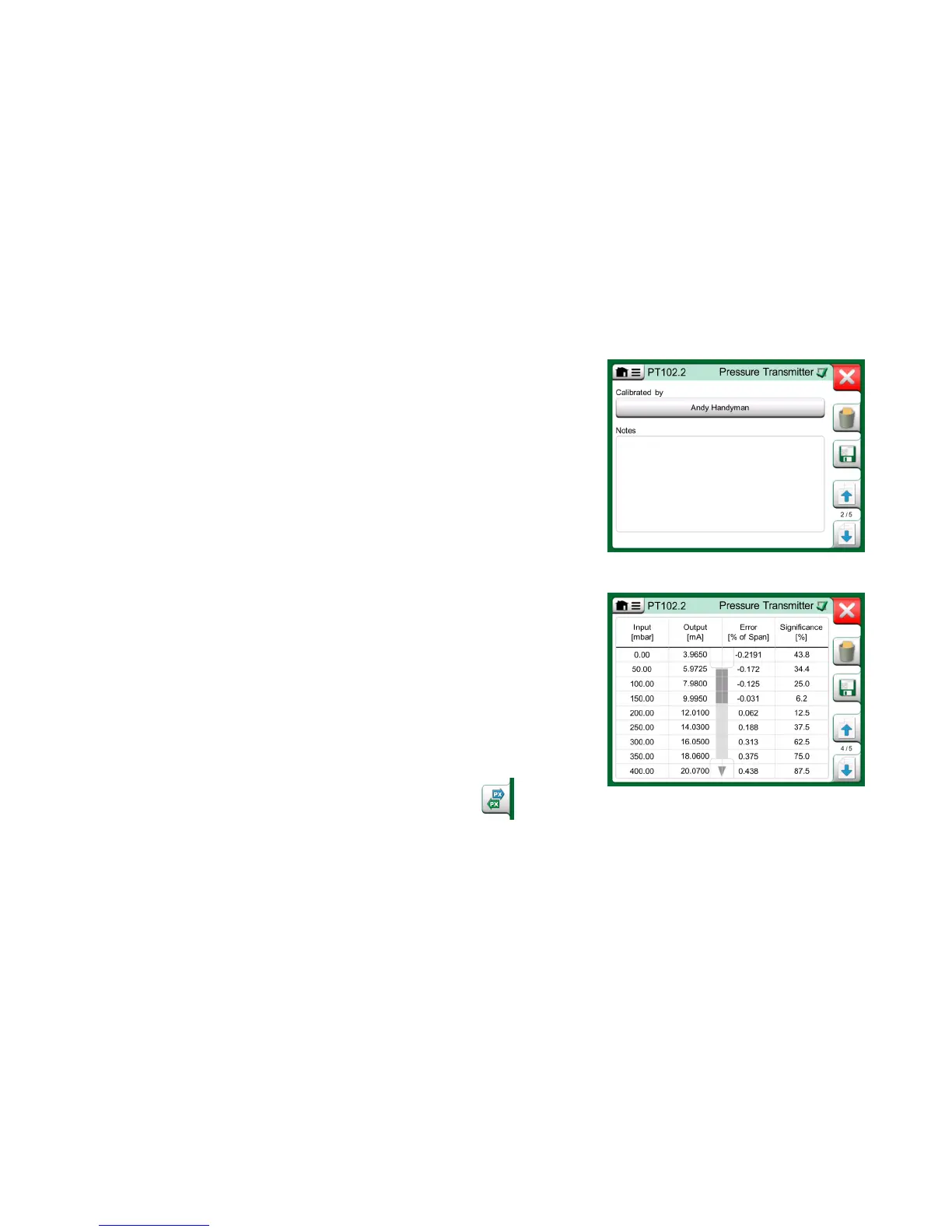
When the calibration is completed, the first of Calibration Result window's pag-
es open telling you whether the calibration Passed or Failed. Browse through
the pages to get an overview of the calibration results. Note that the amount of
pages shown depends on the setting found in the window's menu. To see the
basic pages only, open menu and select Show, Basic Pages. To see all pages
open menu and select Show, All Pages.
Save or delete the results using the buttons available on the right side of the
window. When saving: In the following window: Tap on the Combine with Pre-
vious Result check box, if you want to combine the most recent result with
previous results. When checked, calibration software treats all combined results
as one calibration event containing several repeats.
After saving the results, you are brought back to the Calibration window where
you may either start another calibration repeat or choose the Back button, to
end calibration for this instrument.
CHANGING THE PRESSURE MODULE DURING CALIBRATION
If a calibration requires the use of several Pressure Modules, the Pressure
Module has to be changed "on the fly". To do it, open Calibration window
menu, select either Input or Output (depending on where the Pressure Module
is connected). In the opened window:
If the module to be used is internal or you are changing from an Internal
Pressure Module to an already connected External Pressure Module,
just tap the button below Port/Function text and select it from the avail-
able Pressure Modules.
Calibration results page for entering calibrating
technician's name, and possible notes.
Numeric calibration results page. For results
including more than nine calibration points,
use the scroll buttons or scroll bar to view
hidden data.
If you want to change the External Pressure module in use to
another External Pressure Module connectable to the same
port as the one currently in use, tap on the button seen in the
adjacent picture. Continue with the change as explained on
MC6's display.



 To Next Page