With "editing parameters" we mean changing any editable parameter in the in-
strument's memory, e.g. selecting the type of process connection fitted to the
instrument.
Editing a Parameter is started by tapping on it. A window opens for editing the
data. The type of window depends on the type of parameter that is edited, e.g. a
selection list, text or a numeric value.
When editing a stand-alone parameter (stand-alone in this context means it is
not part of a record that contains several parameters), the edited value is sent to
the instrument immediately when the accept button is tapped on.
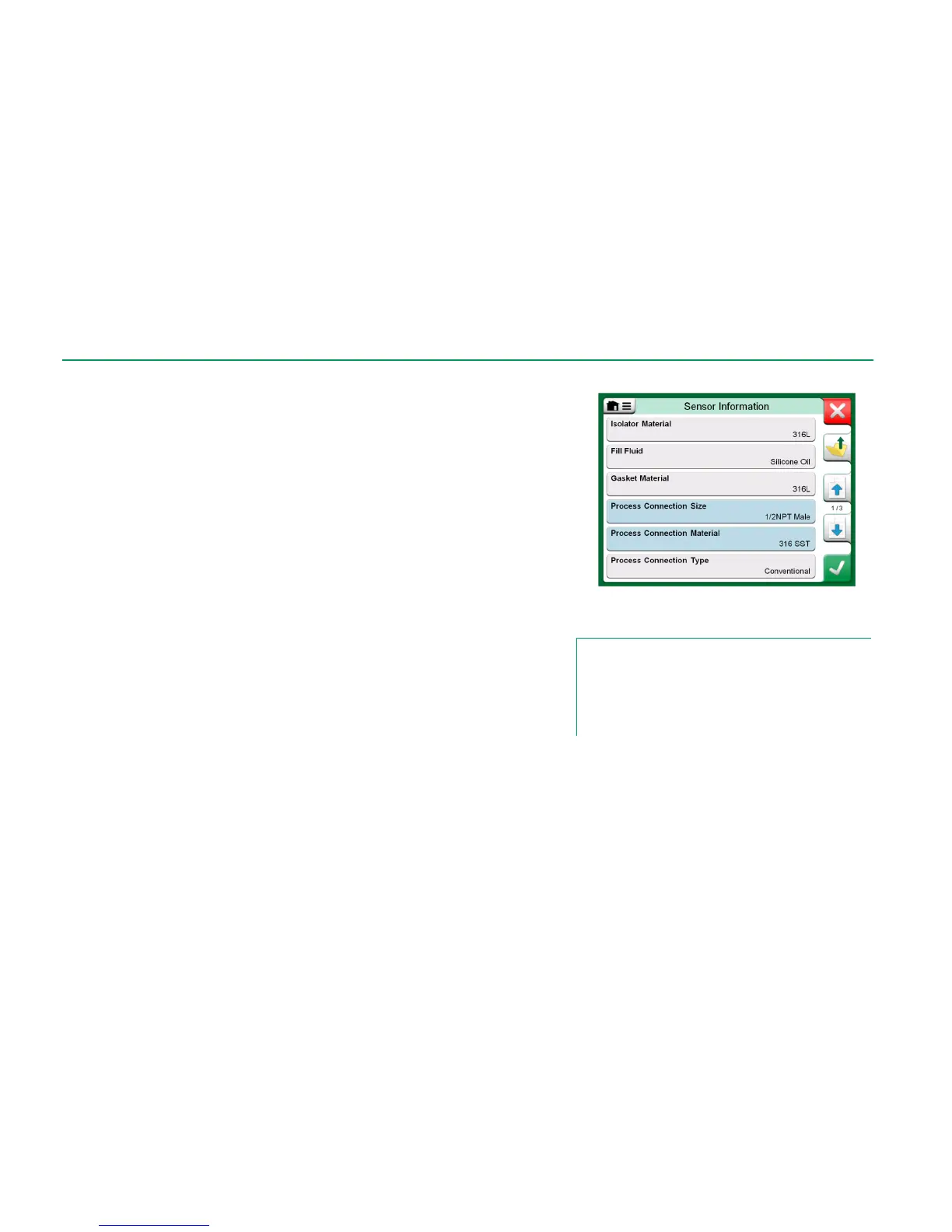
In a HART instrument: If a parameter is part of a record, i.e. several parameters
together as in the example picture to the right, each parameter may be edited
separately. However, the edited values are not sent to the instrument until the
accept button of the record window is tapped on. Prior to sending, edited param-
eters have a blue background.
See also Warnings on page 61.
Example of a record: Sensor Information.
Notes.
This manual explains how the parameters are accessed using
MC6. For detailed information of instrument data, refer to the
manual of the instrument itself.
Beamex cannot be held responsible for any damages caused
by changing instrument parameters.



 To Next Page