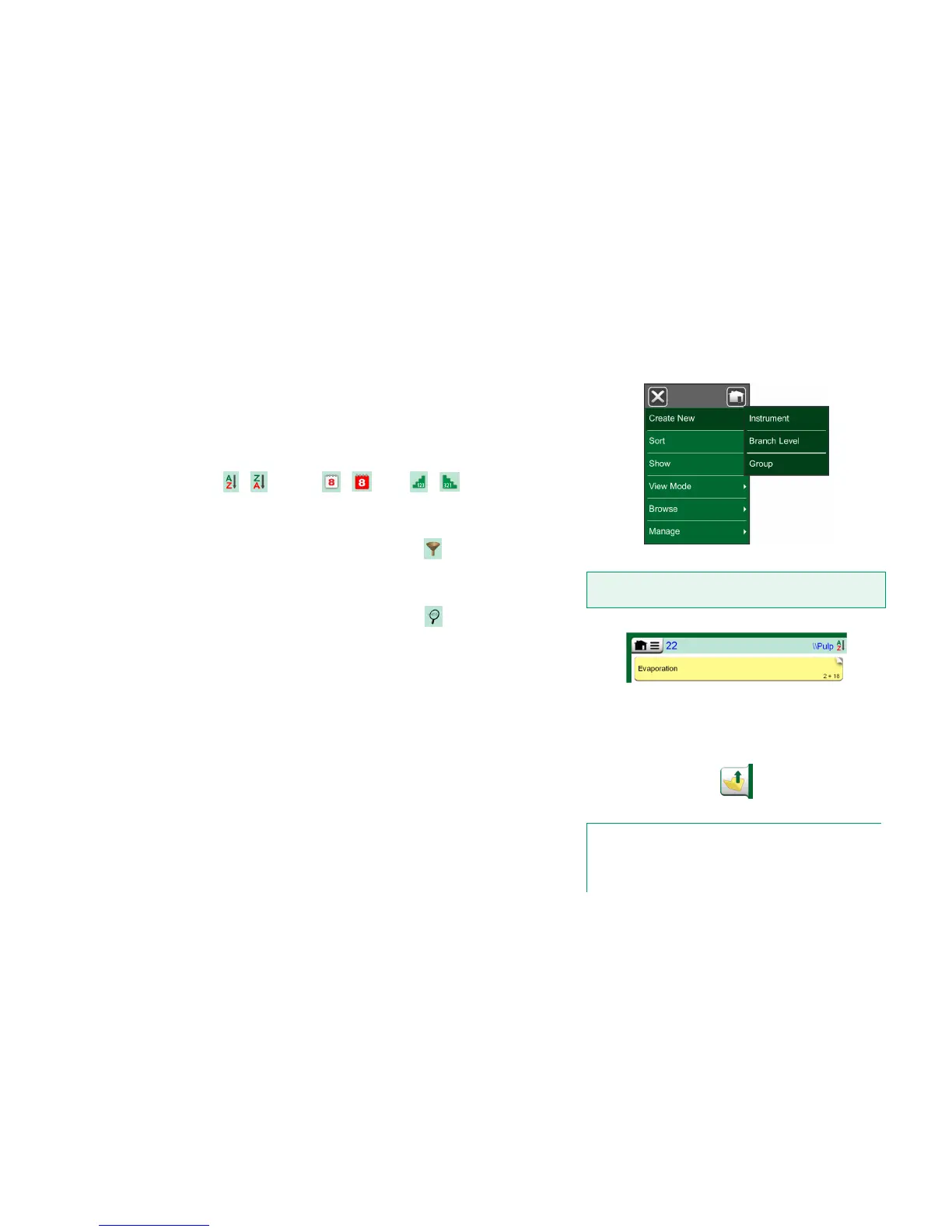
INSTRUMENT LIST WINDOW MENU
The Instrument List window's menu contains a lot of useful tools:
Create New for creating a new Instrument etc. (See adjacent picture.)
Sort for sorting the list contents alphabetically etc.
Sorting icons shown in status bar (ascending / descending):
/ / /
Identification Due Date Creation
Show to display all or filter to a selected group of items in the list. The
group can be, e.g. all calibrated instruments. When filtering is active, the
following icon is shown in the status bar:
View Mode for defining whether the Plant Structure or Work Order list
is shown.
Browse to jump to start/end of list or finding instruments. When find is in
use, the following icon is shown in the status bar:
Manage for deleting all Instruments/Results/Plant Structure levels and
also for moving/renaming Plant Structure levels.
PLANT STRUCTURE LEVELS
The name of the current Plant Structure Level is shown on the status bar. Tap
on the bar to see the full Plant Structure path. Plant Structure Sub Levels have
yellow background and the upper right corner is folded. The Level's name is
displayed and on the lower right corner, the amount of further Sub Levels + the
amount of instruments found on the next Sub Level.
To select a Plant Structure Level, tap on it. Then the contents of that level are
displayed. To return to the previous level, tap on the "Back" button found on
the right side of the Instrument List window.
Creating and managing Plant Structure Levels is presented in chapter In-
strument List Window Menu above.
Instrument List Window's menu
Warning!
Once an item is deleted, there is no way to retrieve it.
Current Plant Structure Level is called "Pulp".
A total of 22 instruments are located on this
Level and all its Sub Levels. Sub Level
"Evaporation" has two Sub Levels and
18 instruments.
"Back" button
Notes.
Deleting a branch level also deletes all instruments and calibra-
tions found on that level and all its sub levels.
You cannot delete the structure root level.



 To Next Page