Just as pressure units, MC6 has a wealth of pre-entered standard Platinum
Resistance Temperature (PRT) type RTD sensors. They are available wherever
you may select RTD Temperature as the Quantity. However, when using a
PRT sensor as a reference sensor, the available standard sensors aren't nec-
essary of use. This is because reference sensors often have custom coeffi-
cients in, e.g. their Callendar - van Dusen equation .
After the pages with pre-entered PRT sensors, there is room for user defined
PRT sensors.
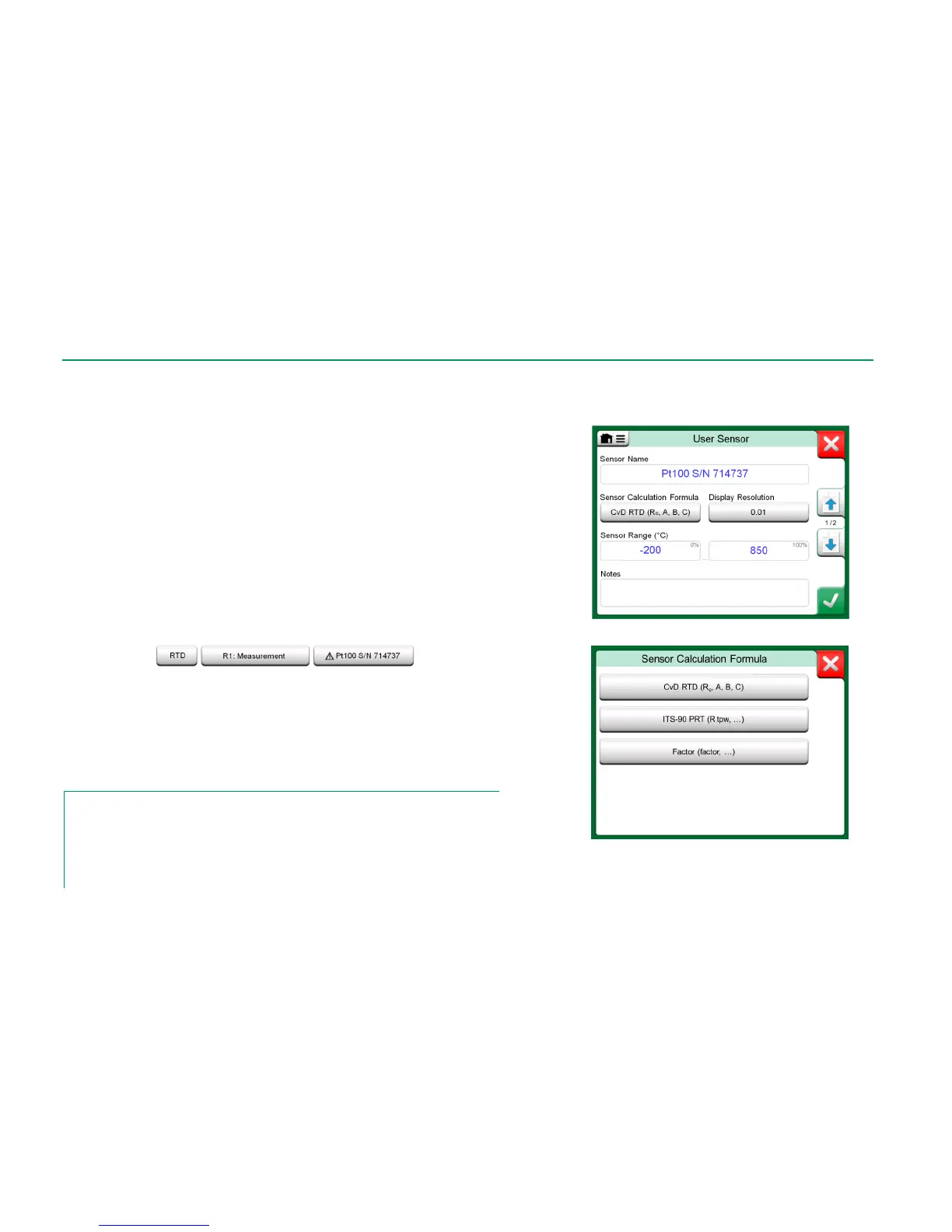
When a user defined PRT sensor is in use, the sensor button displays a warn-
ing symbol (triangle with an exclamation point inside) together with the name of
the user defined PRT sensor. See an example below on how a user defined
PRT sensor is shown in Calibrator. Other MC6's main functions display the
user defined PRT sensors similarly.
User defined PRT sensor in Calibrator.
When defining custom sensors, the Sensor Calculation Formula on the first
configuration page is important. It affects what is available on further configura-
tion pages. The following chapters present the use of different formulas.
Notes.
For further information about Sensor Calculation Formulas, refer to literature related to cali-
brating Platinum Resistance Temperature sensors.
If you need to enter very small or big number into any of the numeric fields, open the menu
available in Soft Numeric Keypad. When applicable, the menu contains a possibility to insert
an exponent. This allows entering numbers in scientific notation, e.g. -5.775E-07.



 To Next Page