The Data Logger is an optional tool that allows you to collect data with MC6. If
the Data Logger option is purchased, the collected data may then be viewed,
transferred to a personal computer (PC) and printed using a utility called
Beamex MC6 Data Log Viewer. It is shipped together with MC6.
If your MC6 does not have the option installed, the Data Logger icon in MC6's
Home View is disabled.
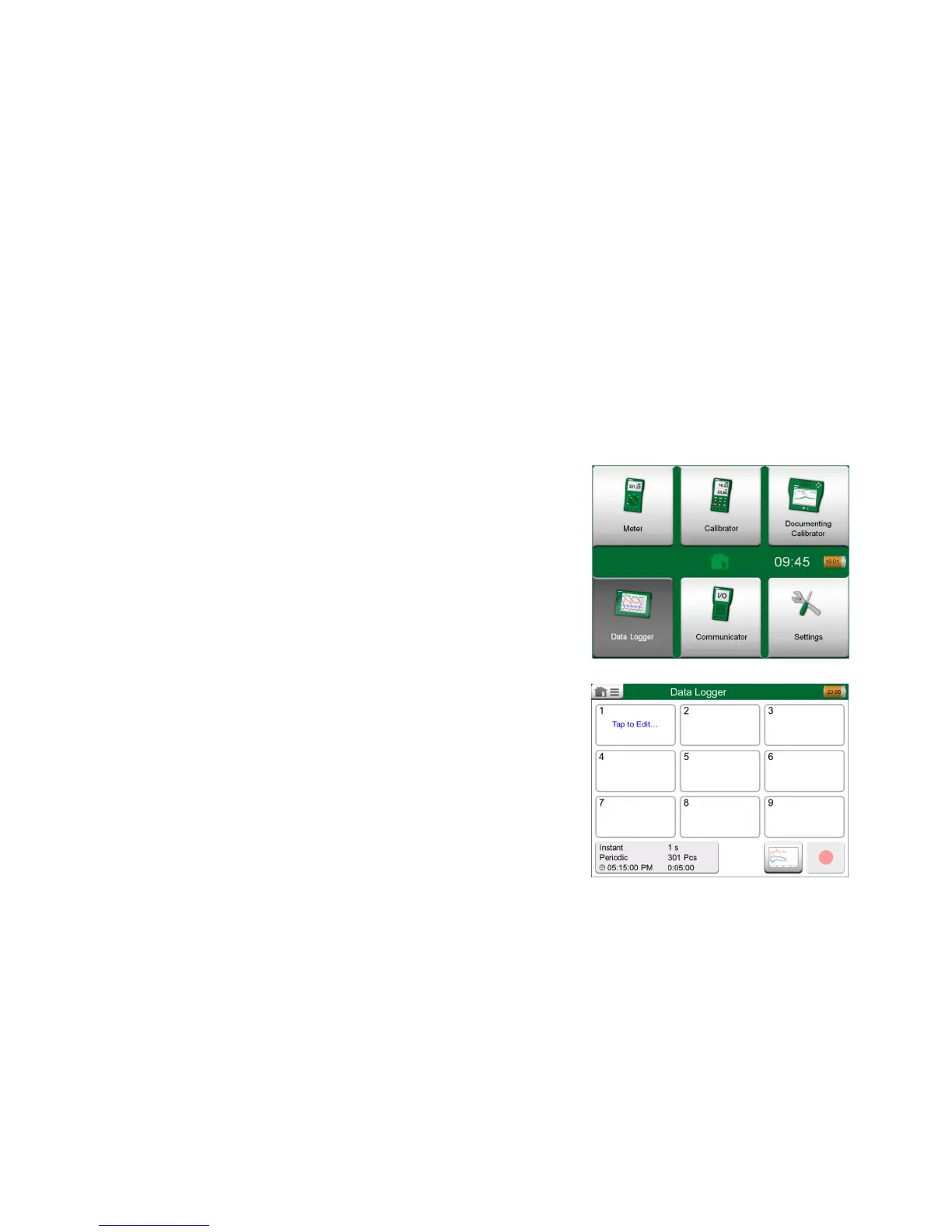
If applicable, open the main configuration window of the Data Logger by tapping
on the Data Logger icon in MC6's Home View (see adjacent picture).
Data Logger supports logging up to nine measurement/generation/simulation
channels at the same time. However, the amount of available measure-
ments/generations/simulations depends on how your MC6 is equipped.
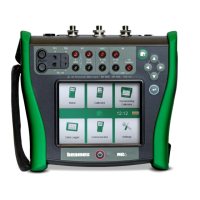
The window on this page's lower right corner is the Data Logger's main config-
uration window when no data log channels have been configured. Typically, you
see some previously configured channels, since MC6 remembers the latest
data log configurations.


 To Next Page