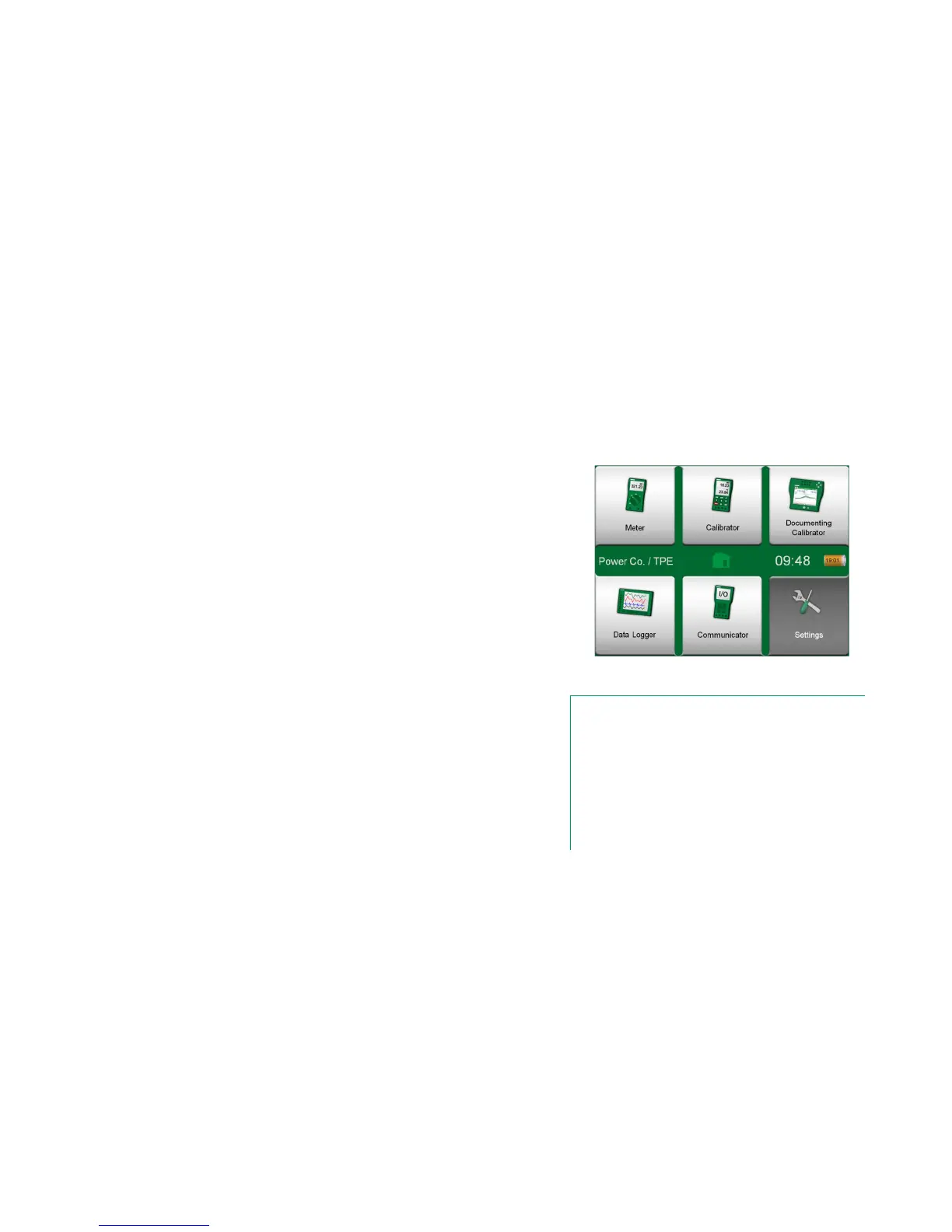
This main function allows you to configure MC6 according to your own needs
and also, recalibrate MC6. The following settings/configurations are available:
Language for selecting user interface language.
About. Information about installed modules, firmware options etc.
Power Management for defining auto-off delays and display brightness.
Sound Volumes for setting volumes for different sounds MC6 emits.
Date & Time, including Time Zone selection and activating Daylight
Saving Time. See also chapter Security Plus on page 75.
Regional Settings for setting local net frequency and default values.
See also chapter Security Plus on page 75.
Owner for entering owner information, shown in Home View.
Controller Presets. Enabled if you have purchased controller commu-
nication options. More in Part 9, Additional Information.
Maintenance for re-calibrating/adjusting MC6 and setting calibration
date. Also, the possibility to align the Touch Screen. Important: Use a
stylus when aligning the Touch Screen.
Documenting Calibrator. Settings related to instrument calibration, e.g.
is "Save as Both" allowed ("Save as Both" means a single calibration
run may be saved both as As Found and As Left calibration.)
HART, FOUNDATION Fieldbus and Profibus PA for defining commu-
nication parameters to Digital Communication Instruments.
Network for setting local area network parameters. Future expansion.
Supervisor. Part of Security Plus option. Read more in chapter Secu-
rity Plus on page 75.
Each setting/configuration is self-explanatory once you have familiarized your-
self with MC6's user interface. Configuration screens often have a menu option
for recalling factory settings.
Home View with Settings selected
and Owner information defined.
Notes.
MC6's auto off functionality is disabled in the following cases:
• When charger is connected,
• when adjusting MC6's own measurement/genera-
tion/simulation ranges,
• when a data log is in progress and
• when an instrument calibration is in progress.
PIN code for setting MC6's calibration date is 2010. PIN code
for MC6's adjustment is device dependent and was shipped
together with MC6.



 To Next Page