Additional Information - User Defined Steps / Calibration Points 85
USER DEFINED STEPS / CALIBRATION POINTS
These are available for instruments in Documenting Calibrator and also in
Calibrator's Step tool. Use either Calibration Points or Step Definition button
to modify its setting. In the opened window, browse to User Test Points page.
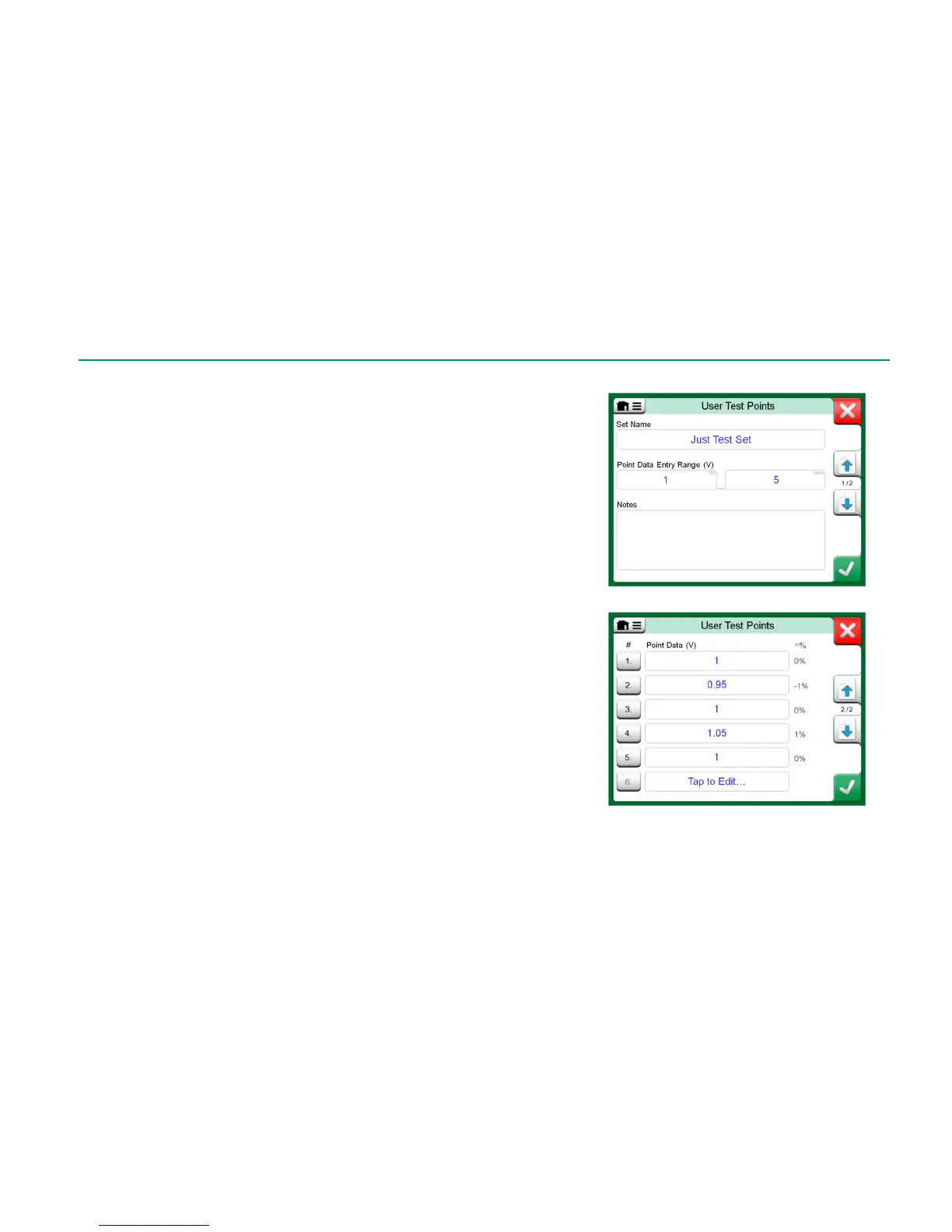
The configuration consists of two (or more) pages as shown in the pictures to
the right of this text. The first page is for general definitions and the second for
entering steps / calibration points. If you enter more points than can be shown
on one page, a further page is automatically added.
There are no "rules" in what kind of values are entered. They may be outside
given point data entry range and need not to be in any strict order. See the low-
er picture to the right.
Also:
The row number is a button. It opens a window where you may delete
the current point or optionally add a row either before or after the current
point.
An added point gets a default value: Average value of preceding and fol-
lowing point.



 To Next Page