CALIBRATING INSTRUMENTS
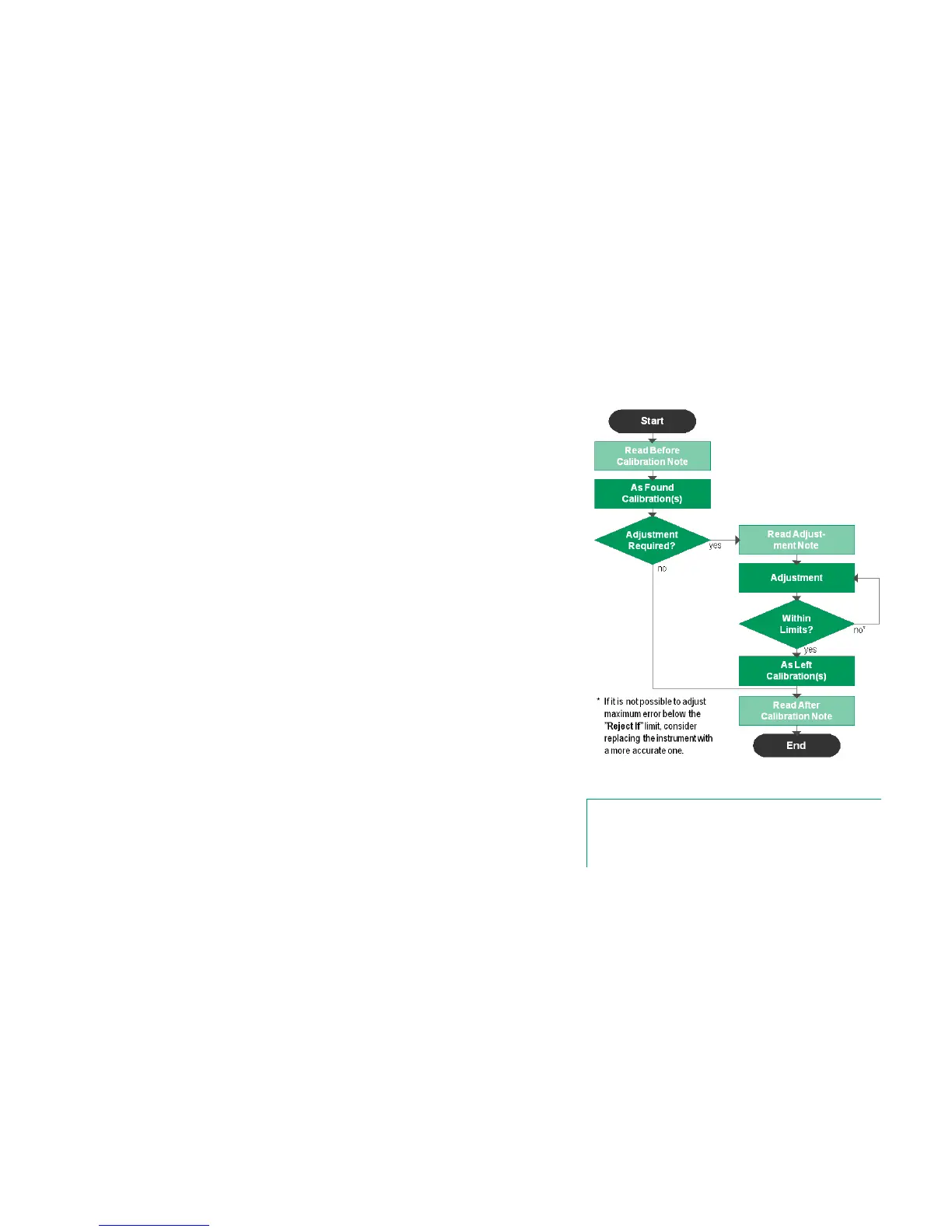
Instruments are typically calibrated following the procedure shown in the adja-
cent picture.
In MC6, you first select (or create) the instrument to be calibrated. Then perform
the As Found calibration – as many repeats as is required - and decide whether
or not adjustment is needed. Often you then do the required amount of As Left
repeats to document the instrument's state after the possible adjustment.
A calibration procedure using MC6 is presented in the following pages.
GENERATING/SIMULATING THE INPUT VALUE
How you change the generated/simulated value is explained in Part 2, Active
Terminals and Connections, chapter Changing The Generated/Simulated
Value.
Typical calibration procedure
Note.
Although MC6 assists you in doing the calibration, you need to
know how instruments are calibrated; be, e.g. a calibration
technician. MC6 is a tool for calibration professionals.



 To Next Page