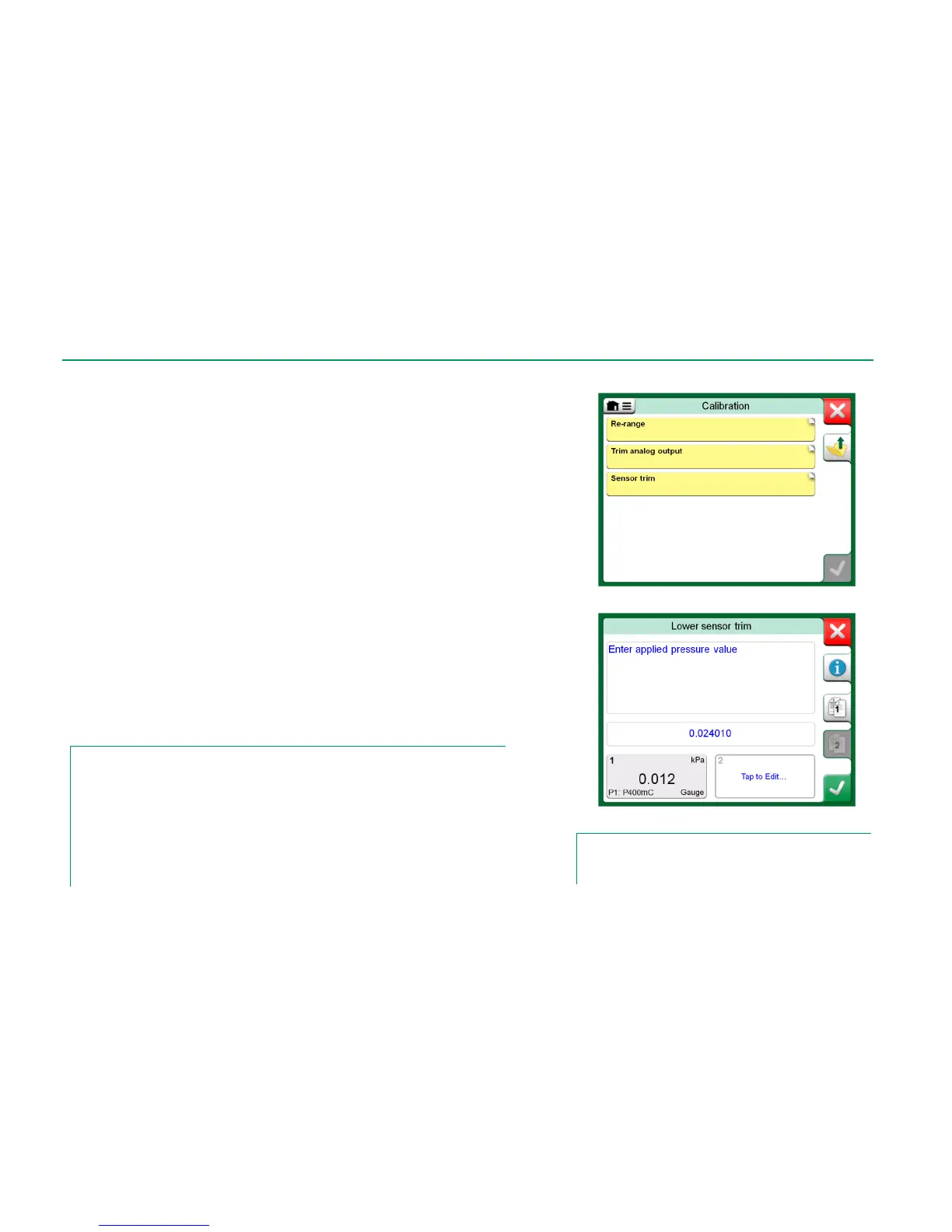
Trimming a HART instrument can be started from the Documenting Calibrator's
menu and also from other MC6's main functions where HART communication
may be started. When calibrating a HART instrument, the Documenting Calibra-
tor's menu contains the option HART Communicator.
When trimming, refer to the instrument's user manual to locate and start a trim-
ming method, either for the analog or the digital signal / sensor. When the method
is located follow its instructions. At some point during the method, you need to
apply an applicable input signal. See lowermost picture to the right.
If the trimming procedure was invoked from Documenting Calibrator, the
lower part of the window has areas were the instrument's input (1) and
possibly also the output (2) readings are shown. Use the input signal area
to check what the correct reading is.
If the trimming procedure was invoked from another MC6 main function,
e.g. Communicator, tap on either of the areas reserved for calibrator read-
ings and select a suitable Quantity for measurement.
In both cases: When the input signal is as required, enter the correct value to the
numeric field that is made available at this stage. Optionally, use one of the Copy
buttons seen on the right side of the window to copy the reading available in the
areas reserved for calibrator readings.
To finalize the trim, continue as the trim method describes on MC6's display.
Notes.
Just as in fieldbus instruments, the user interface and manuals of HART instruments are some-
times using the misleading term "calibration" although it is actually a trim that is performed.
Be careful during the trimming procedure. Follow the instructions in the instrument's user man-
ual. Skipping a step in the procedure may result in an unsuccessful trim.
IMPORTANT!
Trimming a HART instrument cannot be done when using Basic View Device Descrip-
tion. More in chapter HART Device Description Specifics on page 69.
HART analog trim can only be done using MC6's internal power supply.



 To Next Page