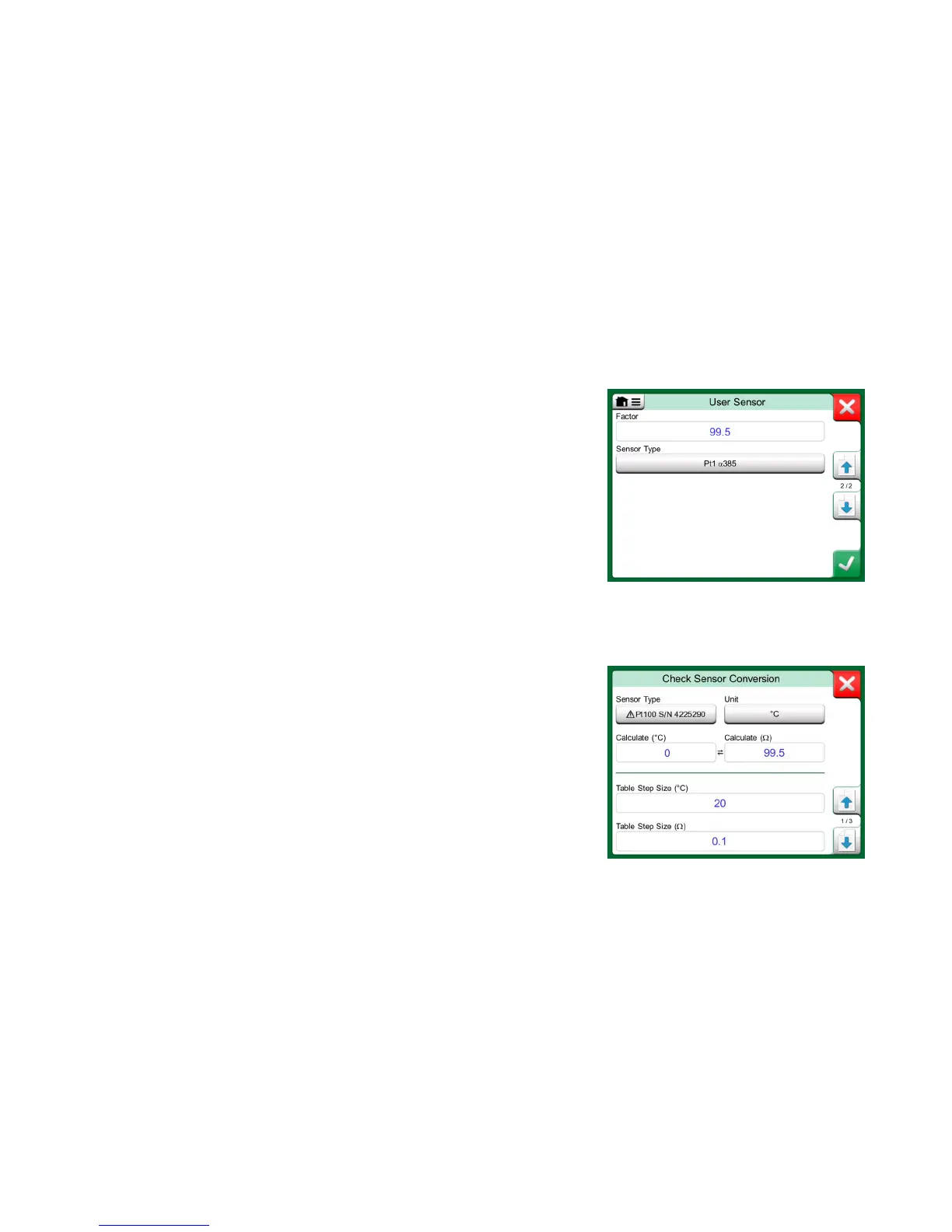
The third way to customize a RTD sensor (not just PRTs but all types of RTDs)
is using the Factor. This applies for sensors with the same relative error
throughout the sensor's span, a sensor with an "offset" in its output.
How to Configure a User Sensor using Factor:
Select a standard Sensor Type. Then enter a Factor that offsets the standard
temperature curve. A simple way of doing it is taking a standard RTD sensor
with a 1 ohm resistance @ 0 °C, e.g. Pt1. Then enter the real resistance
@ 0 °C as the Factor.
MC6 has a possibility to test sensors in the window presenting pre-entered and
custom RTD sensors. The menu has an option: Test Sensor Conversion.
The adjacent picture presents the first of the Test Sensor Conversion pages.
It allows you to select a sensor, the unit to be used and a possibility to test a
single point. This is handy when you have entered coefficients of a custom sen-
sor and want to test if the coefficients were entered correctly. Enter, e.g. a tem-
perature that is in the calibration certificate and check if the calculated re-
sistance in MC6 is the same as on the calibration certificate. If yes, the entered
coefficients in MC6 are correct. If not, check the coefficients you entered.
The lower part of the first page allows you to define step sizes for tables seen
on the second and third page. There you can see the sensor's temperature vs.
resistance correlation (and vice versa) in table format.



 To Next Page