82 MC6 User Manual – Part 9, Additional Information
Calibration ranges, corresponding coefficients and examples of calibration
points:
Calibration Corresponding
Ranges
(
* Coefficients Example of fixed calibration points
(#
, °C
Negative (sub-)ranges:
-189 … 0 °C a
4
, b
4
–189.3442, –38.8344, 0.01
-38 … 30 °C a
5
, b
5
(
†
–38.8344, 0.01, 29.7666
Positive (sub-)ranges:
0 … 30 °C a
11
0.01, 29.7666
-38 … 30 °C a
5
, b
5
(
*
–38.8344, 0.01, 29.7666
0 … 157 °C a
10
0.01, 29.7666, 156.5985
0 … 232 °C a
9
, b
9
0.01, 156.5985, 231.928
0 … 420 °C a
8
, b
8
0.01, 231.928, 419.527
0 … 660 °C a
7
, b
7
, c
7
0.01, 231.928, 419.527, 660.323
0 … 962 °C a
6
, b
6
, c
6
, d 0.01, 231.928, 419.527, 660.323, 961.78
†)
sub-range 5 is presented twice since it needs to be entered separately both for negative and
positive sides.
Note.
If your calibration certificate include two sets of coefficients.
One for zero current and another for 1 mA current, enter the
latter ones into MC6.
*
)
The range limits in the adjacent list are rounded
and shown as they are on MC6 User Interface.
#)
Not all calibration laboratories necessarily use the
same points. These are for reference only.
When selecting ITS 90 PRT (R tpw,…) as the Sensor Calculation Formula,
the Sensor Range entered in the 1
st
configuration page defines how many ad-
ditional User Sensor pages is added to MC6. If the range includes tempera-
tures below zero, the total amount of configuration pages is four:
1. First page for general settings. See page 80.
2. Second page for entering the R tpw constant value.
3. Third page for selecting the deviation formula for negative temperature
sub-range and entering the coefficients (a
4
and b
4
or a
5
and b
5
).
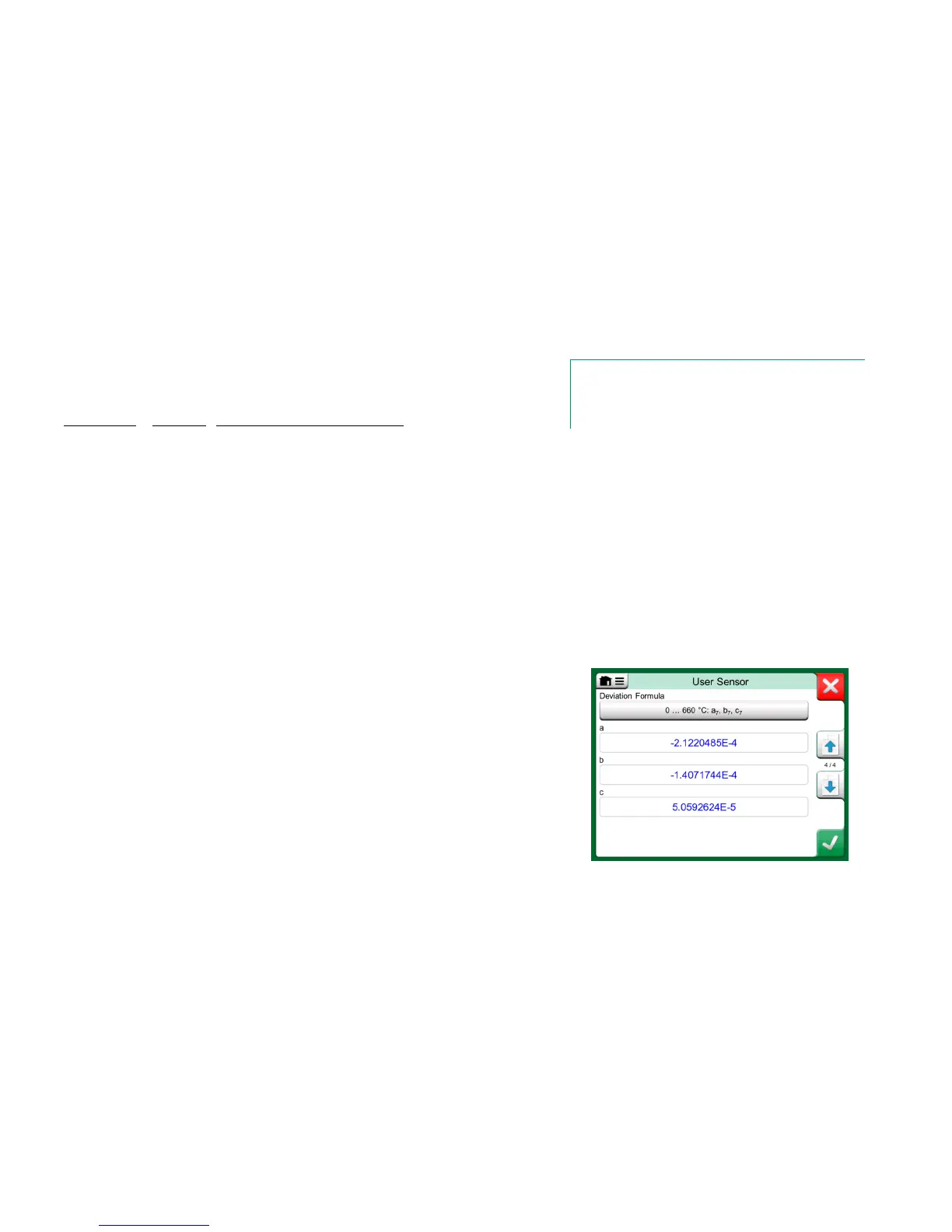
4. Fourth page for selecting the deviation formula for positive temperature
sub-range and entering the coefficients (a
5
, a
6
, a
7
… etc.).
When no negative sub-range is included in the calibration, the third page men-
tioned above is not included and the total amount of configuration pages is
three.
Examples of coefficients a
7
, b
7
and c
7
.



 To Next Page