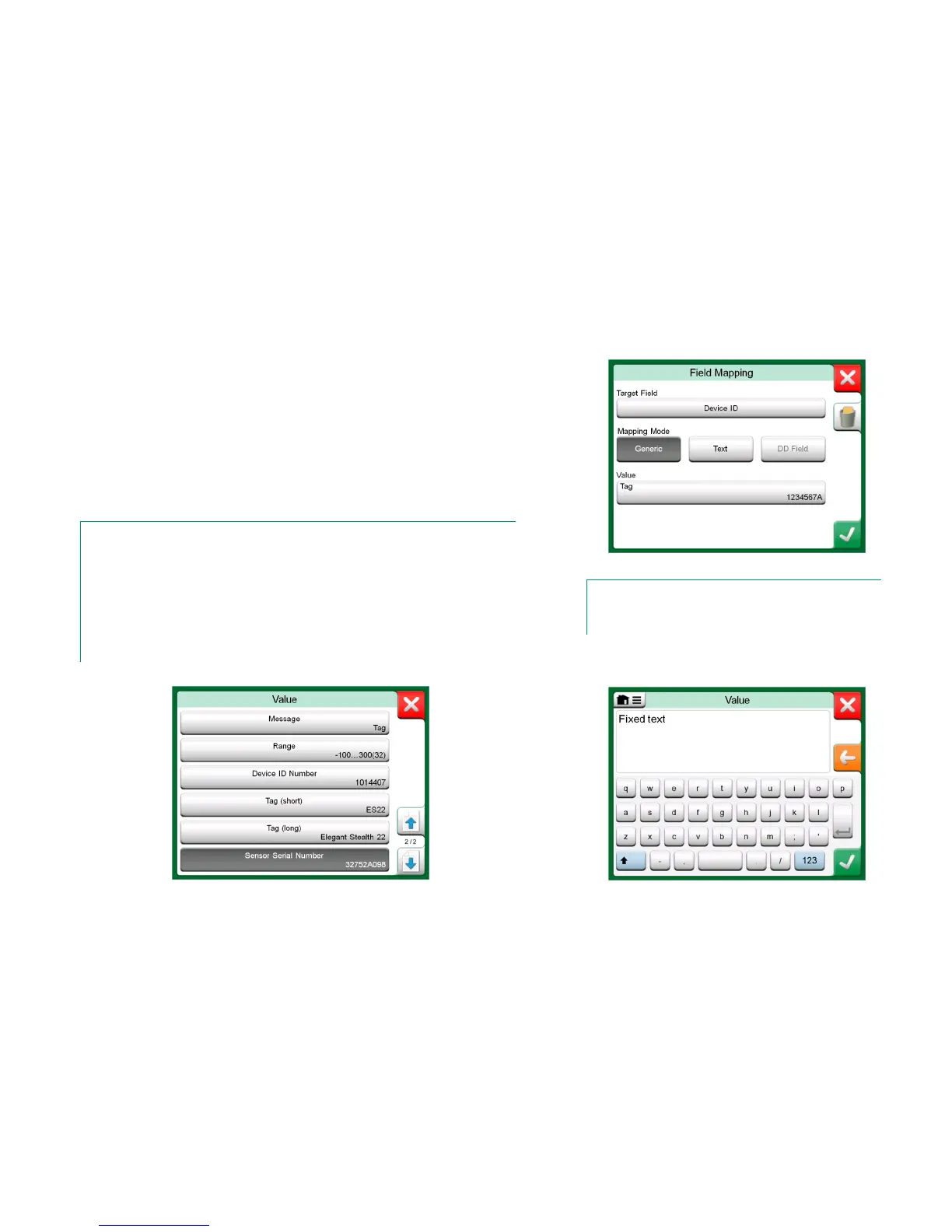
Creating a new mapping or editing an existing mapping is done in a window like
the one to the right.
Target Field is the field in MC6, Value is the field and its value in the connect-
ed device. Mapping Mode defines how the mapping is done.
Generic, gives you a list of protocol's common fields.
Text, assigns a fixed text to the selected MC6 field.
DD Field, gives you a list of all fields etc. available in the device model's
Device Description. Note that this option is not available for the Proto-
col Defaults, only for Device Model Defaults.
Notes.
It is possible to map the same transmitter field into several MC6 fields. In the picture on previ-
ous page, device's Tag is mapped both to Position ID and Device ID in MC6's instrument da-
ta.
When adding or editing mapping, the target fields that are already being used are disabled
(gray).
When you change the mapping, it will be saved as the default mapping for future use.
After changing the mapping, you need to read the data again using the Get Mapped Data
menu command.
Generic Fields when Mapping Mode is "Generic".
Sample of default mappings for HART protocol.
Note.
You can remove a single mapping line by opening it and touch-
ing the “Trash Can” icon.
Text editing when Mapping Mode is "Text".



 To Next Page