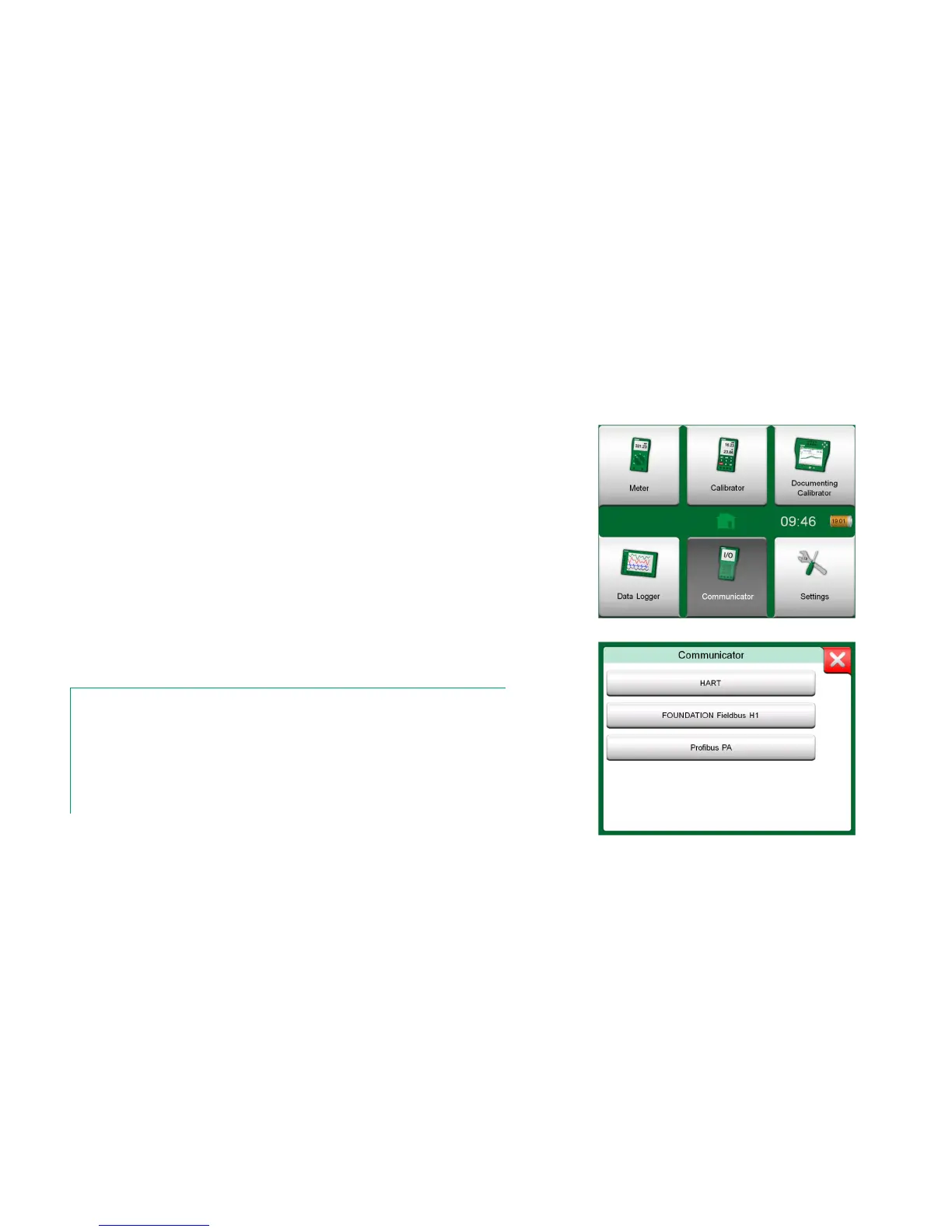
MC6's Communicator option allows you to connect to the following Instruments
utilizing Digital Communication:
HART
®
instruments
(
*
(http://www.hartcomm.org/)
MC6 can be used as a primary or secondary master of a segment.
FOUNDATION Fieldbus H1
tm
instruments
(http://www.fieldbus.org/).
MC6 is seen as a guest device (visitor) and, when necessary, as a Link
Active Scheduler (LAS, segment's master device).
PROFIBUS PA
tm
Instruments
(http://www.profibus.com/pb/profibus/process/).
MC6 takes the role of PROFIBUS Master when connected to a PROFI-
BUS segment.
When Communicator is started, a list of communication protocols available for
MC6 is shown. See lower picture to the right.
Notes.
Each communication protocol is a separate option in MC6, so all protocols are not necessary
enabled in your MC6.
This manual is not an introduction to HART and Fieldbus instruments. Get the know-how and
terminology from books dedicated to HART and Fieldbus instruments and technology.
The Communicator's user interface may include text in another language than what MC6's
user interface language setting is. This happens when the language of the instrument's fields
etc. differ from MC6's.
*
)
MC6 supports HART instruments using HART Protocols 5, 6 and 7.



 To Next Page