6-24 THYROID UPTAKE Biodex Medical Systems, Inc. © 2014
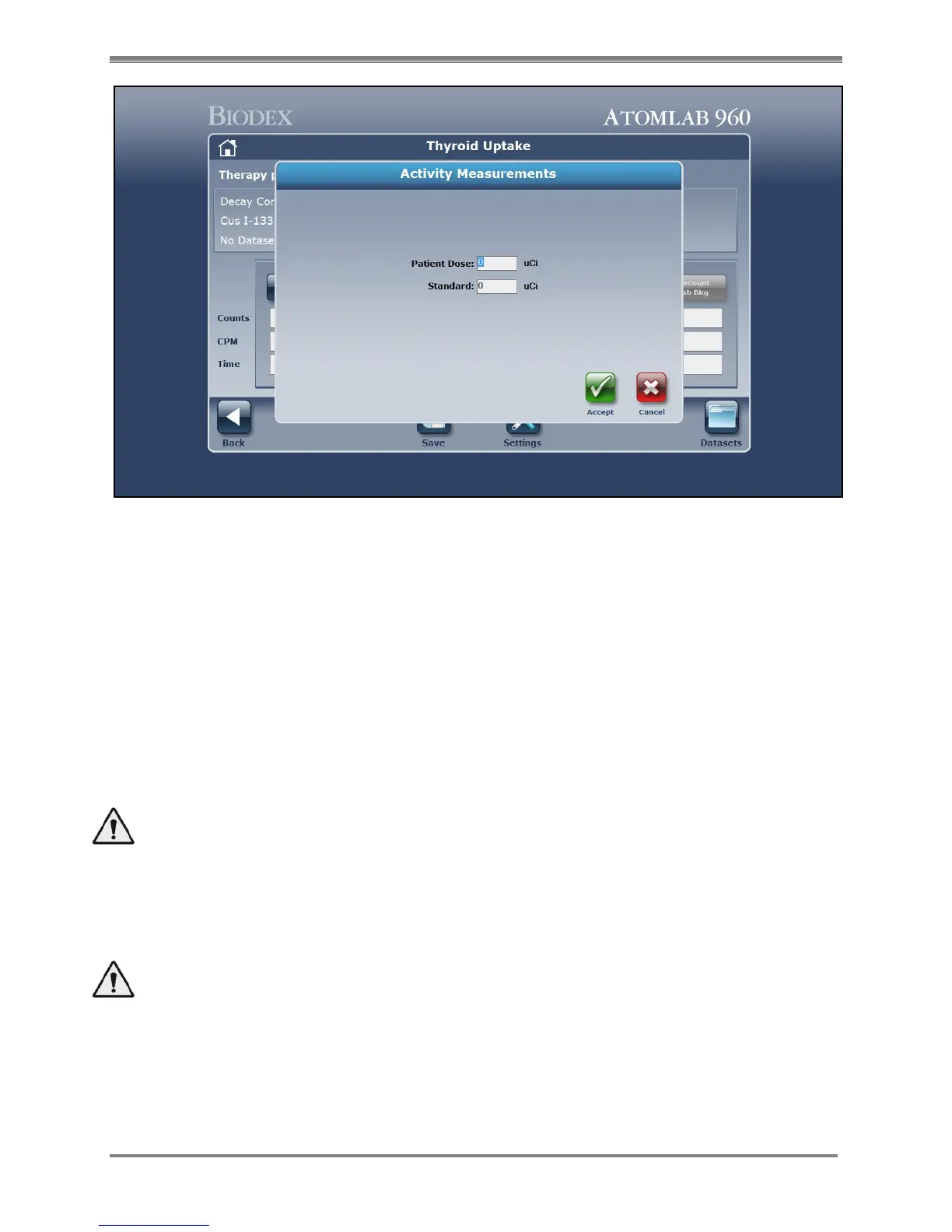
Figure 6.12. Entering therapy, dose and the standard used for the multiplier on the Activity Measurements screen.
5. Select <Count Standard>. The Activity Measurements screen is displayed showing a blank
for the patient dose and standard activities. Enter the patient dose activity and then enter
the standard activity, then select <Accept> to continue. A message is displayed instructing
the user to prepare to count the standard.
6. Position the standard capsule(s) in the thyroid phantom and set up the collimator for use.
Set the distance on your distance bar and move the collimator into position. The distance
bar and a red LED light can be flipped out from the rim into the center of the collimator
face to help align the thyroid position. Remember to flip the LED back to the retracted
position and move the distance bar to the bottom of the collimator out of the field before
counting. The capsule count distance and the thyroid count distance must be the same.
When you are fully prepared to count the standard, select <Accept>.
WARNING: You must use the same geometry for counting the sample/capsule or lab
background as used for counting the thyroid and / patient background. The system
calculation assumes the same geometry when comparing counts to counts. You must also
ensure that the collimator is at a right angle to the neck phantom and the thyroid so that
it is positioned correctly for counting to retain the correct geometry.
AVERTISSEMENT: Vous devez utiliser la même géométrie de comptage de
l'échantillon/capsule ou lab arrière-plan tel qu'utilisé pour le comptage de la thyroïde et /
patient arrière-plan. Le calcul de système suppose la géométrie même lorsque l'on compare
le nombre de chefs d'accusation. Vous devez également vous assurer que le collimateur est
à angle droit avec le fantôme de cou et de la thyroïde afin qu'il soit positionné
correctement pour le comptage pour conserver la géométrie correcte
.



 To Next Page