4-14 UTILITIES Biodex Medical Systems, Inc. © 2014
Add A New Procedure
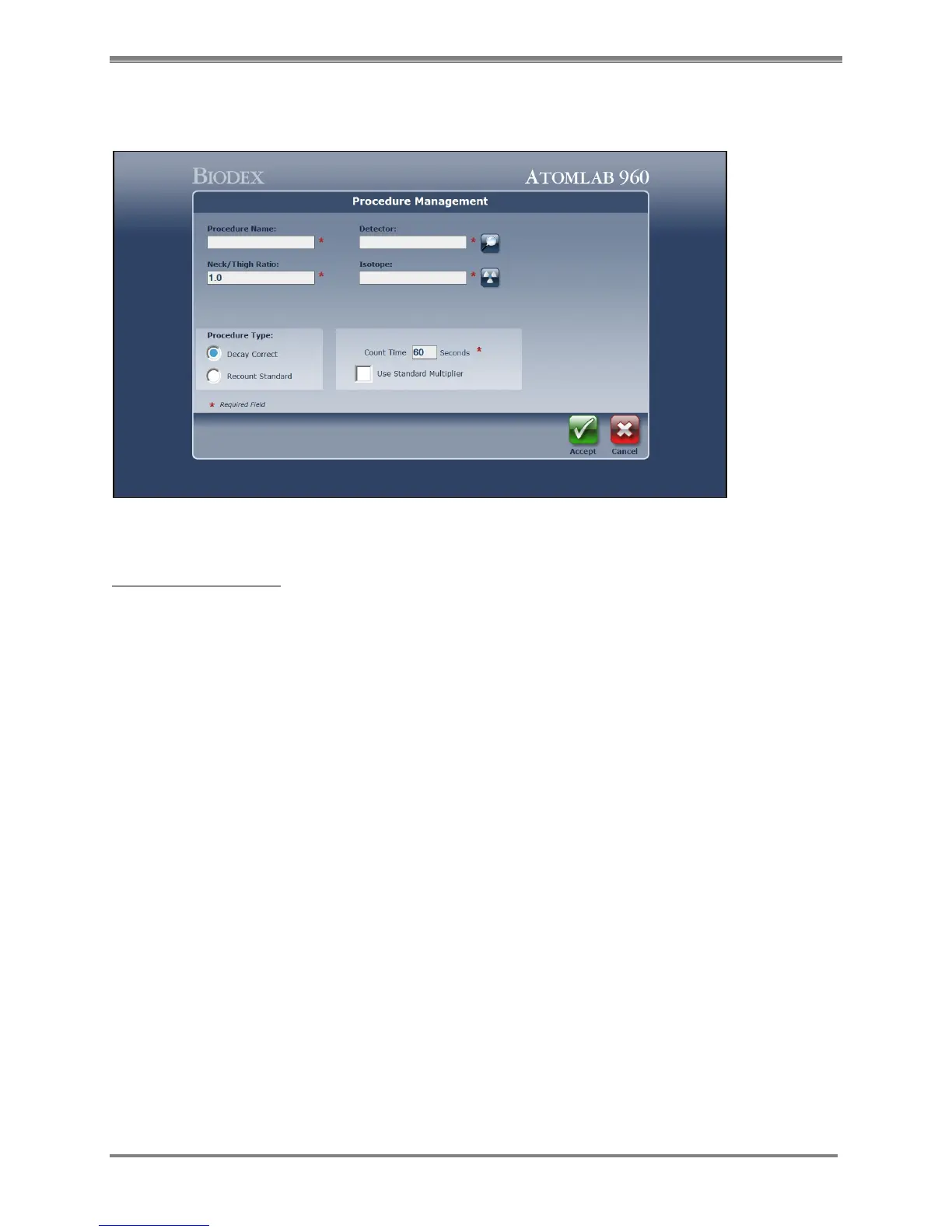
(See Figure 4.12.)
Figure 4.12. The Procedure Management screen.
Add A New Procedure:
1. Select <Add Procedure>. The Procedure Management Screen is now displayed. Fields
showing a red * require mandatory completion.
2. Enter a unique procedure name.
3. Enter the Neck/Thigh ratio. Default is 1, it is best to use this value.
4. Enter the desired detector. To do this, select the search icon to the right of the Detector
field, then highlight the appropriate detector on the Select Detector list and select <Accept>.
5. Enter the desired isotope. To do this, select the search icon to the right of the Isotope field,
then highlight the appropriate isotope on the Select Isotope list and select <Accept>.
6. Select the Procedure Type by toggling between Decay Correct and Recount Standard.
NOTE: "Decay correct" means the system will automatically decay correct the net dose
activity for the elapsed time between counting the dose and counting the patient's thyroid.
<Recount Standard> if you have a standard that is identical to the dose given to the patient
and you are going to recount that standard when you count the activity in the patient's
thyroid at a future time.
7. Enter the count time desired in seconds in count time field. Default value is 60 seconds.
8. Select/De-select Use Standard Multiplier.



 To Next Page