4-2 UTILITIES Biodex Medical Systems, Inc. © 2014
System Setup
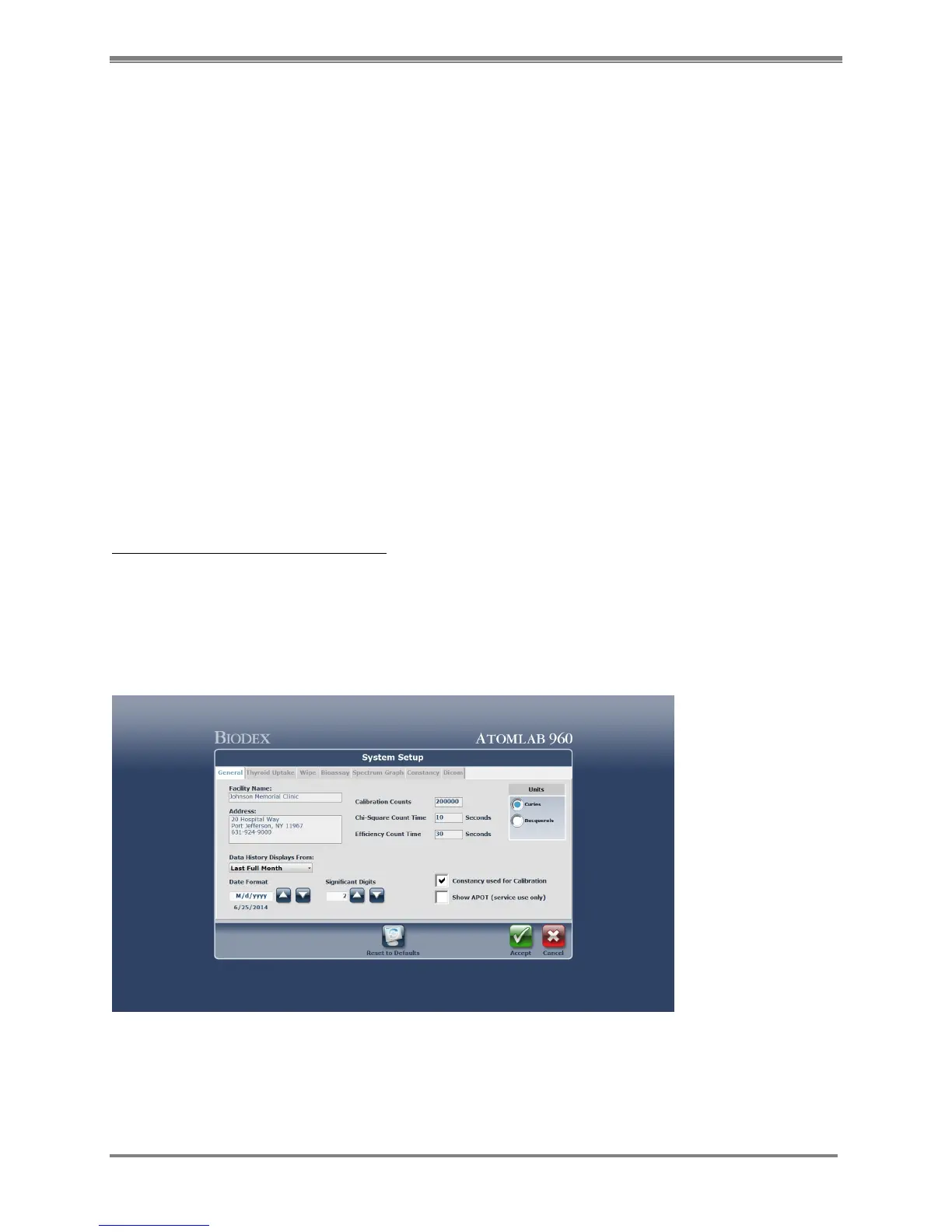
The System Setup function allows the user to enter and/or define information that will be used
throughout the system. Information is entered/selected in the appropriate areas of the program
by selecting from the tab choices at the top of the screen. These include:
• General
• Thyroid Uptake
• Wipe
• Bioassay
• Spectrum Graph
• Constancy
• DICOM
NOTE: Default values are provided for some settings on the System Setup screen. To return to
the default values after changes have been made, select the <Defaults> icon at the bottom of
the screen. Then select <Accept> at the “Caution prompt to reset all system settings to their
factory defaults.”
To Access The System Setup Screen:
1. From the <Home> screen, select the <Utilities> icon. The Utilities Menu is now displayed.
2. Select <System Setup>. (The screen defaults to the General tab.)
General Screen
(See Figure 4.2.)
Figure 4.2. The System Setup screen.



 To Next Page