4-4 UTILITIES Biodex Medical Systems, Inc. © 2014
Thyroid Uptake Screen
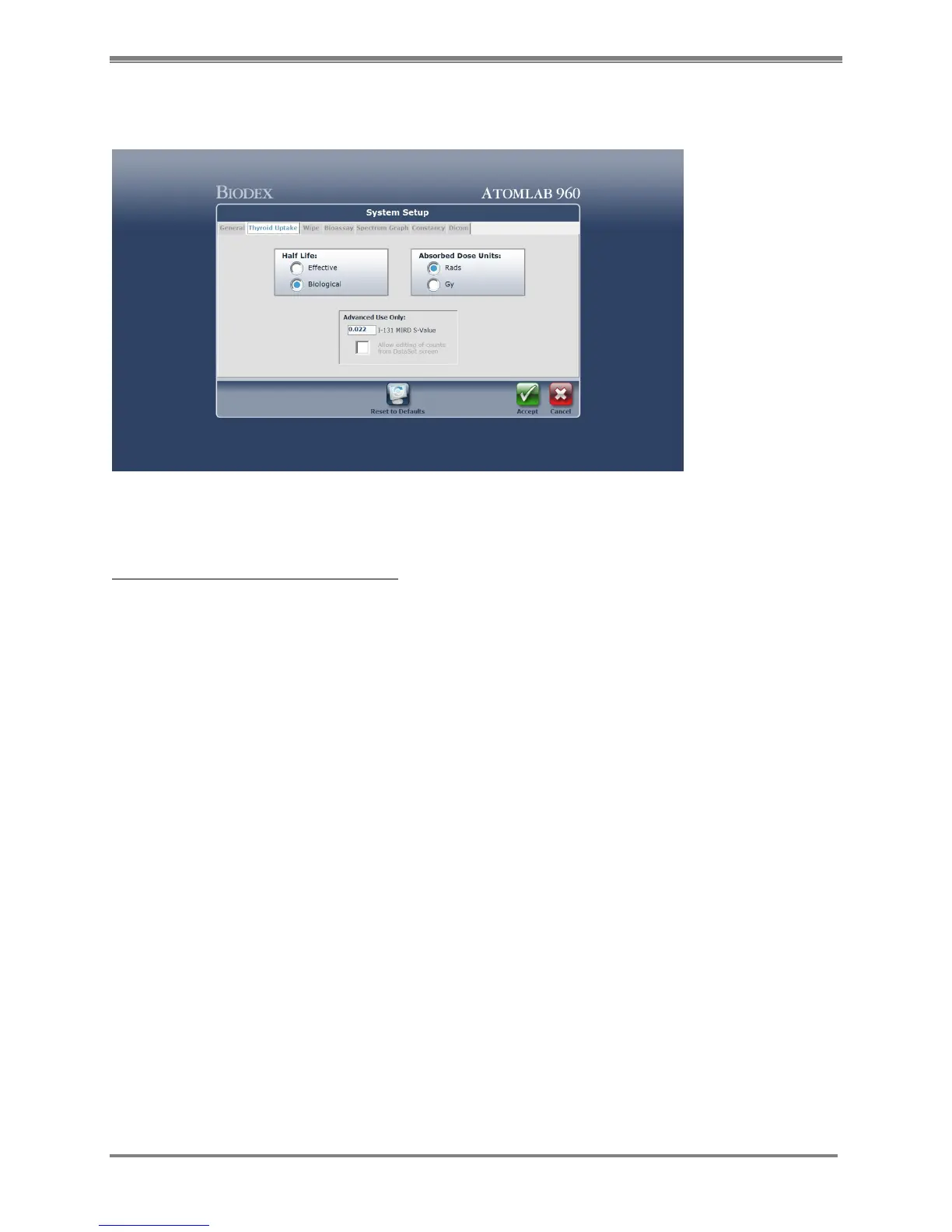
(See Figure 4.3.)
Figure 4.3. System Setup Thyroid Uptake screen.
System Setup -Thyroid Uptake Screen:
1. From the <System Setup> screen select the <Thyroid Uptake> tab. The System Setup Thyroid
Uptake screen is now displayed.
2. Select <Effective> or <Biological> for Half Life. The default value is Biological Half Life.
3. Select <Rads> or <Gy> for Absorbed Dose Units to display.
4. If you wish to be able to edit counts, before saving a thyroid uptake data set, check the
<Edit Counts> field. Normally this would not be checked.
5. If desired, advanced users can change the I-131 MIRD S-value (default value is 0.022) and
can enable editing of counts before saving an uptake study.
6. When finished, select <Accept> to save, or choose another tab at the top of the System Setup
screen to enter additional information before selecting <Accept> to save all data. Select
<Cancel> to return to the System Setup screen without saving the Thyroid Uptake data
entered.
NOTE: The Effective Half-Life is used to estimate the patient’s radiation dose after
administration of a radioactive material. It is the period of time needed for a radionuclide to be
decreased by 50% due to the combined effect of the Biological Half-Life and the Physical Half-
Life for the radionuclide.
The Biological Half-Life is the time required for half of a radioactive material to be eliminated
from the body through excretion in urine, feces, sweat or other routes. The Biological Half-Life
varies from patient to patient, because it is affected by metabolism, pathological conditions,
age and function of the excretory system.
Both Biological Half-Life and Effective Half-Life are considered to be estimates and not exact
values.



 To Next Page