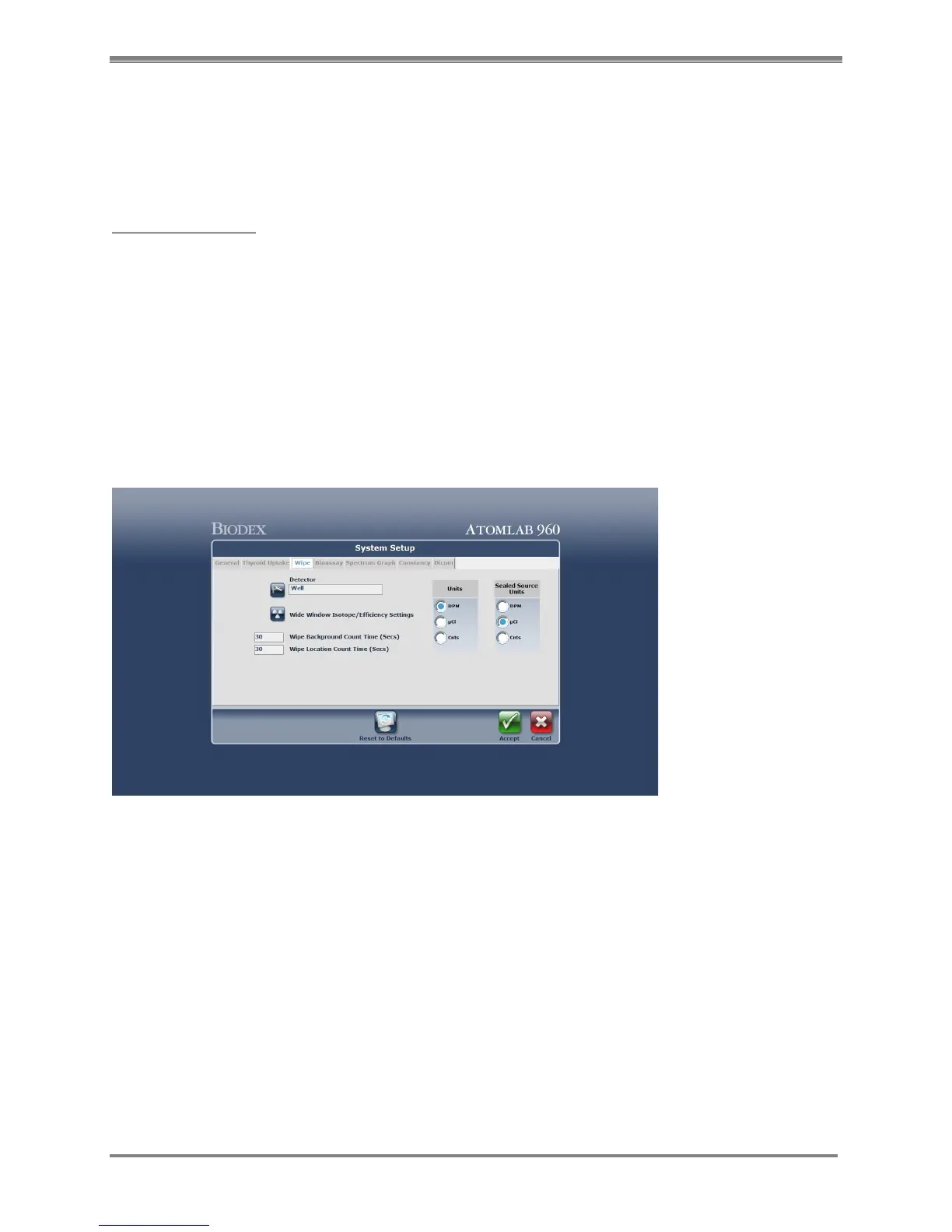
Wipe Parameter Screen
(See Figure 4.4.)
The wipe information is detailed in Chapter 8. The Wipe Program using the well counter is for
performing the wipe tests required for the department.
Well Counter Setup
There are certain functions that need to be set up in the Utilities Program in order to perform
wipe testing for the first time with the well counter. These include:
• adding a well detector if required
• setting a wide window isotope efficiency
• selecting the isotopes to wipe and putting efficiencies with each of the selected
isotopes
• creating wipe test areas and locations
1. At the <Home Page>, select <Utilities>. The Utilities screen is now displayed.
2. Select <System Setup> and then choose the <Wipe> tab. The System Setup Wipe screen is
now displayed.
Figure 4.4. The System Setup Wipe screen.
3. Choose <Select A Detector> and select the well counter to be used for the wipe test. Select
<Accept>.
NOTE: If there is only one well detector available, once it is chosen (Select A Detector), the
program will auto select that well.
4. Enter Wipe Background/Count Time in seconds. The Wipe Background Time must be
between 30 and 1200 seconds.
5. Enter Wipe Location Count Time in seconds. The Wipe Location Count Time must be
between 5 and 1200 seconds.
6. Select the default units for Wipe Test results
(DPM = Disintegrations per Minute, µCi = Microcuries, Cnts = Counts per Minute)
NOTE: If your system is set to Bequerels, the choice will be: DPM, Bqs, Cnts



 To Next Page